EasyManua.ls Logo

DigiShot plus.4G - Page 164

Default Icon
253 pages
Print Icon
To Next Page IconTo Next Page
To Previous Page IconTo Previous Page
Loading...
UTM-00339 | Rev 19
Page 164 of 253
DetNet South Africa Copyright © 2021
Item
#
Description
Detail
Indication
Icon
Options / Variants /
Description
3
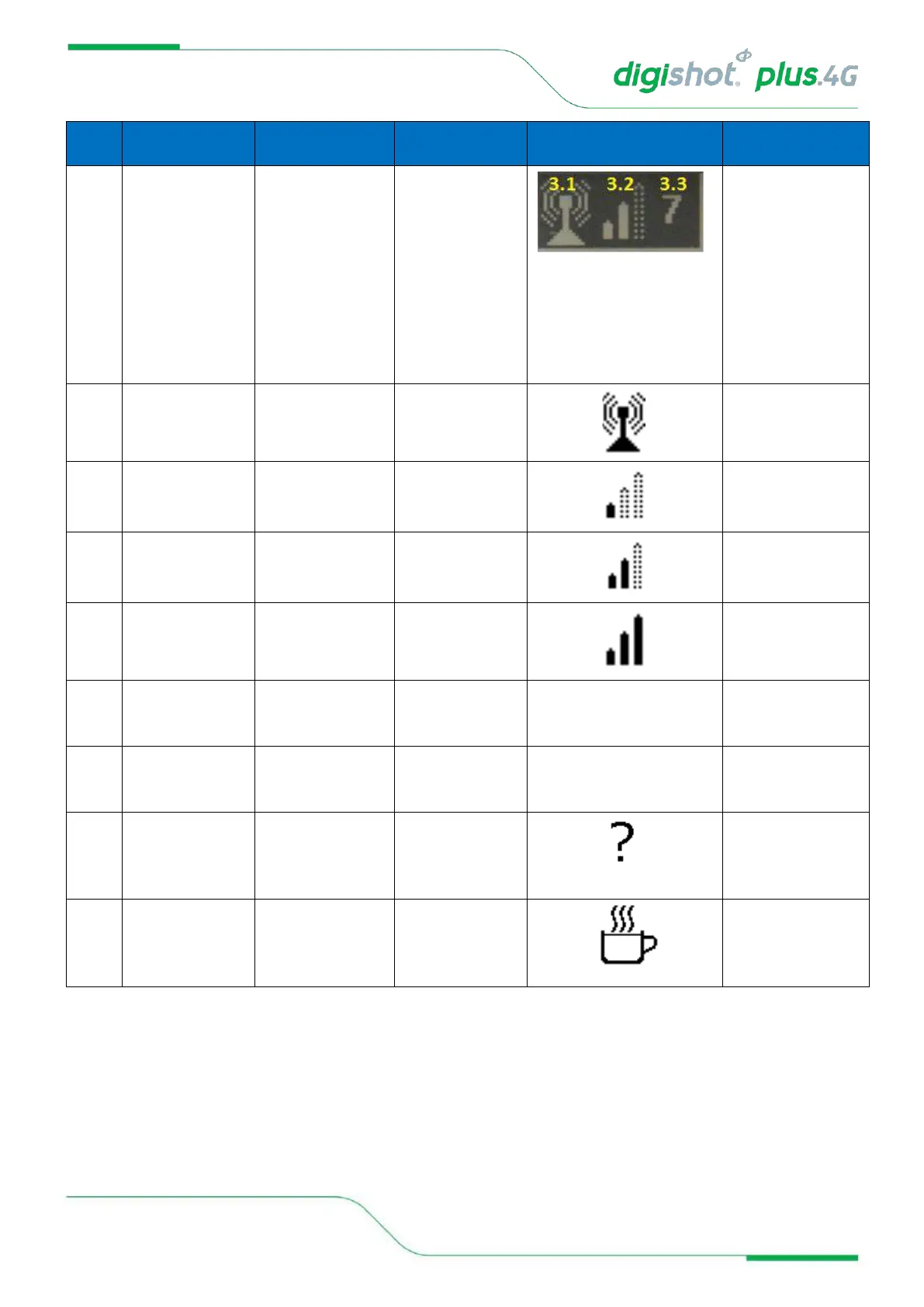
RF connectivity
indication area
Indicates whether the
RF module on this
Bench is active
Indicates whether
Bench Commander is
connected to Base via
RF
Indicates the signal
quality of the RF
connection
Connected to Base
3.1
RF active and
waiting for Base
connection
RF active
3.2
RF signal quality
Signal low
Signal medium
Signal high
3.3
ID of the RF-
connected Base
Commander
Base Commander ID
1…10
4
Commander ID
Commander ID used
to connect to over Wi-
Fi.
Commander ID
1…10
5
Commander system
state
Indicates the current
system state of the
Commander
State = UNKNOWN
Undefined Commander
state
State = IDLE
Idle state, Commander
waiting for processes
to commence, start-up
to finish