UTM-00339 | Rev 19
Page 176 of 253
DetNet South Africa Copyright © 2021
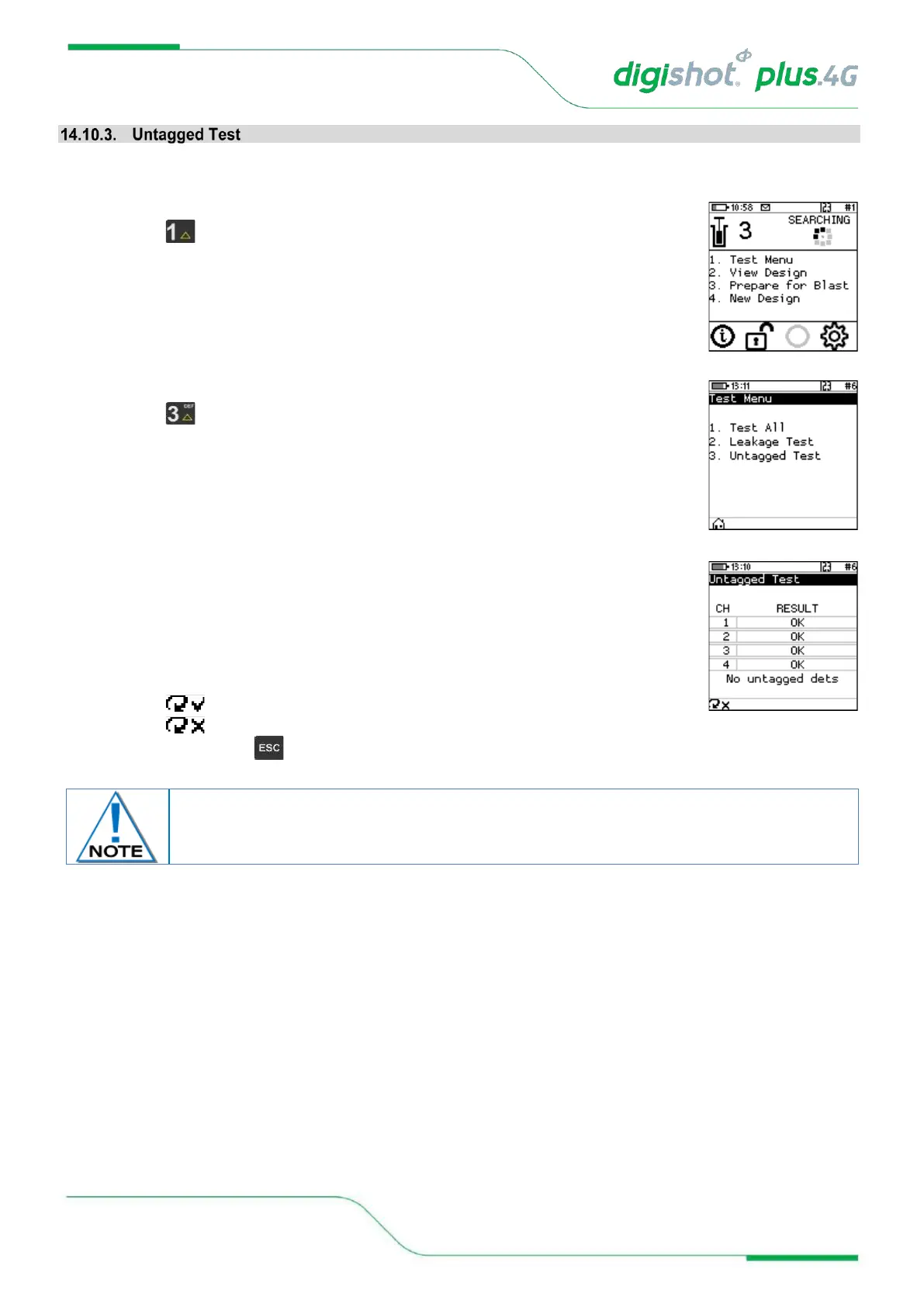
This function enables the user to test for Untagged Detonators connected to the harness wire.
1. Main Menu
• Press SoftKey to select Test Menu.
2. Test Menu
• Press SoftKey to select Untagged Test.
3. Untagged Test
• The Channel and Result will be displayed
• OK message will be displayed when no untagged detonators are found.
• Error message will be displayed when untagged detonators are found.
4. User may use the following SoftKeys:
• Press SoftKey to continuously repeat test.
• Press SoftKey to stop continuously repeating test
5. After Testing press the Key to return to the Test Menu
Use a binary search to locate untagged detonator(s).
Refer to Appendix A for details to perform binary search.



 To Next Page