UTM-00339 | Rev 19
Page 188 of 253
DetNet South Africa Copyright © 2021
9. Remote Blast
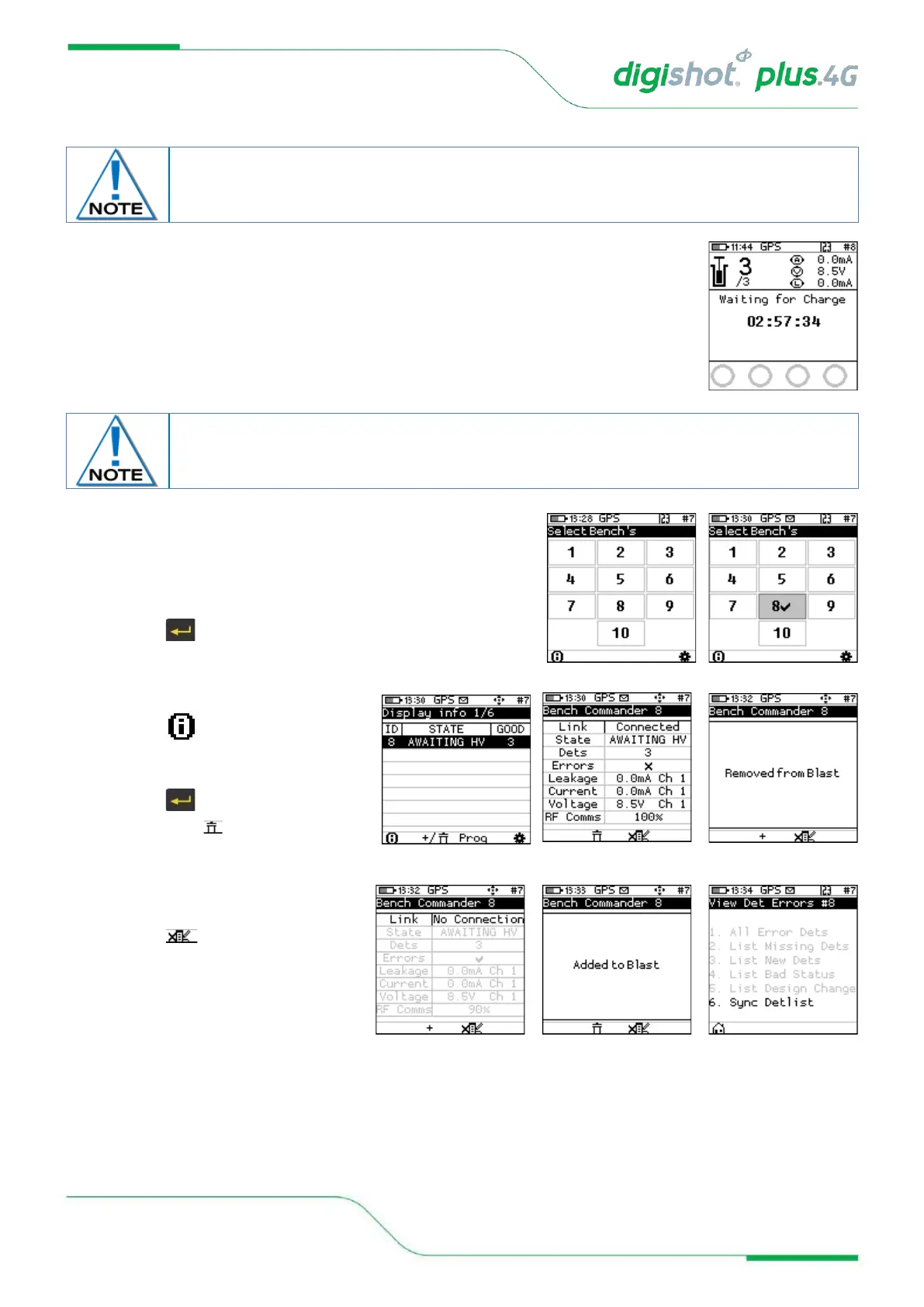
• The Bench Commander will await a command from the Base Commander
• Select the applicable Bench Commander by pressing
corresponding number on the keypad. Select Bench 10 by
pressing 0 on the keypad. (Bench 1 is selected as
indicated by the tick mark ✓ in example shown).
• Applicable Bench Commander will be Indicated by ✓
• Press to continue
10. To remove a Commander from the blast:
• Press button
• Highlight Commander to be
removed
• Press
• Then press Soft button to
remove
11. To add a removed Commander
• Press + Button
• Press button to View Det
Errors
• Press corresponding numbers to
view the different lists
Disconnect the CE4 Tagger from the Bench Commander. CE4 Tagger will automatically
disconnect from the Bench Commander during charging.



 To Next Page