UTM-00339 | Rev 19
Page 204 of 253
DetNet South Africa Copyright © 2021
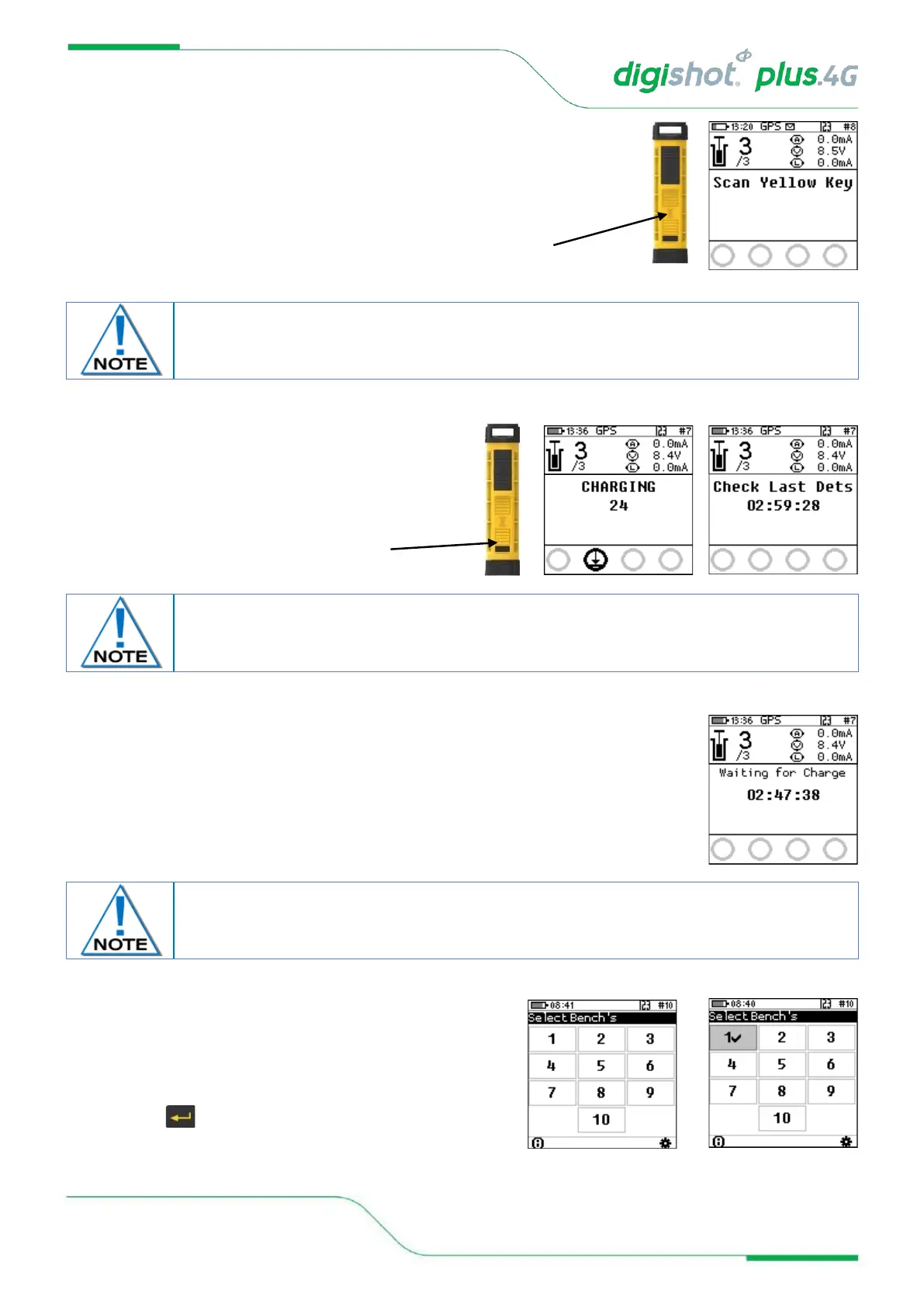
7. Remote Blast
• User will be prompted to Scan Key.
• Scan the Yellow BlastCard at the back of the Commander.
8. Remote Blast
• Press and hold the NEXT button on the front
of the DigiShot
®
Plus 4G Commander for 2 seconds.
• The DigiShot
®
Plus 4G Commander will initiate a
Grace period of 2 minutes.
9. Remote Blast
• The Bench Commander will await a command from the Base Commander.
• Select the applicable Bench Commander by pressing the
corresponding number on the keypad. Select Bench 10
by pressing 0 on the keypad. (Bench 1 is selected as
indicated by the tick mark ✓ in example shown).
• Applicable Bench Commander will be Indicated by ✓
• Press to continue.
Disconnect the CE4 Tagger from the Bench Commander. Note that the CE4 Tagger will
automatically disconnect from the Bench Commander during charging.



 To Next Page