UTM-00339 | Rev 19
Page 206 of 253
DetNet South Africa Copyright © 2021
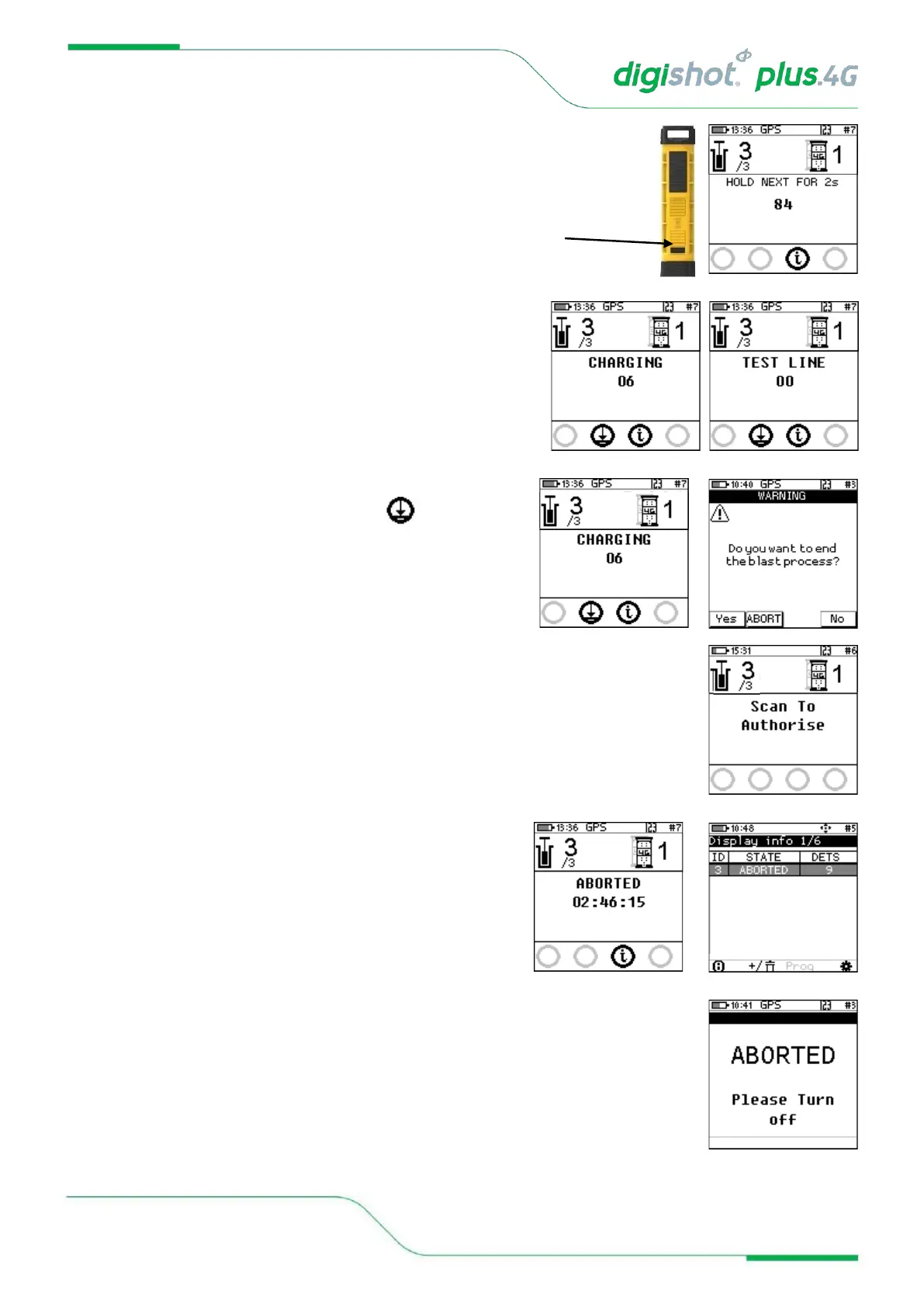
• Press and Hold the NEXT button on the front of the DigiShot
®
Plus 4G
Commander for 2 seconds,
• The Commander will initiate arming and a 30-second high-
voltage Charging period followed by Test Line and the 90-
second blast window.
15. To end the blast process or abort the blast
• From the Base Commander press the button,
• If No is selected, the system will continue with the blast
process.
• If Yes is selected, the Base will return to “Scan to Authorise”.
• If ABORT is selected, the Base will abort the Benches
connected to it.
• The Bench Commander will display “Aborted” and Request to be reset.



 To Next Page