UTM-00339 | Rev 19
Page 236 of 253
DetNet South Africa Copyright © 2021
Troubleshooting / Remedial Action
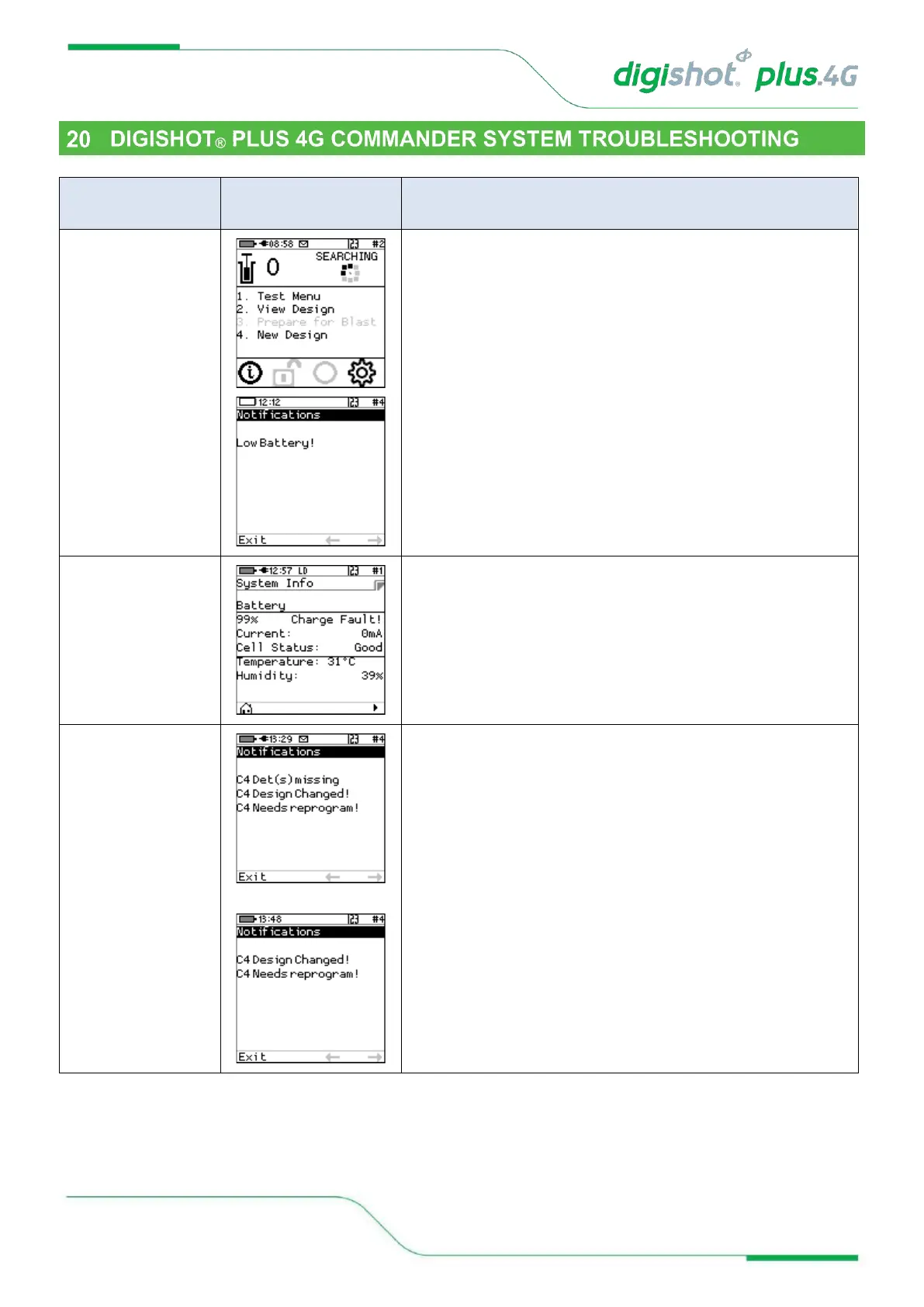
When Envelope is displayed, Press # to display Error Screen
Ensure that the Commander is fully charged before it is
deploying in a blast. Should this error trigger, charge the
Commander before using or alternatively use another
Commander that has been sufficiently charged.
The Charge Fault will be displayed to indicate that the
Commander is not charging from the connected charger.
Ensure that the charging cable is connected securely to the
Commander. Also ensure that the charger has sufficient output
power to charge the Commander. A charger capable of
supplying 2A or greater is preferred.
This error will occur when the Commander detects that the
design has changed. This indicates that, either a new
detonator has been found, or a detonator has gone missing.
When this error occurs, the user is encouraged to examine the
list to ensure that the total detonator count is correct. Once the
list has been examined and the detonator count has been
confirmed to be correct, the user must reprogram the
Commander. Should there be a missing detonator, it must be
found and corrected



 To Next Page