UTM-00339 | Rev 19
Page 40 of 253
DetNet South Africa Copyright © 2021
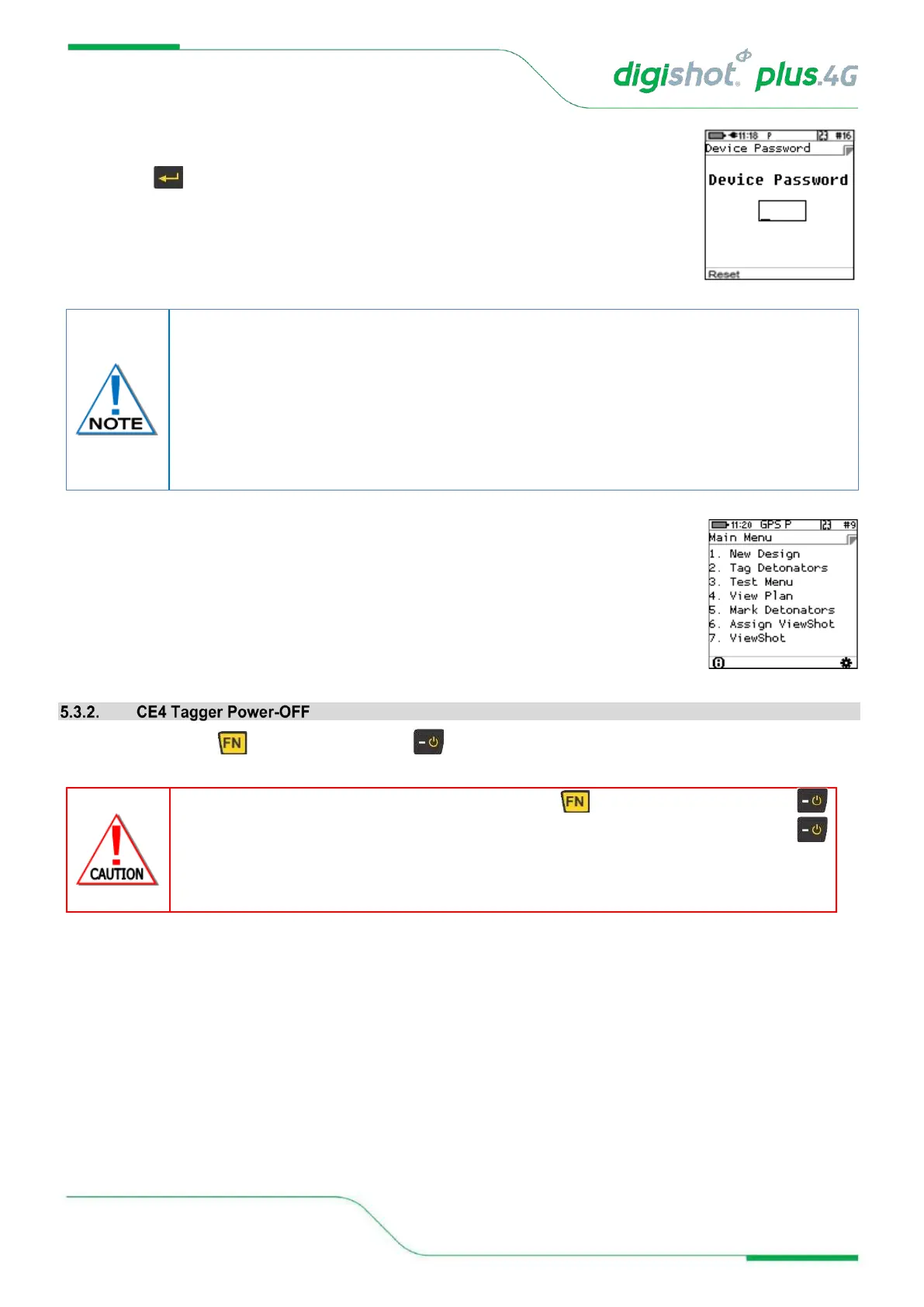
Device password
11. Enter the Device password using the numerical keypad.
12. Press to continue.
13. Main Menu screen will be displayed.
The main menu screen will vary dependant on the mode of operation.
14. Press and hold key and then press the key to power OFF CE4 Tagger.
To prevent unauthorised use, the CE4 Tagger is assigned a default password by the
manufacturer. The default password may be changed by the user and can be configured
from the “Settings” menu. The user may reset the password with a ticket retrieved from
DetNet Portal, should the password be previously set and the user does not recall the
password.
Entering value 0 as a password will remove the password-required step when starting the
device.
IN THE EVENT OF THE SOFTWARE NOT RESPONDING TO THE KEY IN COMBINATION WITH THE
KEY, IT IS POSSIBLE TO FORCE THE CE4 TAGGER TO POWER OFF BY PRESSING AND HOLDING THE
KEY FOR AT LEAST 10 SECONDS TO FORCIBLY POWER OFF THE CE4 TAGGER. NOTE THAT THIS
ACTION MAY RESULT IN SETTINGS OR BLAST INFORMATION BEING LOST AND SHOULD NOT BE USED IN
NORMAL PRACTICE AS HARD POWER DOWNS CAN LEAD TO DATA CORRUPTION OR LOSS.



 To Next Page