UTM-00339 | Rev 19
Page 51 of 253
DetNet South Africa Copyright © 2021
The CE4 Tagger storage process is to be followed when the CE4 Tagger will be stored for an extended period of
time.
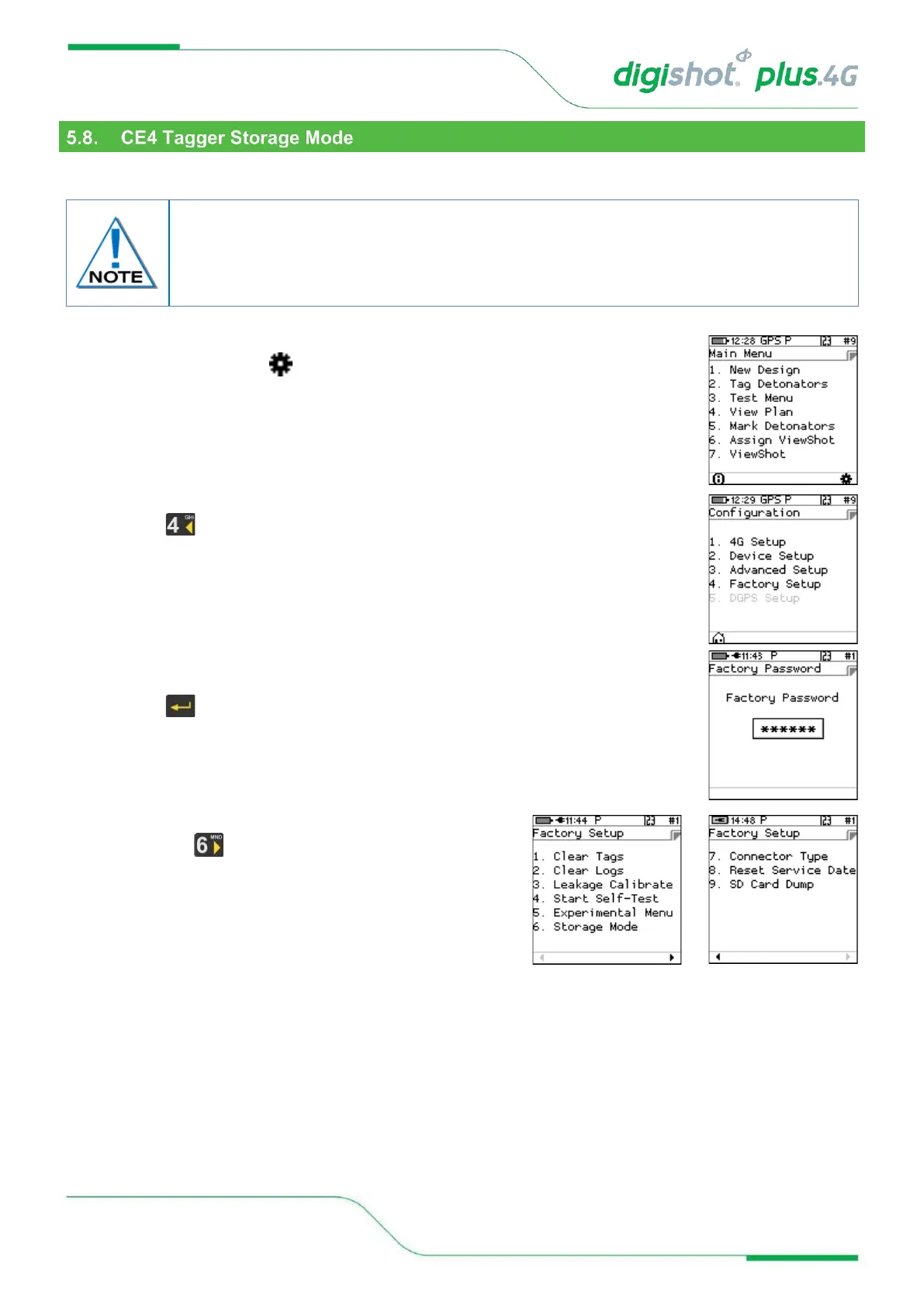
1. Main Menu
• Press SoftKey below to select Configuration Settings Menu.
2. From Configuration Settings Menu
• Press to select Factory Setup.
3. Factory Password
• Enter Factory Password
• Press to select Factory Setup Menu
4. Factory Setup Menu
• Press key to select Storage Mode
It is recommend that the CE4 Tagger be charged to 50% when put into storage and
thereafter the unit should be charged at least every six months to 50%, to maintain the
expected lifetime of the battery. Store the CE4 Tagger in a cool, dry place when not in
use.



 To Next Page