UTM-00339 | Rev 19
Page 55 of 253
DetNet South Africa Copyright © 2021
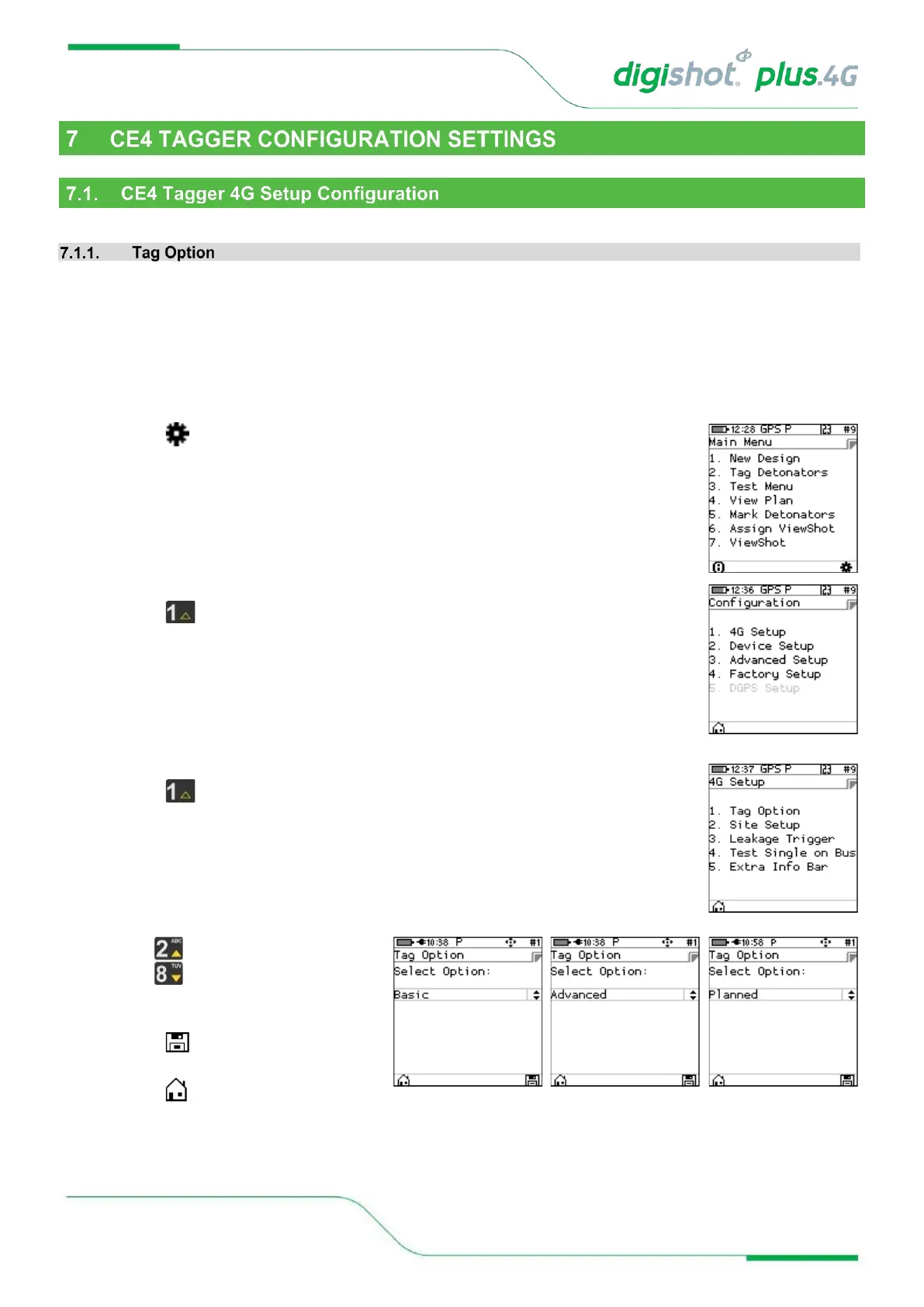
The Tag Option will allow the User to select one of the following three tagging options:
• Basic (B)
• Advanced (A)
• Planned (P)
• A corresponding symbol (B, A or P) will be displayed in the top bar once the tag option is set.
1. Main Menu
• Press SoftKey to select Configuration Settings.
2. Configuration Settings Menu
• Press to select 4G Setup
3. 4G Setup
• Press to select Tag Option
4. Tag Option
• Use navigational keys to scroll
up/down and display the required
selection as follows:
• Press SoftKey to save option as
required.
• Press SoftKey to return to Main
Menu.



 To Next Page