UTM-00339 | Rev 19
Page 73 of 253
DetNet South Africa Copyright © 2021
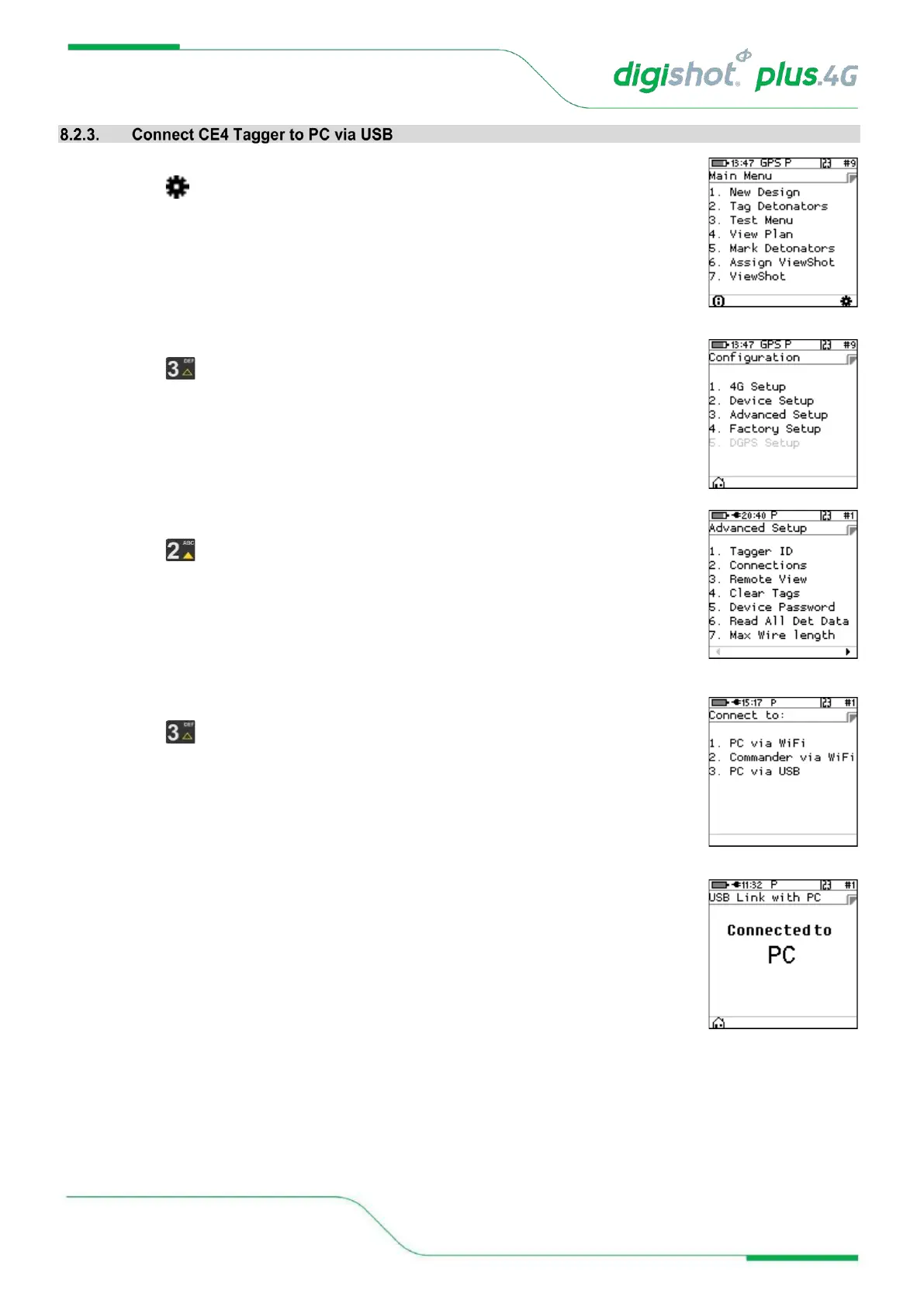
1. Main Menu
• Press SoftKey to select Configuration Settings.
2. Configuration Settings Menu
• Press to select Advanced Setup.
3. Advanced Setup Menu
• Press to select Connections.
4. Connections
• Press on the keypad to connect CE4 Tagger to PC via USB.
5. USB Link with PC
• The CE4 Tagger will wait for the connection to be established and the following
messages will appear:
• Ready for PC – Connect USB cable between PC and CE4 Tagger
• Connected to PC



 To Next Page