UTM-00339 | Rev 19
Page 87 of 253
DetNet South Africa Copyright © 2021
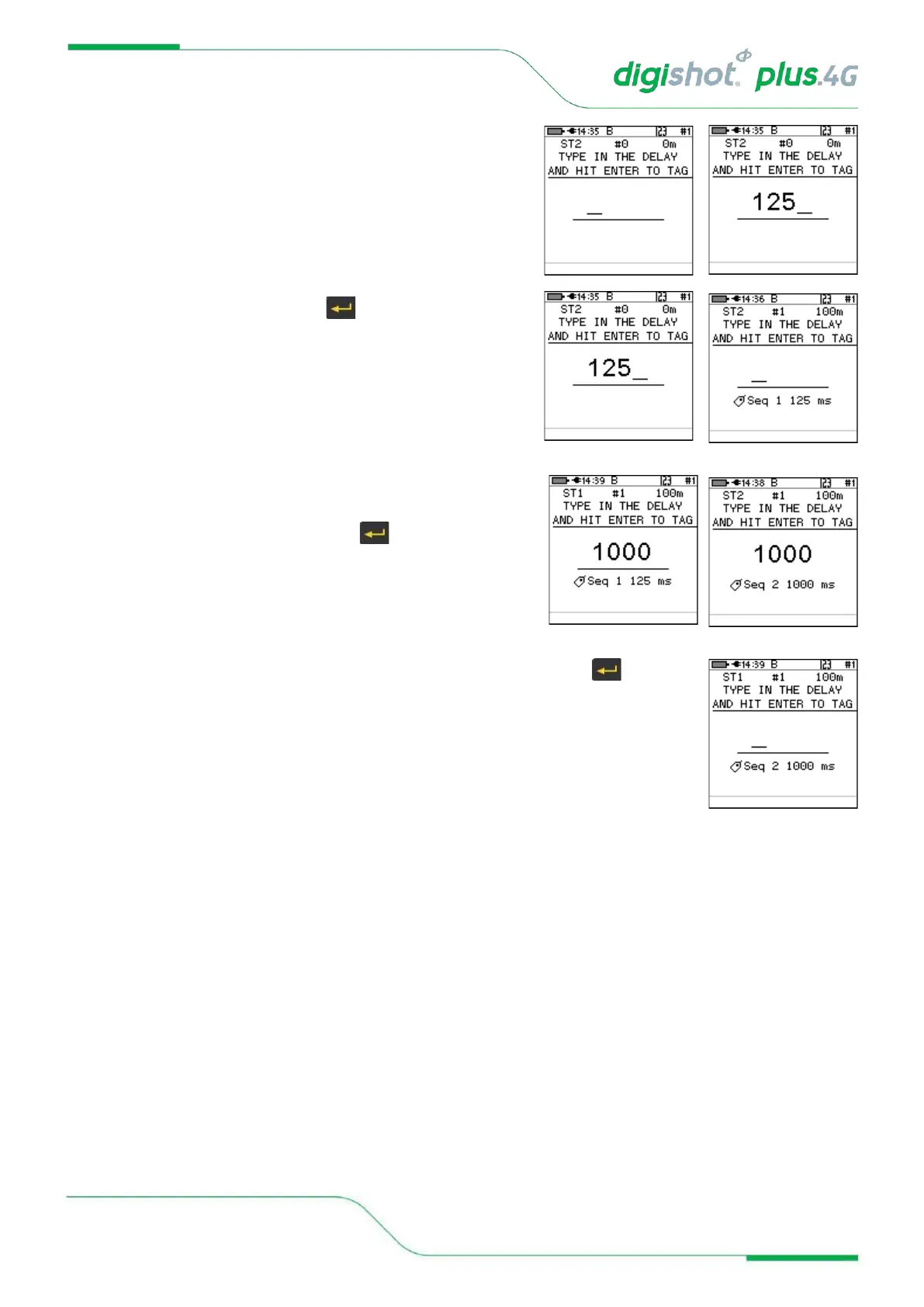
3. Enter desired delay
• Use the keypad to enter the delay in ms
• Connect detonator and press to continue
• ST2 String Number 2
• #1 Total Count of detonators tagged
• 100m Total down wire length
• Detonator number and delay entered will be displayed
• Tagger will be ready state to enter next detonator delay
4. Enter desired delay for following detonators
• Use the keypad to enter the delay in ms
• Connect next detonator and press to continue
• Detonator number and delay entered will be displayed
• Tagger will be ready state to enter next detonator delay
5. Enter the required delay values for all detonators to be tagged and press after each
entry to save and move to next field.



 To Next Page