9
7.3 Microphone Enhancement Feature
Range: adjust range - 50% (off) ~ + 50 %
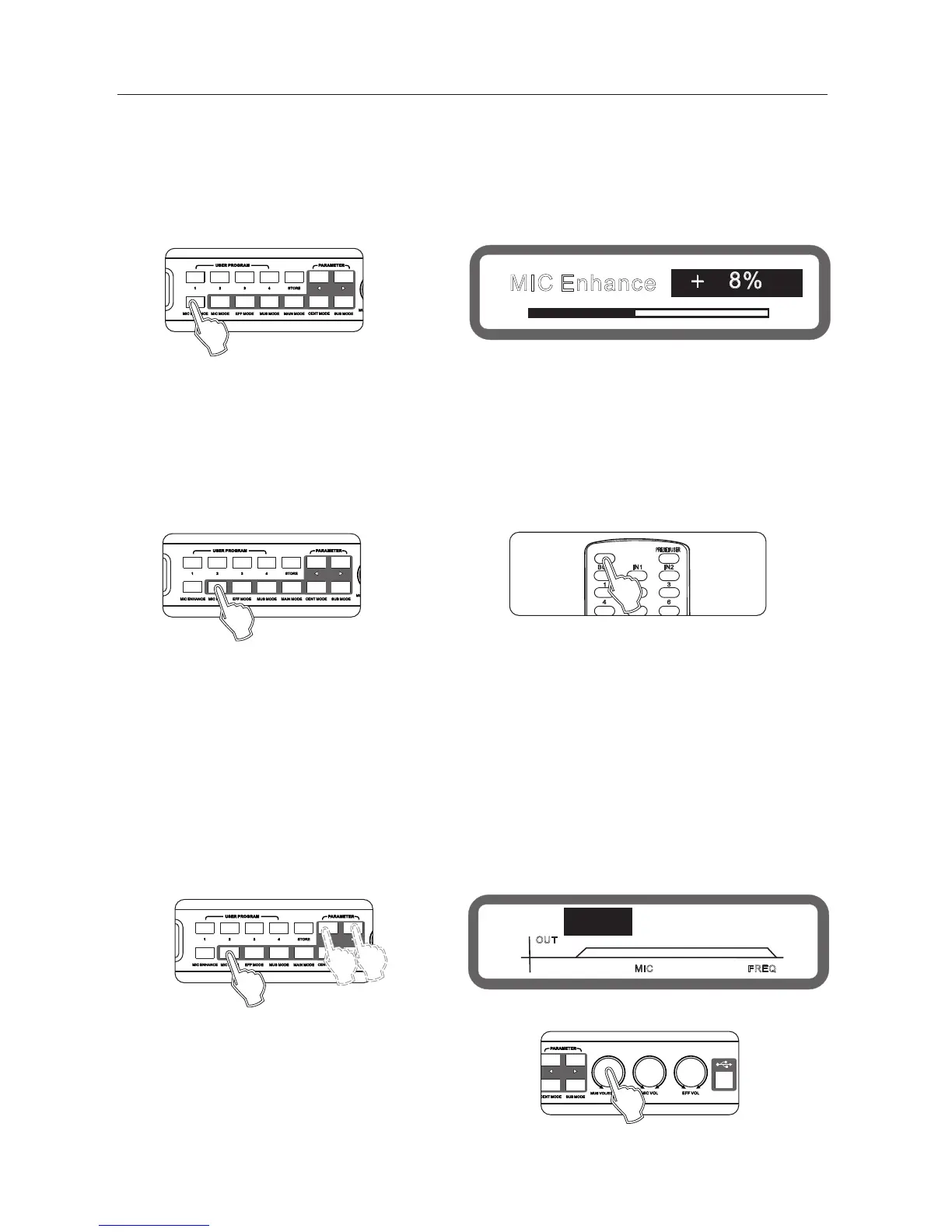
Operating method 1: On the panel press the key "Music Enhance",
set to continuously change enhance switch, turn the knob to adjust music inspired.
Operating method 2: Operation from the interface software to set up
7.4 microphone optimization settings
Range: Off, Popular, Professional
Operation: Operation from the interface software to set up
7.6 microphone feedback elimination settings
Range: Off, Grade between 1 to 5.
Operation: Press panel button "microphone mode until show the
Feedback elimination on the screen, turning the knob "Music volume / Edit(Press) "to set the sensitivity
"
+ 8%
HPF: LPF:14.5kHz45Hz
OUT
MIC
MIC Enhance
FREQ
Panel
Display
Panel
REMOTE CONTROL
Panel
Panel
Display
7.5 microphone noise gate settings
Range: Off, On
Operation: Operation from the interface software to set up
Operating method 2: Operation from the interface software to set up
When the singer handheld microphone facing the speaker is singing, often occur howling/whistle,
the phenomenon often makes the listener feel irritable, serious cases will damage the speaker and amplifier.
Adjustment the feedback elimination setting, howling will be eliminated automatically, effective protection
of the speaker and amplifier.
Operation method 3: on the remote control "feedback inhibition" setting
7.7 microphone High-cut, Low-cut setting
Low-cut range: 20hz ~ 200hz, stepping 5hz
High-cut range: 12khz ~ 20khz, stepping 0.5khz
Operating Method 1: Press the panel button "microphone mode "into the microphone menu,
selected to the microphone low-cut, high-cut screen, as shown below:
Keys "<" and ">" switch Low-cut and High-cut.
Turning knob music volume / edit (press) " to set.
Operating method 2: Operation from the interface software to set up
"



 To Next Page