6.4. Music PEQ setting
PEQ: 7 bands
Type: Parametric equalization filters(can be set as low/high-tone filter), graphic equalization
(the 7 band can be set up as a high-cut).
Frequency range: 20Hz - 20kHz
Gain range: - 15db ~ + 12 db(can be limited to +6db in the "evice Settings" of interface software),stepping is 0.1 db
Band range: 0.011 ~3.595
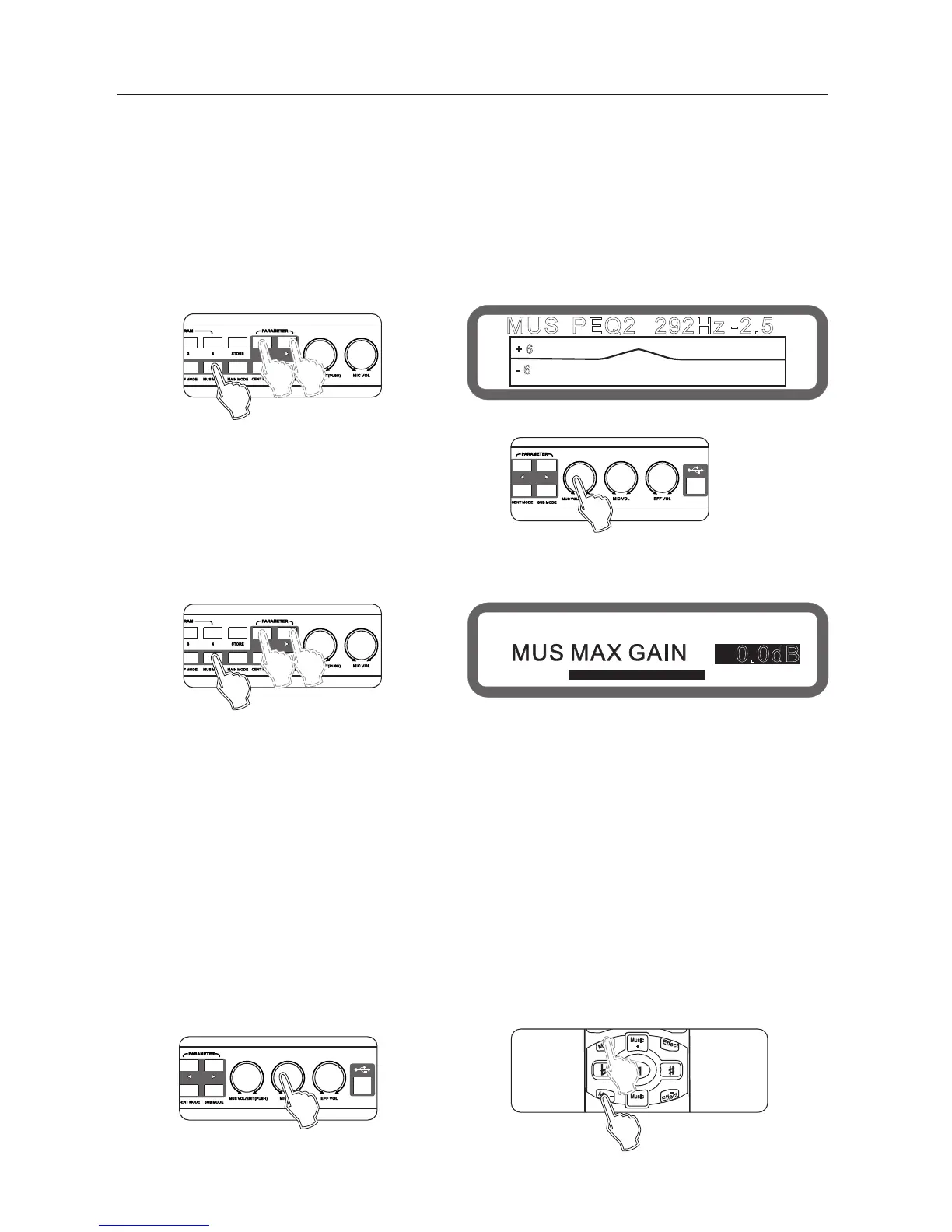
Operating method 1: (panel can only set the gain) press "usic mode" on panel continuously to
enter the Music menu EQ,As below:
th
Press the " <" and " >" set the EQ
Rotate the knob " music volume/edit (press)" to set the gain "
Method 2: by the interface software
(All the EQ parameters can be set)
8
MUS PEQ2 292Hz -2.5
+ 6
- 6
Operation method 2: through the interface software to set up
6.6. Music Noise Gate settings
Scope: On and Off
Operation: Set up through the interface software.
7, Microphone part instructions
7.1microphone input and potentiometer settings
There are a total of 5 microphone connector, 3 on the front panel, 2 on rear panel.
3-microphone on the front panel with Level Adjust input, in general, set in the middle is best.
7.2 Microphone Volume Setting
Range: mute, -25dB~+6dB, stepping 0.5 dB
Operating method 1: panel knob Microphone volume set."
Method 2: Operation on the remote control icrophone + , microphone - "
Method 3: Operation from the interface software to set up
" "
" " "
6.5 The maximum volume setting
Range: mute,-30db ~ 0db, Stepping: 0.5db
Method 1: continuously press buttons "music mode" to the maximum music volume screen, as below:
MUS MAX GAIN
0.0dB
Panel
Display
Panel
Panel
Panel
REMOTE CONTROL
Display
6.7. Music low-Cut set
Range: OFF, 20Hz ~200Hz, stepping 5 Hz
Operation: Set up through the interface software.



 To Next Page