5、Power-On processor.
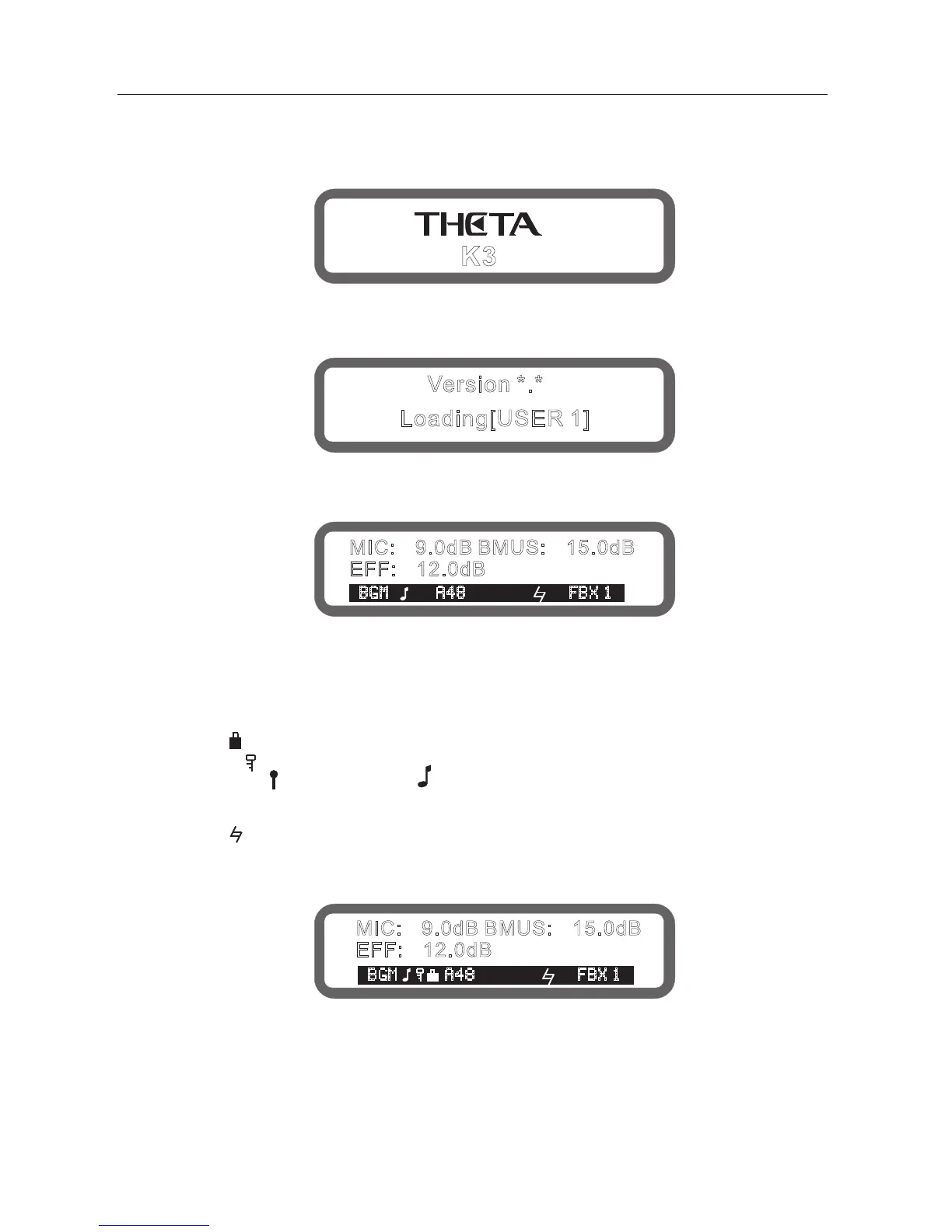
Connect power cable, press the power switch on the rear panel, screen display trademark will be shown as below:
Then the version No#, the processor unit starts loading data
(the boot loaded data can be set after the boot, there are 5 options:
[the last memory before turn-off], [1-4 user program],here show the selected set).
Loading is complete, display boot screen, as follows:
The boot screen shows the current microphone volume, music volume, effect volume
3-lines character and icon meaning is as follows:
The music input line (BGM/IN1/IN2)
Panel lock (" ", means the panel has been locked, no display indicates unlocked)
Encoder lock (" " means some parameters have been locked, no display indicates unlocked)
Subwoofer mode ( " " means concert mode," "means dance mode, no display indicates manual mode)
Musical input format ("A" represents the analog input "D" represents a digital input "44,48,32" represents
the sampling rate)
Music pitch (" " )
Feedback eliminator status ("FBX1-5" indicates feedback eliminate grade 1-5,
no display indicate feedback eliminator function closed)
6
Version *.*
Loading[USER 1]
MIC: 9.0dB BMUS: 15.0dB- -
EFF: 12.0dB-
BGM A48 FBX 1
BGM A48 FBX 1
MIC: 9.0dB BMUS: 15.0dB- -
EFF: 12.0dB-
K3



 To Next Page