11
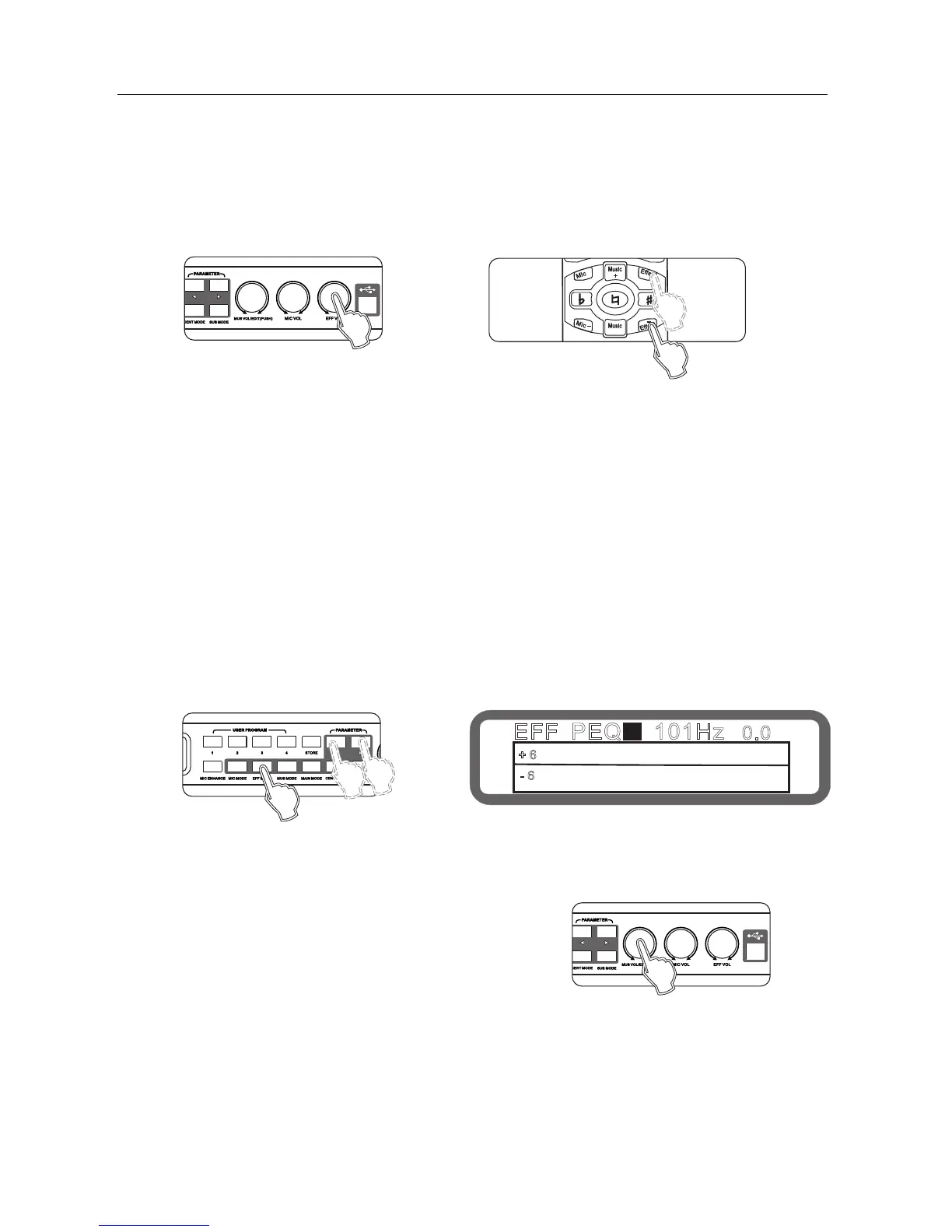
7.10 effect volume set
Range: mute,-30db ~ 0db, Stepping: 0.5db
Operation: set by "effect volume knob on the panel.
Operating method 2: by effect +", ffect on the remote control
Operating method 3: Operation from the interface software to set up
"
" " "
Buttons "<" and ">" to select the desired setting PEQ
Turning knob music volume / edit (press) "to set the gain.
Operating method 2: Operation from the interface
software to set up(all equalization parameters can be set)
"
EFF PEQ 101Hz1
0.0
+ 6
- 6
Panel
REMOTE CONTROL
Panel
Display
Panel
7.11 Effect high-cut, low-cut set
Low-cut range: OFF, 50hz - 200hz, stepping 5hz
High-cut range: 8khz ~ 16khz, OFF, stepping 0.5khz
Operating : Operation from the interface software to set up
7.12 Effect PEQ set
The PEQ qty: 3
Type: parametric equalization filter (can be set to low / treble tone filter), graphic equalizer
Frequency range: 20hz ~ 20khz
Gain Range:-15db ~ +12 db, step 0.1db
Bandwidth range: 0.011 to 3.595
Operation: (panel only set the gain of equalizer )
Press the panel button Effect Mode until show EFF PEQ as below:
" "



 To Next Page