12
7.13 Echo volume, phase settings
Volume range: mute,-30db ~ 0db, Stepping: 0.5db
Phase range: 0 , 180
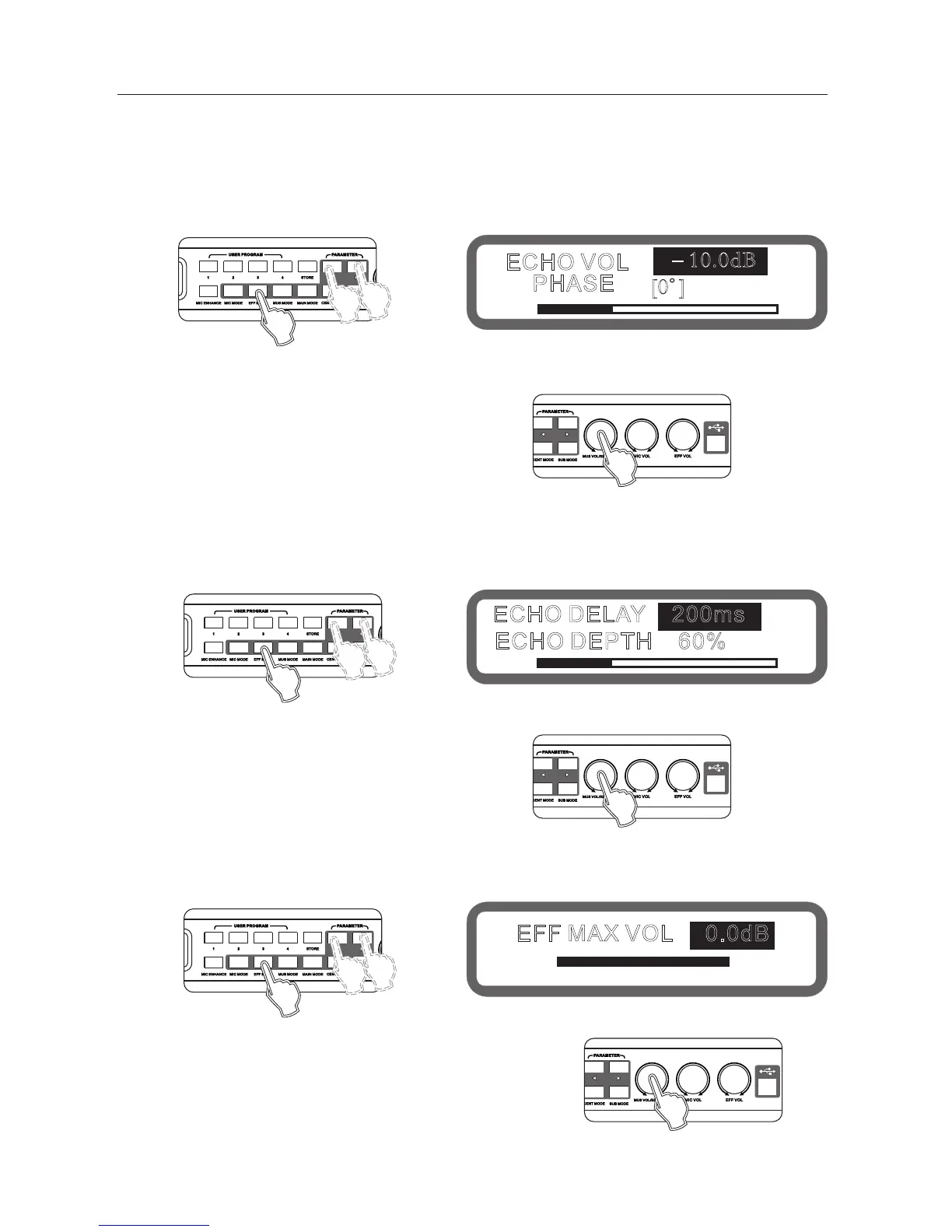
operation: Press the buttons "Effect Mode" on the panel continuously into the echo volume and phase screen,
as shown below:
Buttons "<" and ">" to switch Echo volume and phase
Turning knob "music volume / edit (press) "to set .
Operating method 2: Operation from the interface
software to set up
7.14 Echo delay set
Delay range: 100ms-600ms, stepper: 5ms "
Depth range: 0% -100%, Stepping: 1%:
Operation: Press the buttons "Effect Mode" on the panel continuously into the effect delay, as shown below:
Button "<", ">" Switching echo delay and depth.
Turning knob "music volume / edit (press) "to set
Operating method 2: Operation from the interface software to set up
7.15 Effect maximum volume setting
Range: mute,-30db ~ 0db, Stepping: 0.5db
Operation: Press the buttons "Effect Mode" on the panel continuously into the effect maximum volume, as shown below:
Turning knob "music volume / edit (press) "to set the maximum volume.
Operating method 2: Operation from the interface software to set up
° °
ECHO DELAY 200ms
ECHO DEPTH 60%
10.0dB-
[0 ]
EFF MAX VOL 0.0dB
Panel
Display
ECHO VOL
PHASE
Panel
Panel
Display
Panel
Panel
Display
Panel



 To Next Page