17
9.1 Center volume setting
Range: Mute, -3
0db ~ 0db, Stepping: 0.5db
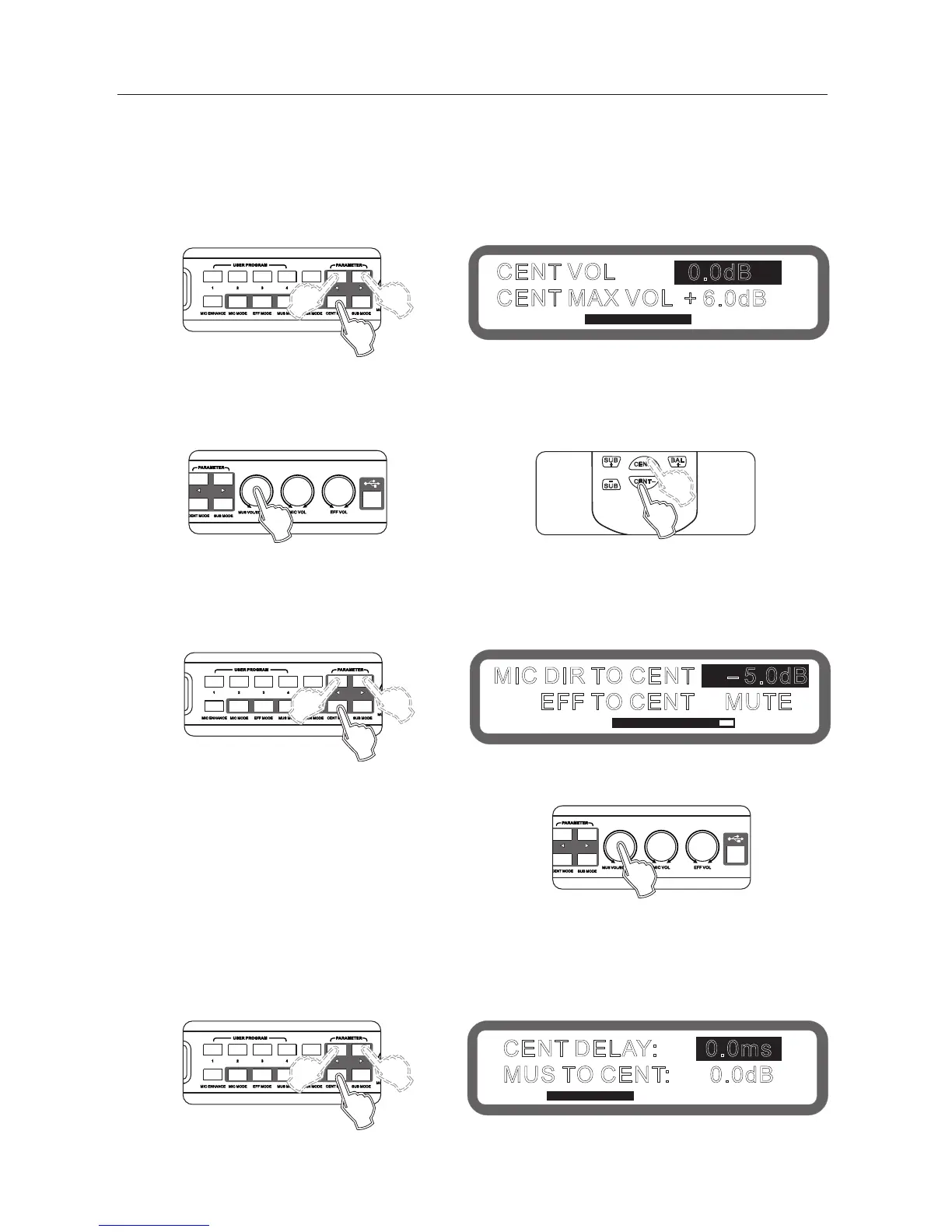
Operation method 1: Press the buttons "Center Mode" on the panel continuously into the Center volume , as shown below:
Keys "<" and ">" to switch the center volume and microphone maximum volume.
Turning knob"usic volume / edit (press) "to set.
Operating method 2: Press on the keys "Center +" and ?Center -" on the remote control.
Operating method 3: Operation from the interface software to set up
9.2 Direct sound to the center, Effect to the center volume setting
Range: mute,-30db ~ 0db, Stepping: 0.5db
Operation method 1: Press the buttons "Mic Mode" on the panel continuously into the Direct sound to Center
and Effect to center , as shown below:
Keys "<" and ">" to switch Direct sound to the center and Effect to the center.
Turning knob "usic volume / edit (press) "to set.
Operating method 2: Operation from the interface software to set up
9.3 Center music delay, and The music to center volume set
Center Music delay range: 0 ~ 5ms, stepping 0.5ms
Music to the Center volume range: Mute,-30db ~ 0db, Stepping: 0.5db
How: Press the panel button microphone mode "election to set to music the delay, the volume of the music to the
center screen, as shown below:
Operation method 1: Press the buttons "Mic Mode" on the panel continuously into the Center music delay and
Music to the Center volume , as shown below:
9、Center part operating instructions
CENT VOL
0.0dB
CENT MAX VOL
+ 6.0dB
MIC DIR TO CENT -5.0dB
EFF TO CENT MUTE
CENT DELAY: 0.0ms
MUS TO CENT: 0.0dB
Panel
Display
Panel



 To Next Page