7
6、Music part operating instructions
6.1 Line select function of music input
6.1.1 analog music input
3-way analog music input line: background music, Input 1, Input 2
Potentiometer adjustment function, adjustment range: - 8 ~ +3 db
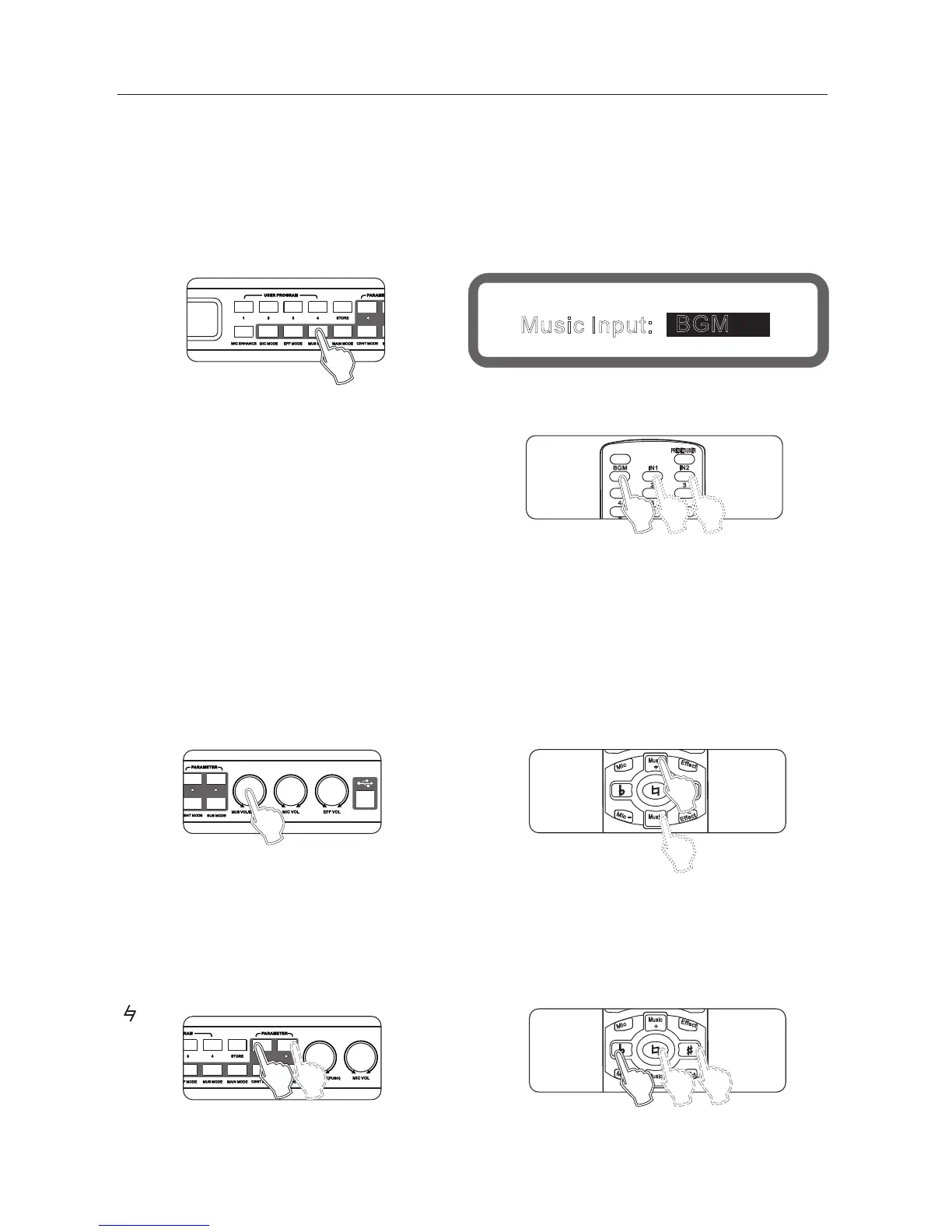
Method 1: continuously press panel buttons "music mode" until display to the music input selection screen,
as shown below:
Turning the knob "music volume/edited (pressed)" to set music input lines.
Method 2: setting from "device settings" of the interface software.
Method 3: use the remote control settings
6.1.2 digital audio format input (S /PDIF )
For different sampling rates (44.1khz/48khz) digital audio input, the machine will automatically recognize.
Method 1: Panel settings.
Method 2: setting from "device settings" of the interface software.
6.2 music volume set
Range: mute,-30db ~ 0db, Stepping: 0.5db
Method 1: panel knob usic volume set
Operation 2: on the remote control music + " Music-
Method 3: Operation from the interface software to set up
" "
" " "
Panel
Display
Music Input:
BGM
6.3 * Music tones
Range: b 7, b 6, b 5, b 4, b 3, B 2, B 1. # #1, #2, #3, #4, #5, #6 and #7
Method 1: The display on the screen.
Press the key on the panel " <" and " >" to set the music tone..
Method 2: remote control "b"
" ", "#"
REMOTE CONTROL



 To Next Page