23
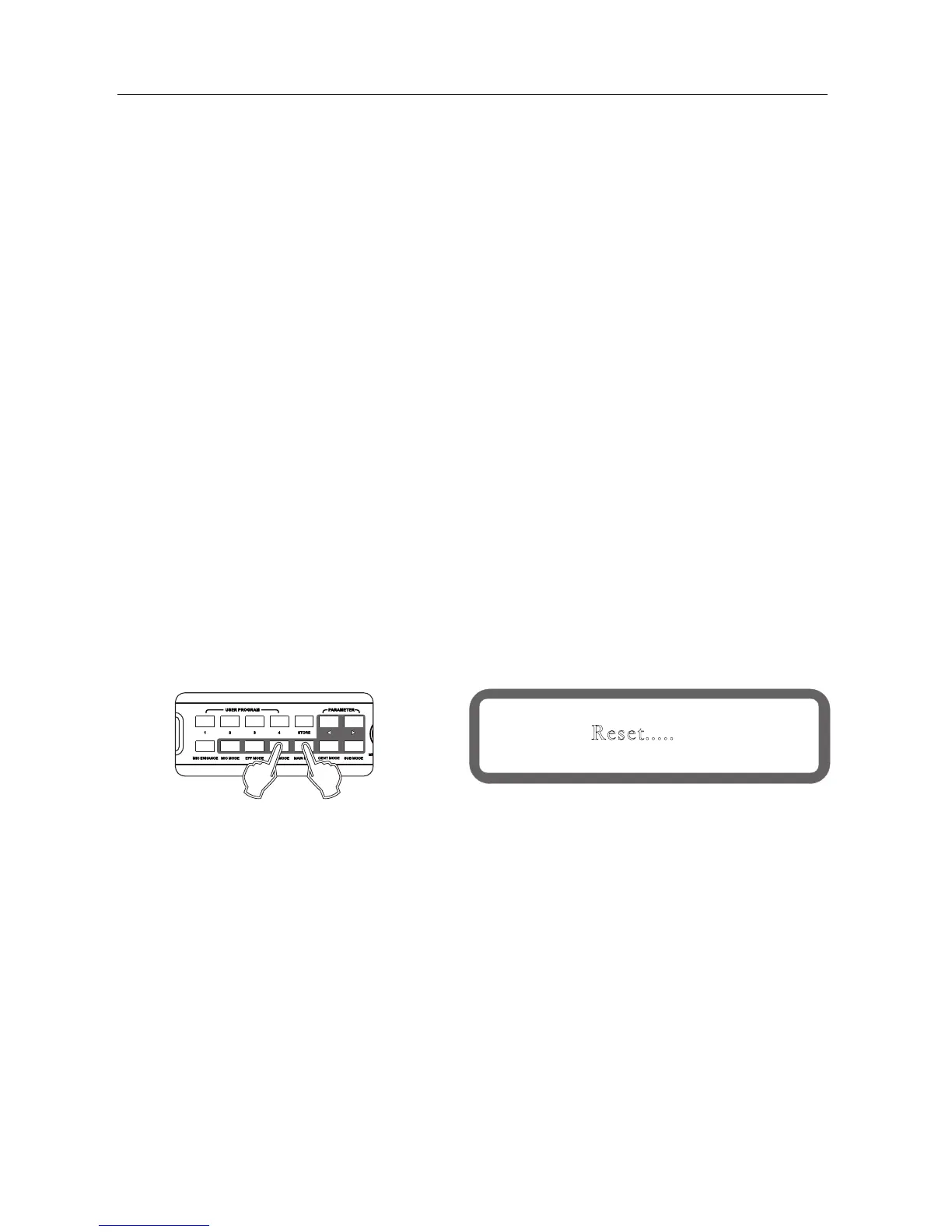
Reset.....
Panel
Display
15、Subwoofer output options.
16、music pitch automatic recovery function
17、panel lock, parameter lock function
18、power-on reset function
19、boot screen automatically returns
20、 Language selection function
Set this function under "Device Settings" in the software provided.
when the mode is manual, the subwoofer volume setting does not change.
when the mode is automatic: once the Microphone receives input signal, subwoofer output volume is the "concert" setting.
if Microphone has no input signal, a certain time later , the subwoofer volume will switch to "ance" settings automatically .
The following parameters are valid only in the automatic mode: concert volume, dance volume
The microphone detection threshold: When the microphone detects a level greater than this threshold, then determinate
the microphone has input; otherwise determined to be no input.
The microphone detects time: when microphone no-signal input time more than this time, the subwoofer output volume
will switch to "Dance" volume setting automatically.
The music pitch will adjust treble or bass when the user failed to meet the correct tone.
It will return to original musical setting after it.
17.1 panel lock function
Press the knob [music volume / edit (press)] more than 5 seconds to lock the system
Press the Knob [Music volume / Edit (press)] for more than 5 seconds to unlock the system.
17.2 parameter lock function
Operation from the interface software to set up
Reboot while holding down the keys main output Mode and usic Mode until the display shows as follows
Note: After the reset, the user program will be deleted! Please stored in the computer in advance!
System will return to Start-Up screen automatically when no operation in 180s.
To change system language, press [Center Mode] and [Bass Mode] same time.
" " " "



 To Next Page