13
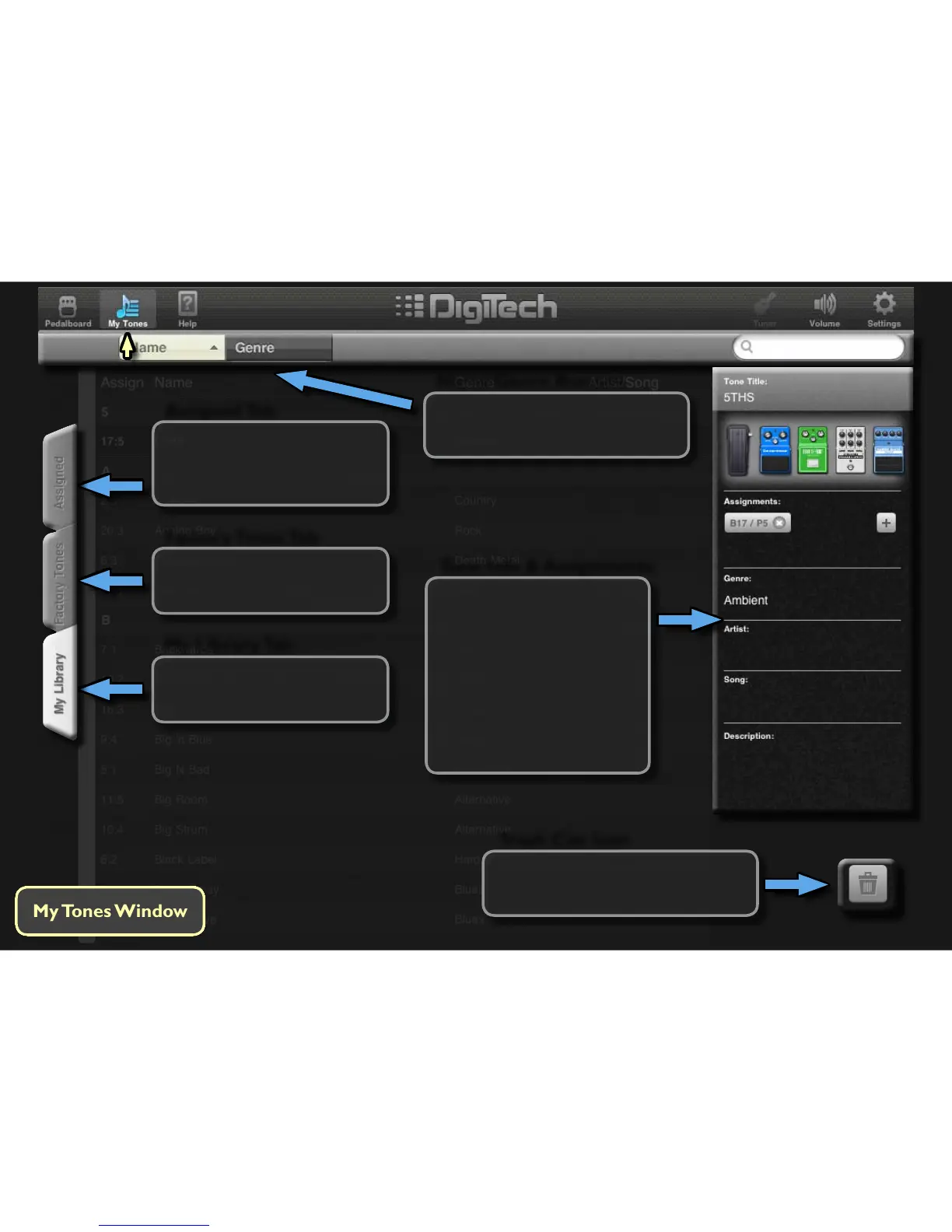
Assigned Tab
Touching this tab displays
all tones assigned to the
iPB-10 Pedalboard.
My Library Tab
Touching this tab displays all
your custom user tones.
Factory Tones Tab
Touching this tab displays all
factory tones.
Trash Can Icon
Touch this icon to delete a selected
user tone from My Library.
Tone Info & Assignments
This window displays each
tone’s informaon such
as tone name, where the
tone is assigned, Genre,
etc.. Tap in these elds to
add or to change the tone
informaon. Tapping the
‘+’ buon will assign tones
to the iPB-10 pedalboard.
Name/Genre Buttons
Touching these buons sorts
the tones by Name or by Genre.



 To Next Page