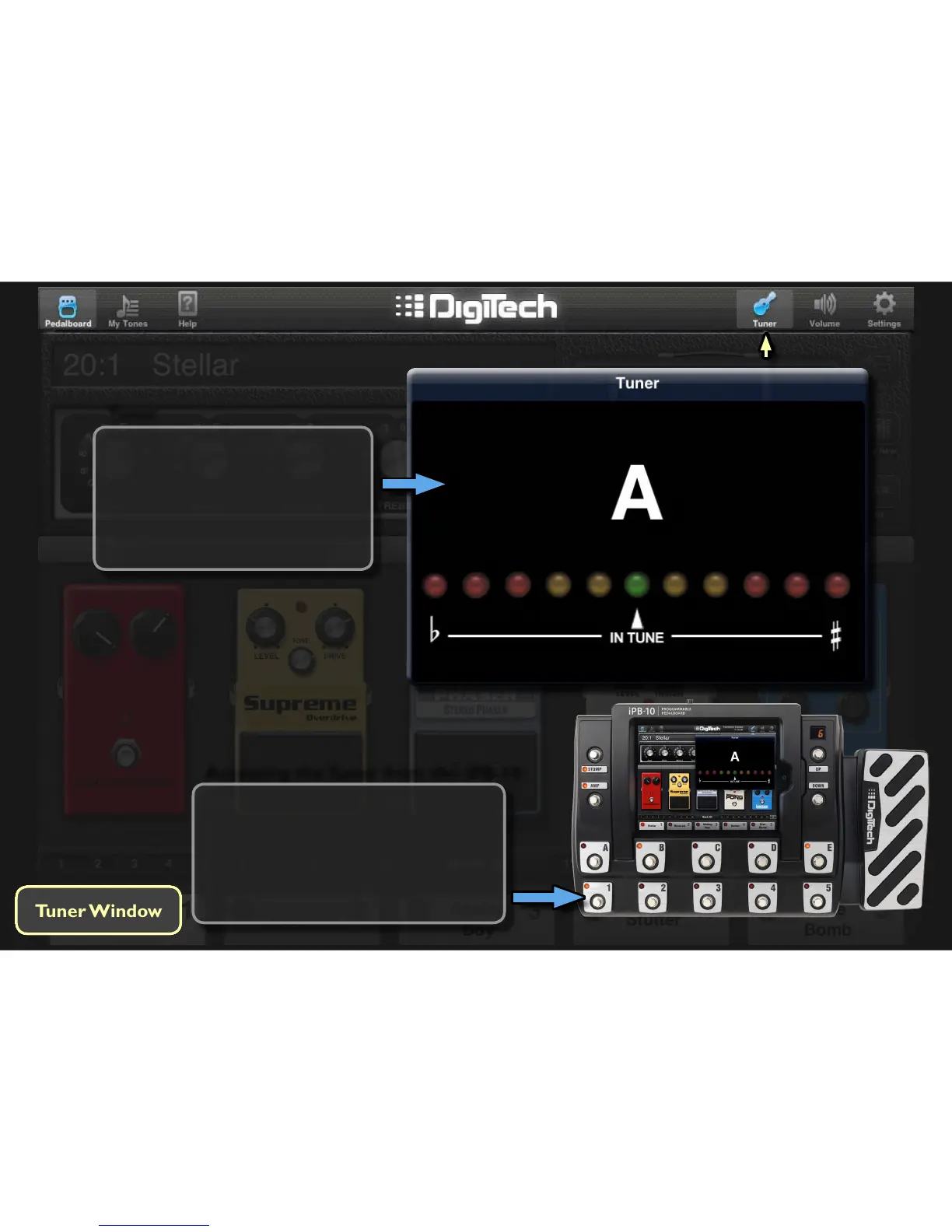
Accessing the Tuner from the iPB-10
To access the tuner from the iPB-10
footswitches, simply press and hold the
currently acve preset’s footswitch. The
iPB-10 will enter Bypass mode briey
then enter the Tuner. To exit the Tuner,
press any footswitch.
Tuner
Tap the Tuner icon to enable the
built-in tuner. Simply play a string
and the note will be displayed. The
LEDs will indicate whether or not
the note is in tune, allowing you to
make the proper adjustments.








 To Next Page