35
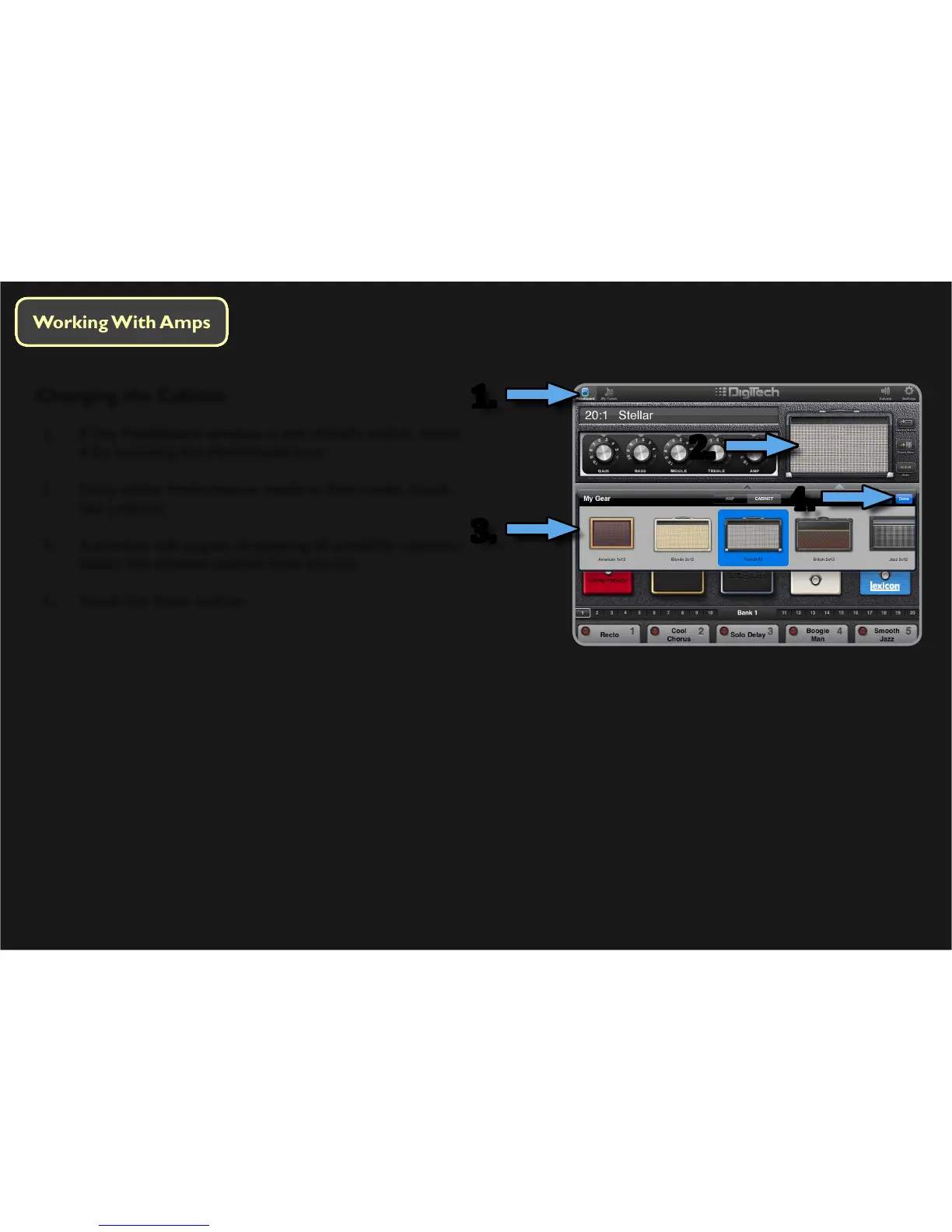
Changing the Cabinet
1. If the Pedalboard window is not already acve, select
it by touching the Pedalboard icon.
2. From either Performance mode or Edit mode, touch
the Cabinet.
3. A window will appear displaying all available cabinets.
Select the desired cabinet from the list.
4. Touch the Done buon.
2.
1.
3.
2.
4.





 To Next Page