45
How to Bypass Tones
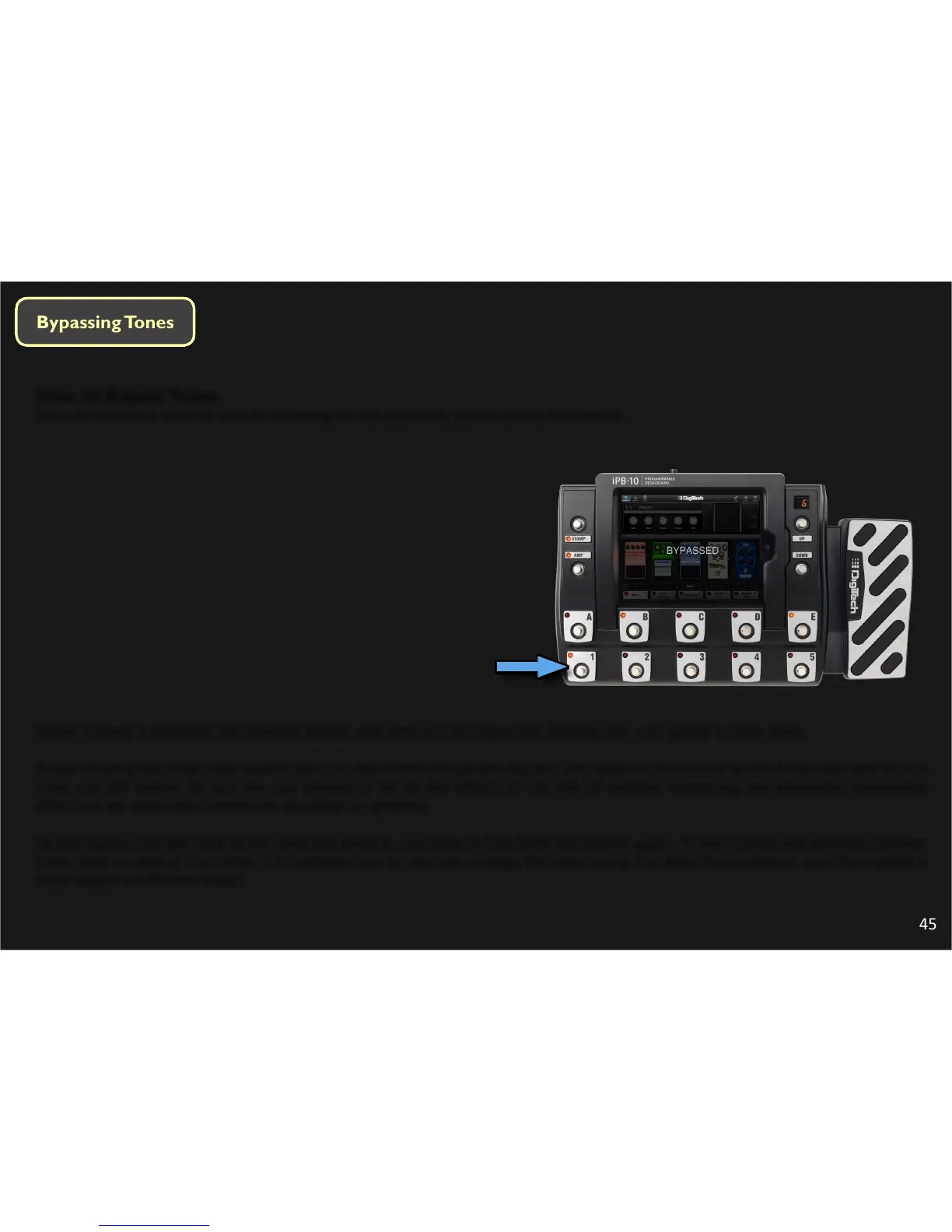
You can bypass a tone by simply stepping on the currently acve tone’s footswitch.
When bypass is enabled, the internal pedals and amp will be bypassed, leaving just your guitar’s clean tone.
If you’re using the Amp Loop and/or Stomp Loop when you go into bypass, any devices connected to the Amp Loop and Stomp
Loop are sll acve. So you can use bypass to kill all the eects in the iPB-10 without bypassing any externally connected
eects or an externally connected amplier or preamp.
To exit bypass and get back to the tone you were in, just step on the same footswitch again. To exit bypass and acvate another
tone, step on one of the other 1-5 footswitches; or you can change the bank using the Bank footswitches, and then select a
tone within a dierent bank!




 To Next Page