32
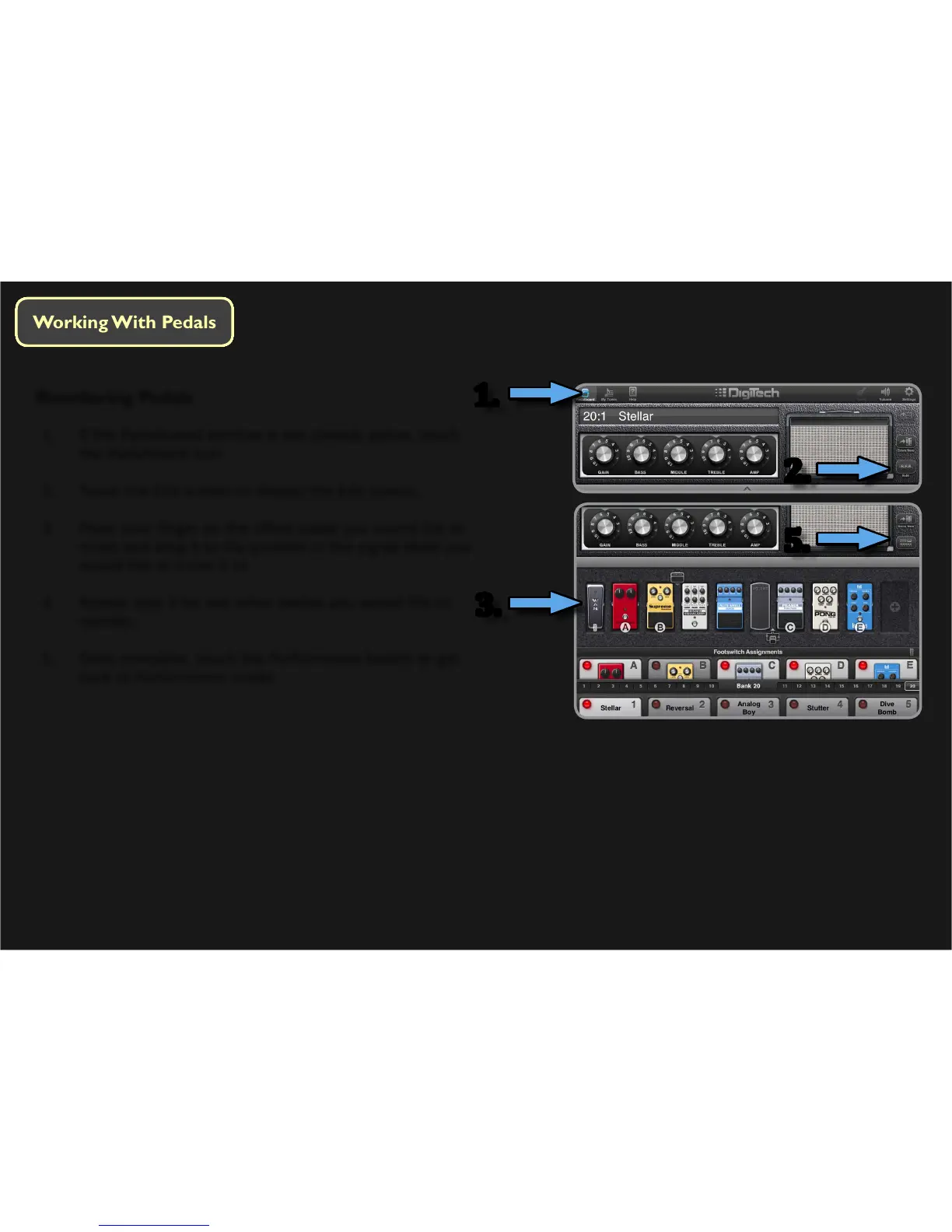
Reordering Pedals
1. If the Pedalboard window is not already acve, touch
the Pedalboard icon.
2. Touch the Edit buon to display the Edit screen.
3. Place your nger on the eect pedal you would like to
move and drag it to the posion in the signal chain you
would like to move it to.
4. Repeat step 3 for any other pedals you would like to
reorder.
5. Once complete, touch the Performance buon to get
back to Performance mode.
1.
2.
5.
3.






 To Next Page