9
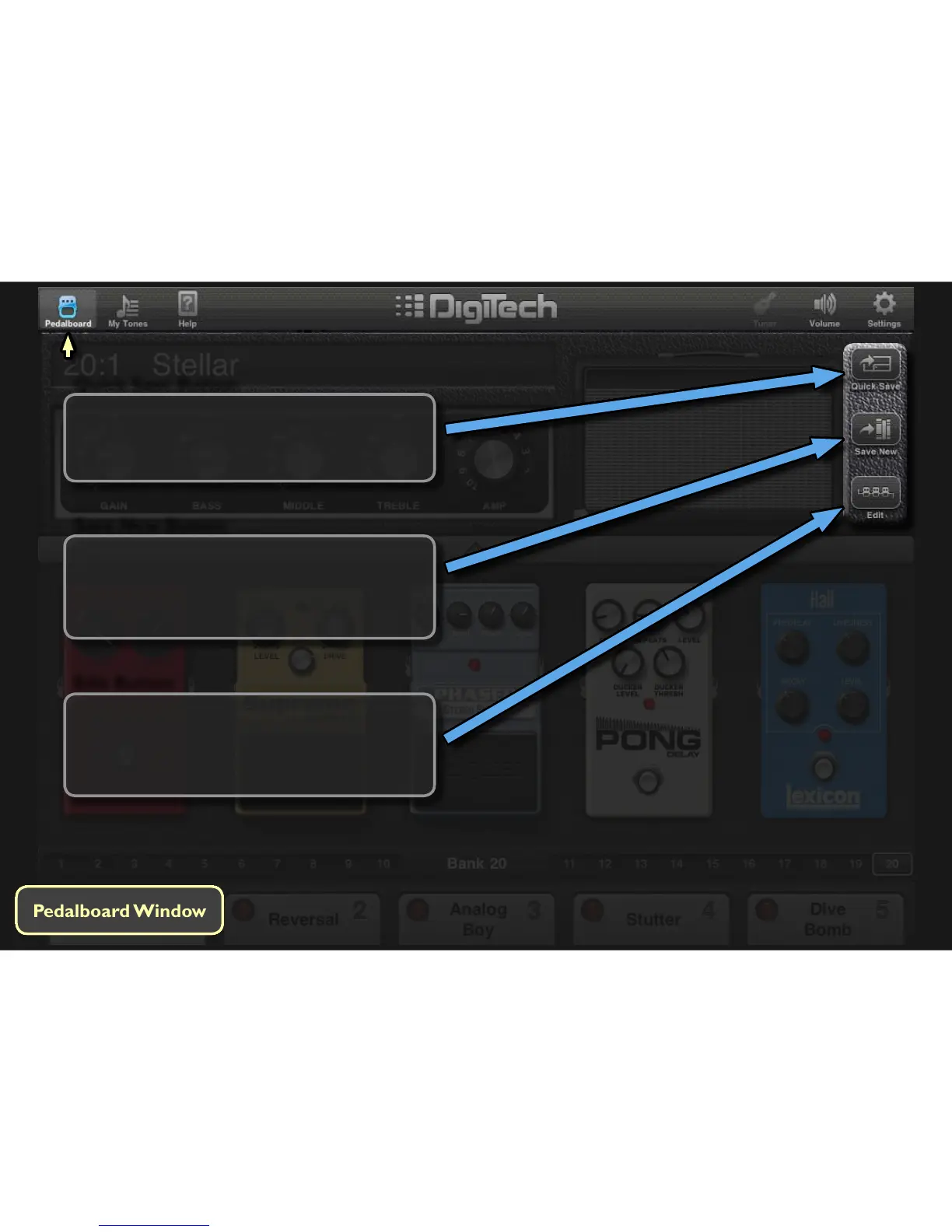
Touching this buon allows you to save a new
user tone or make a copy of an exisng tone. Use
this opon when you don’t want to overwrite
the currently loaded tone.
Save New Button
Quick Save Button
Touching this buon saves the currently loaded
tone. Use this opon for quickly overwring a
tone aer making edits.
Edit Button
Touching this buon toggles between Edit mode
and Performance mode. In Edit mode, the enre
pedalboard chain can be viewed. Pedals can be
added, deleted, and rearranged in any order.



 To Next Page