28
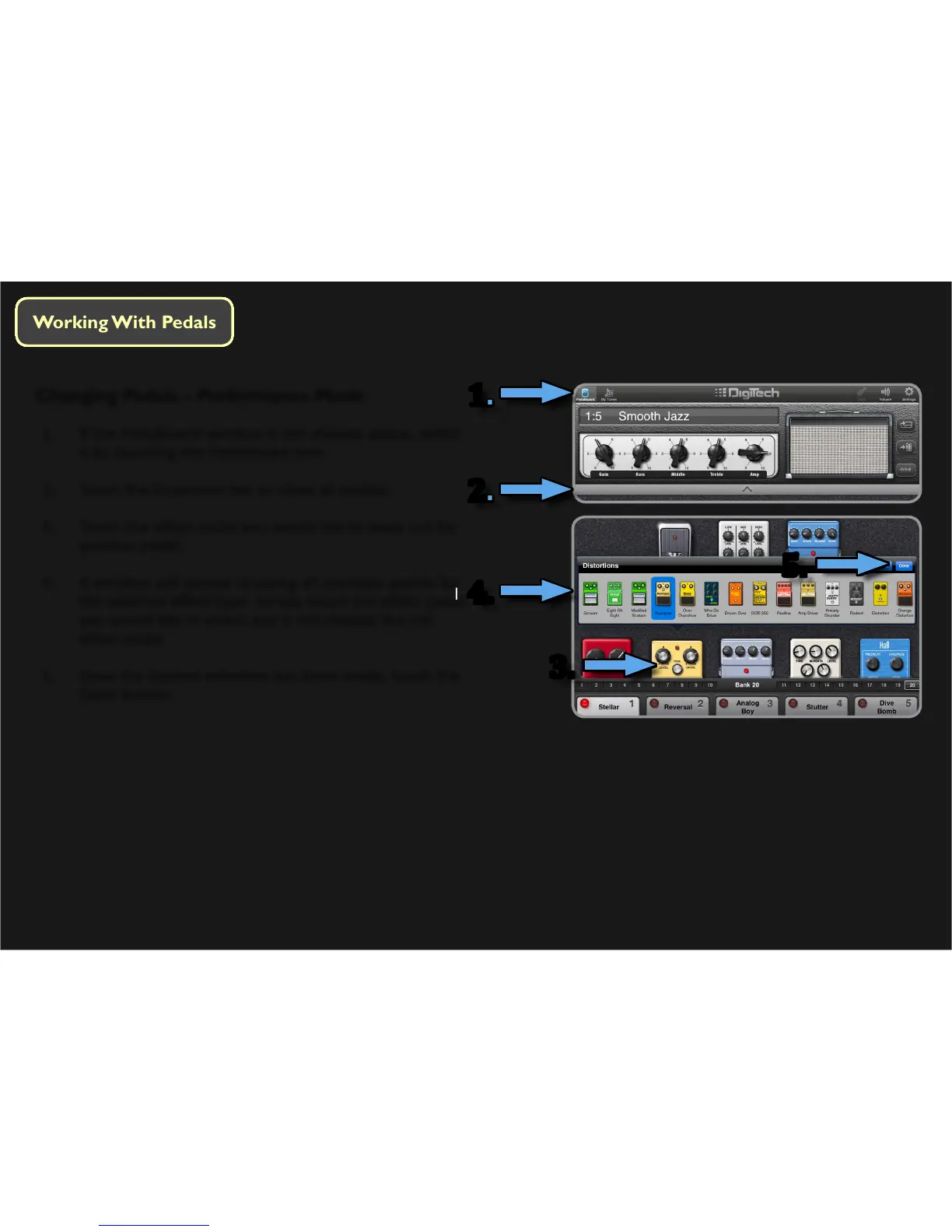
Changing Pedals – Performance Mode
1. If the Pedalboard window is not already acve, select
it by touching the Pedalboard icon.
2. Touch the Expansion bar to show all pedals.
3. Touch the eect pedal you would like to swap out for
another pedal.
4. A window will appear showing all available pedals for
the selected eect type. Simply touch the eect pedal
you would like to select and it will replace the old
eect pedal.
5. Once the desired selecon has been made, touch the
Done buon.
1.
2.
4.
5.
3.




 To Next Page