13
Getting Started
DIGNO
®
ケータイ
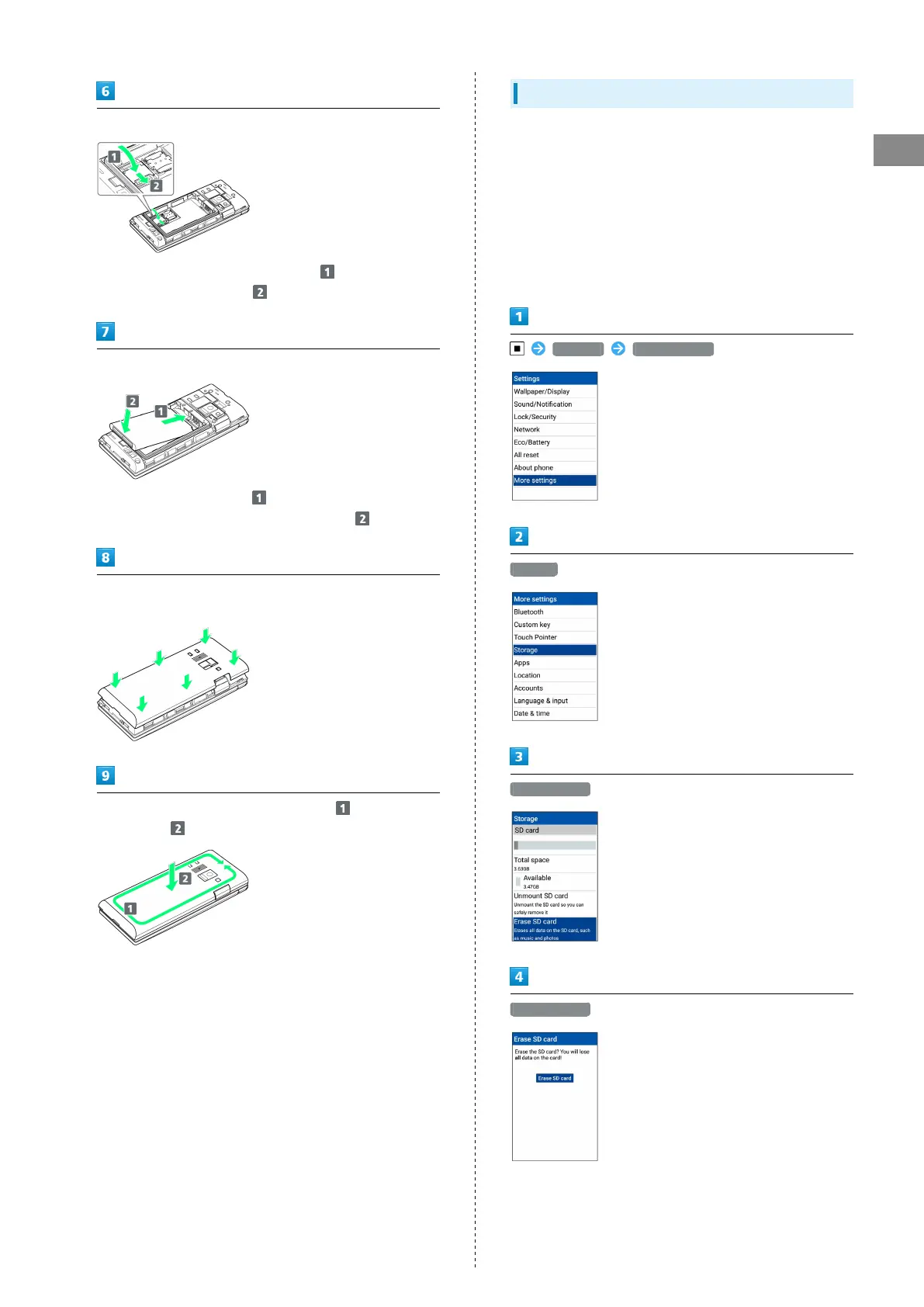
Lock SD Card Slot Cover
・
Lower SD Card Slot Cover in direction , and slide with
pad of finger in direction until it clicks locked.
Insert Battery
・
Slide Battery in direction onto metal terminals in
handset, and press into handset in direction .
Fit Back Cover on handset, and press Back Cover in directions
shown
Work way around Back Cover in directions holding down
in direction to install completely
Formatting SD Card
When using a new SD Card for the first time, always format
(initialize) it on handset.
・Formatting deletes all SD Card files. Format SD Card with
caution.
・When formatting, keep handset charged or charge it
adequately beforehand.
・Insert SD Card beforehand. See "Inserting SD Card" for
details.
Settings More settings
Storage
Erase SD card
Erase SD card



 To Next Page