38
Customizing Fonts
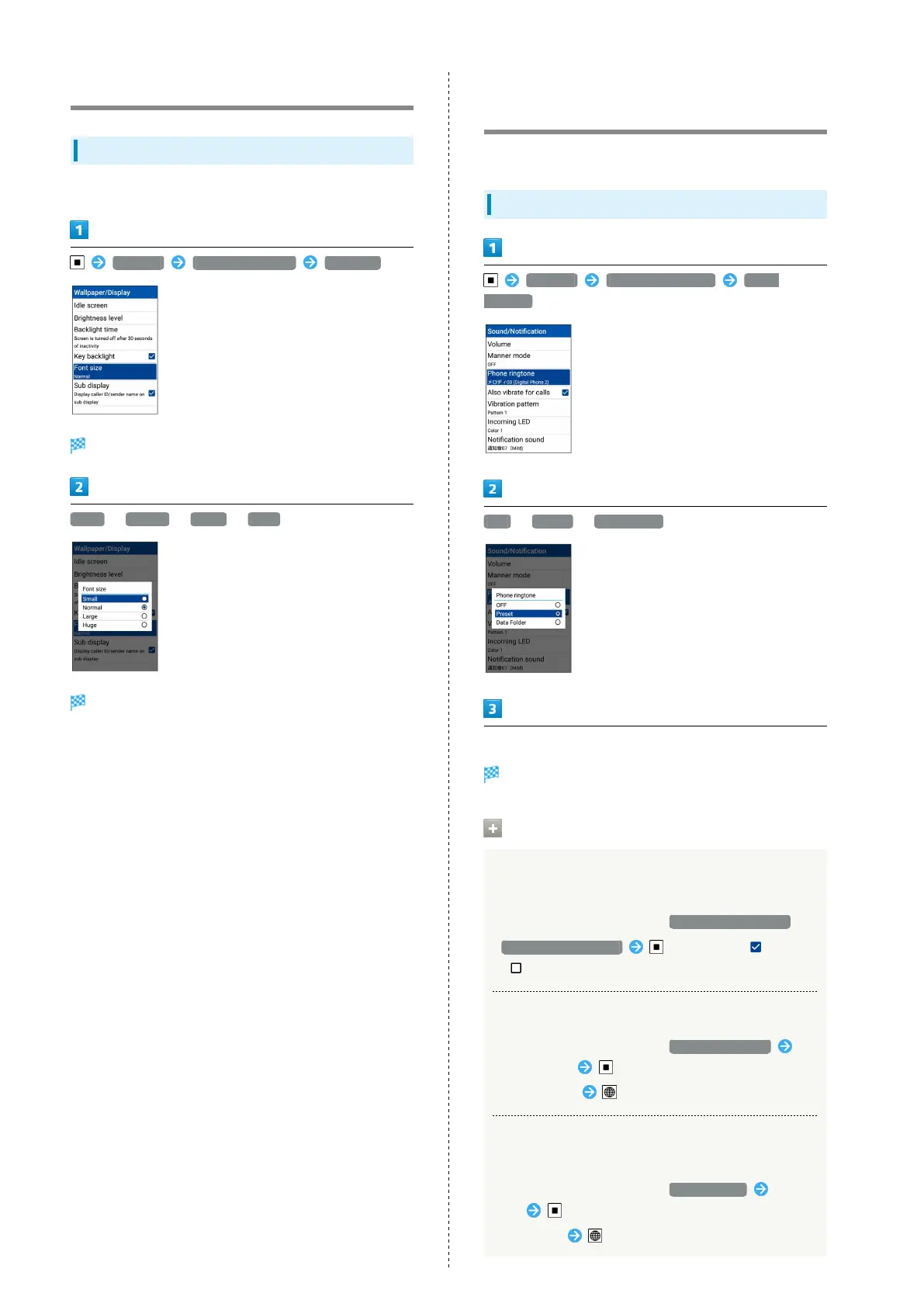
Changing Text Size
Change the size of text in menus, when entering text, etc.
Settings Wallpaper/Display Font size
Font settings open.
Small / Normal / Large / Huge
Text size changes.
Changing Handset Response to
Calls/Mail
Set ringtone, vibration, Incoming LED etc. for each function.
Making Settings for New Calls
Settings Sound/Notification Phone
ringtone
OFF / Preset / Data Folder
Follow onscreen prompts
Setting is complete.
Incoming Call Settings Operations
Setting Whether Handset Vibrates for Arriving
Call
In Sound/Notification window, Also vibrate for calls
・
Also vibrate for calls to toggle on ( )/off
( ).
Setting Vibration Pattern for Arriving Call
In Sound/Notification window, Vibration pattern
Select pattern
・
Select pattern (Confirm) to make handset vibrate.
Setting Color of Flashing Incoming LED for
Arriving Call
In Sound/Notification window, Incoming LED Select
color
・
Select color (Confirm) to make Incoming LED flash.



 To Next Page