24
Security Codes
Code Types
The following codes are required for handset use. Operation
Password can be user-set and changed on handset.
Code Description
Operation
Password
Code for applications and functions
requiring a security setting. By default,
not set.
PIN/Password
Code for unlocking screen. By default, not
set.
Center Access
Code
4-number code set at time of
subscription. Used when changing
subscription details and optional services
from a landline telephone.
If Security Code is Unsaved
If a code is required by an application or function, a
prompt to save a code appears.
Code Cautions
Be sure to keep Center Access Code and PIN/password for
unlocking screen written down.
If you forget the code, contact us for recovery. For
details, contact SoftBank Customer Support, General
Information.
Be careful not to reveal security codes to others. If
misused by others, SoftBank Corp. is not liable for any
resulting damages.
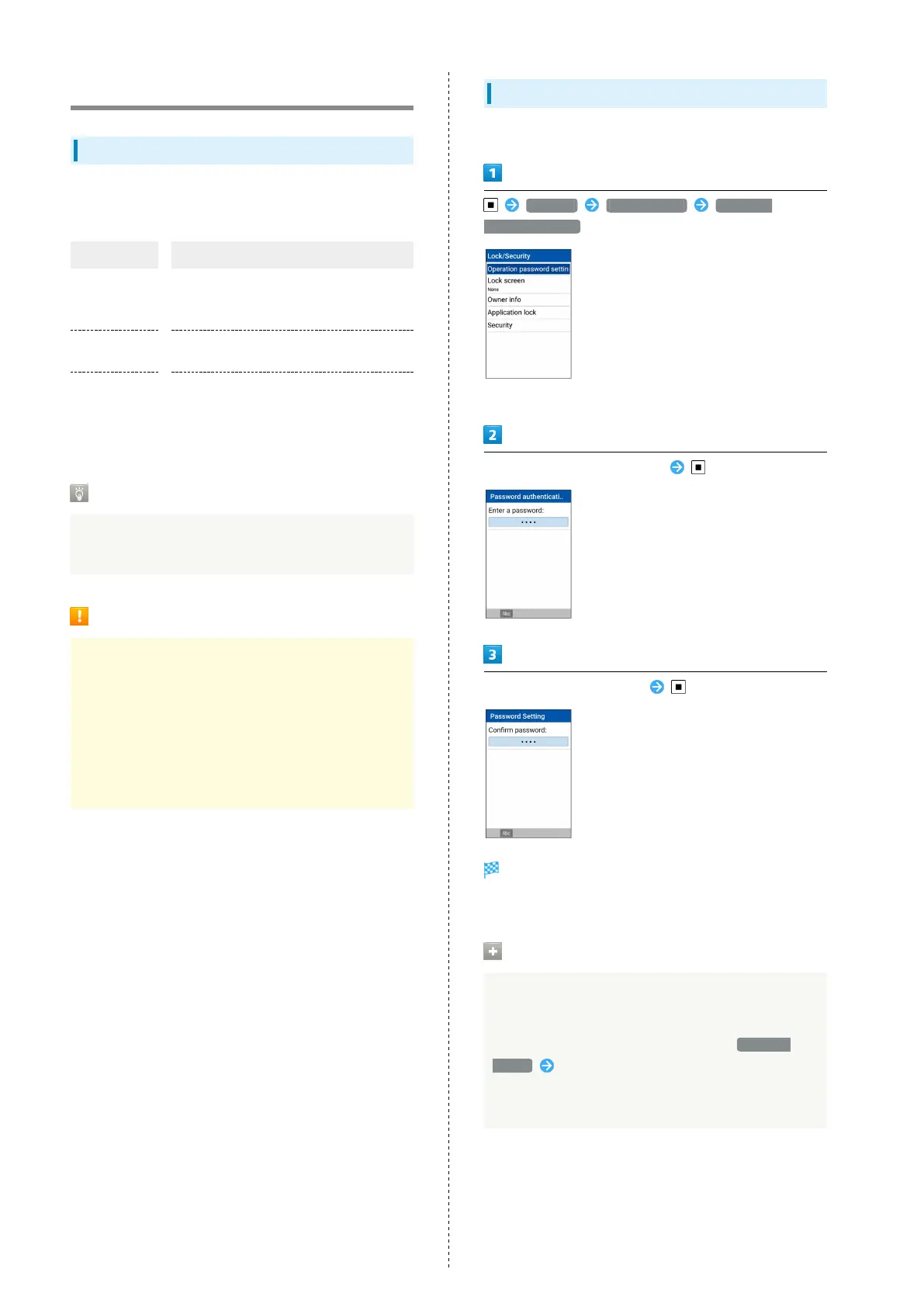
Setting Operation Password
Set a four- to eight-digit code.
Settings Lock/Security Operation
password setting
・If confirmation appears, follow onscreen prompts.
Enter Operation Password to set
Re-enter Operation Password
Operation Password is set.
・If confirmation appears, follow onscreen prompts.
Entering Operation Password
Changing Operation Password
In screen for entering Operation Password to activate
All Reset, locks for function, and settings, Password
change Follow onscreen prompts
・Current Operation Password must be entered for
Operation Password.



 To Next Page