23
Getting Started
DIGNO
®
ケータイ
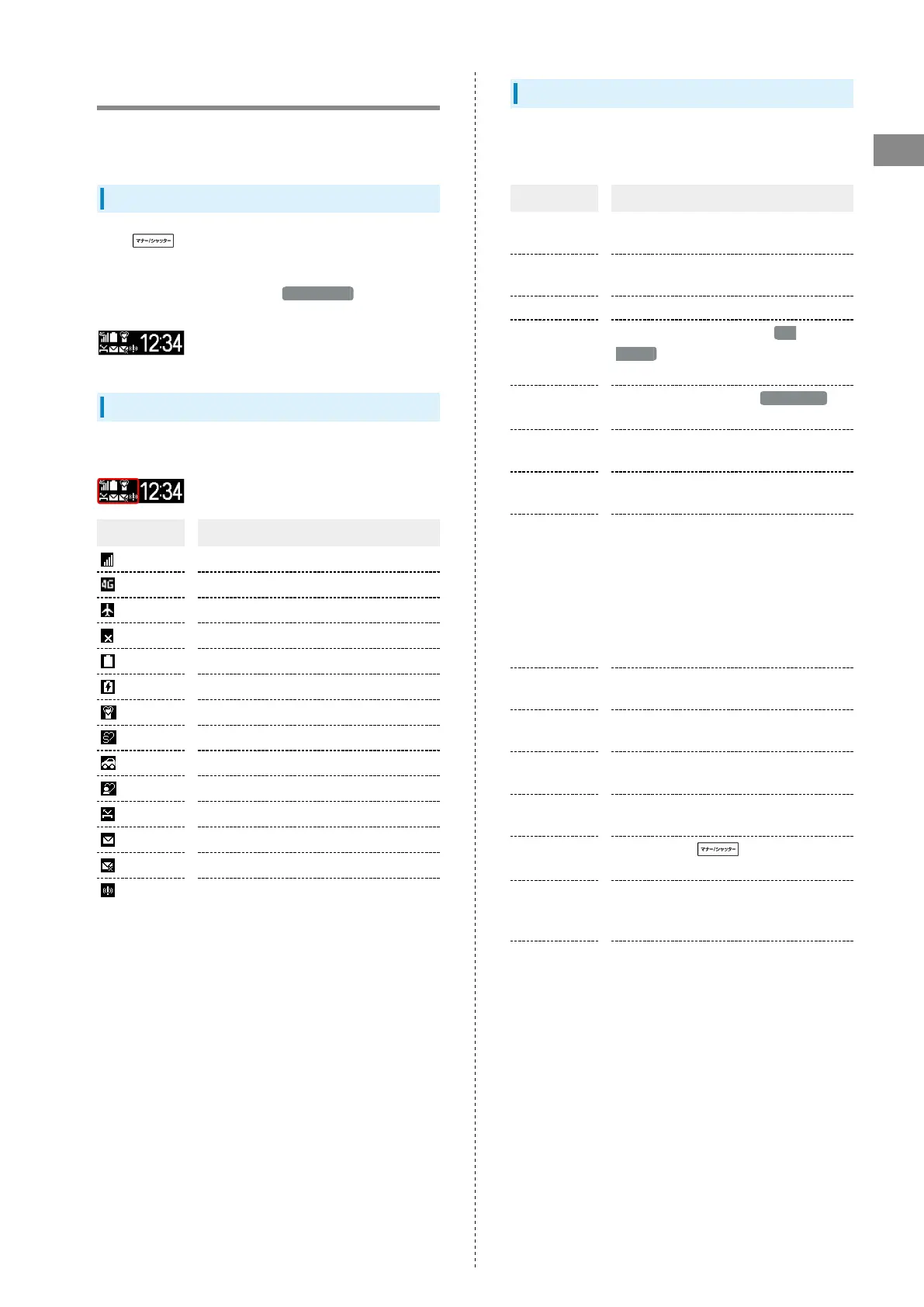
Sub-display
View signal, battery, and time as well as missed calls, and new
mail. Information appears for missed voice calls, new mail, etc.
Using Sub-display
Press (Side Key) when handset is closed to light Sub-
display.
・
When 24-hour format is off in Date & time , AM/PM
appears to right of time indications.
Indicators
The following Indicators appear in Sub-display.
Indicator Description
Signal Strength
4G Data Connectable
Airplane Mode
No Signal/No USIM Card
Battery Strength
Charging
Manner Mode
Silent Mode
Drive Mode
Original Mode
Missed Calls
New S! Mail/SMS
S! Mail/SMS Send Failure
Urgent News Notification
Information on Sub-display
Information appears for voice call, mail, and other
notifications. Appearing information:
Information Description
Saved name
Call/S! Mail/SMS from caller/sender in
Phone Book
Phone number
Call/SMS from caller/sender not in Phone
Book
Email address S! Mail from sender not in Phone Book
"Calling"
Call/Fake call arriving when Sub
display in Wallpaper/Display settings is
disabled
"Mail
Received"
S! Mail/SMS arrives when Sub display in
Wallpaper/Display settings is disabled
"Auto
answering"
Handset auto-answering call
"Early warning
Received"
New Urgent News
"Manner
mode was
set"/"Silent
mode was
set"/"Drive
mode was
set"/"Original
mode was set"
Handset placed in Manner mode/Silent
mode/Drive mode/Original mode
"Manner mode
was canceled"
Handset exited from Manner mode/Silent
mode/Drive mode/Original mode
Time alarm
name/task
Alarm/timer ringing
LINE message
information
New LINE information
"Please
charge"
Battery low
"Key Locked
Not available"
Long Pressing (Side Key) when
its operation locked and handset closed
"E-mail You
have mail on
the server"
Mail on mail server
"TV
Reservation"
Reserved TV Viewing Time Approaching/in
Progress



 To Next Page