21
Getting Started
DIGNO
®
ケータイ
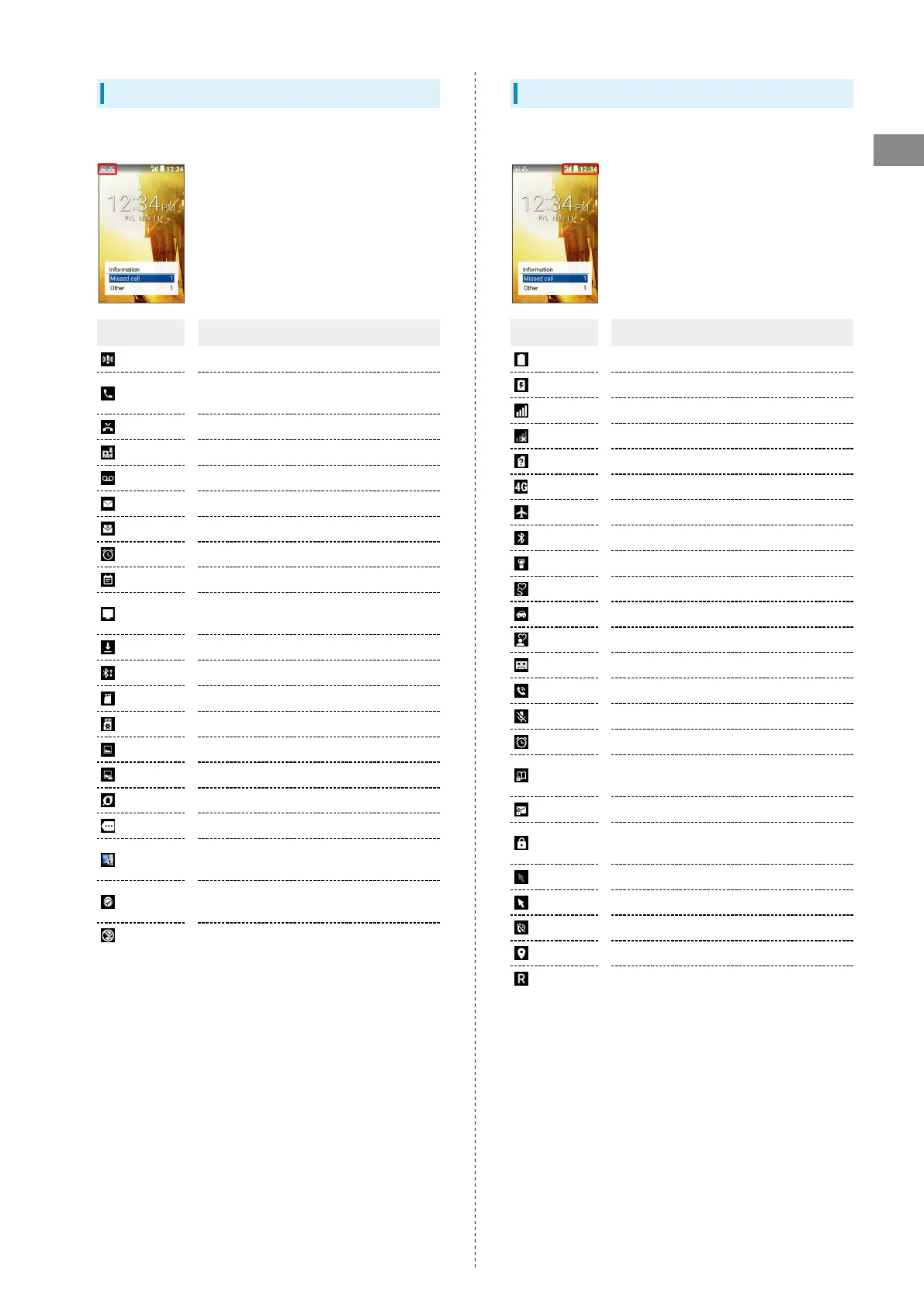
Notification Indicators
Notification Indicators appear on the left.
Indicator Description
Urgent News
Call Arriving/Calling/in Progress/Call on
Hold
Missed Call
New Answer Memo
New Voicemail
New S! Mail/SMS
New PC Mail
Alarm Ringing
Calendar Notification
Reserved TV Viewing Time Approaching/in
Progress
Data Downloading
Bluetooth
®
File Reception Request
SD Card Unmounted
Readying SD Card
Screenshot Captured
Screenshot Failed
Eco Mode
More Notifications
法人安心遠隔ロック (Anshin Enkaku Remote
Lock (Corporate Users)) On
ブラウザ保護 (Browser Hogo Protection)
On
Blocked call to/from nuisance caller
Status Indicators
Status Indicators appear on the right.
Indicator Description
Battery Strength
Charging
Signal Strength
No Signal
No USIM Card
4G Data Connectable
Airplane Mode
Bluetooth
®
On
Manner Mode
Silent Mode
Drive Mode
Original Mode
Answer Phone Set
Call Set to Speaker
Call Mic Off
Alarm Set
Secret Phone Book Entry Temporarily
Viewable
Secret Mail Temporarily Viewable
Secret Phone Book Entry and Mail
Temporarily Viewable
Touch Pointer Off
Touch Pointer On
Ringtone Volume 0
Locationing
Roaming



 To Next Page