14
Erase everything
All SD Card files are deleted.
・If Lock screen is "PIN" or "Password", a screen appears for
entering the PIN/password.
Inserting/Removing Battery
Inserting
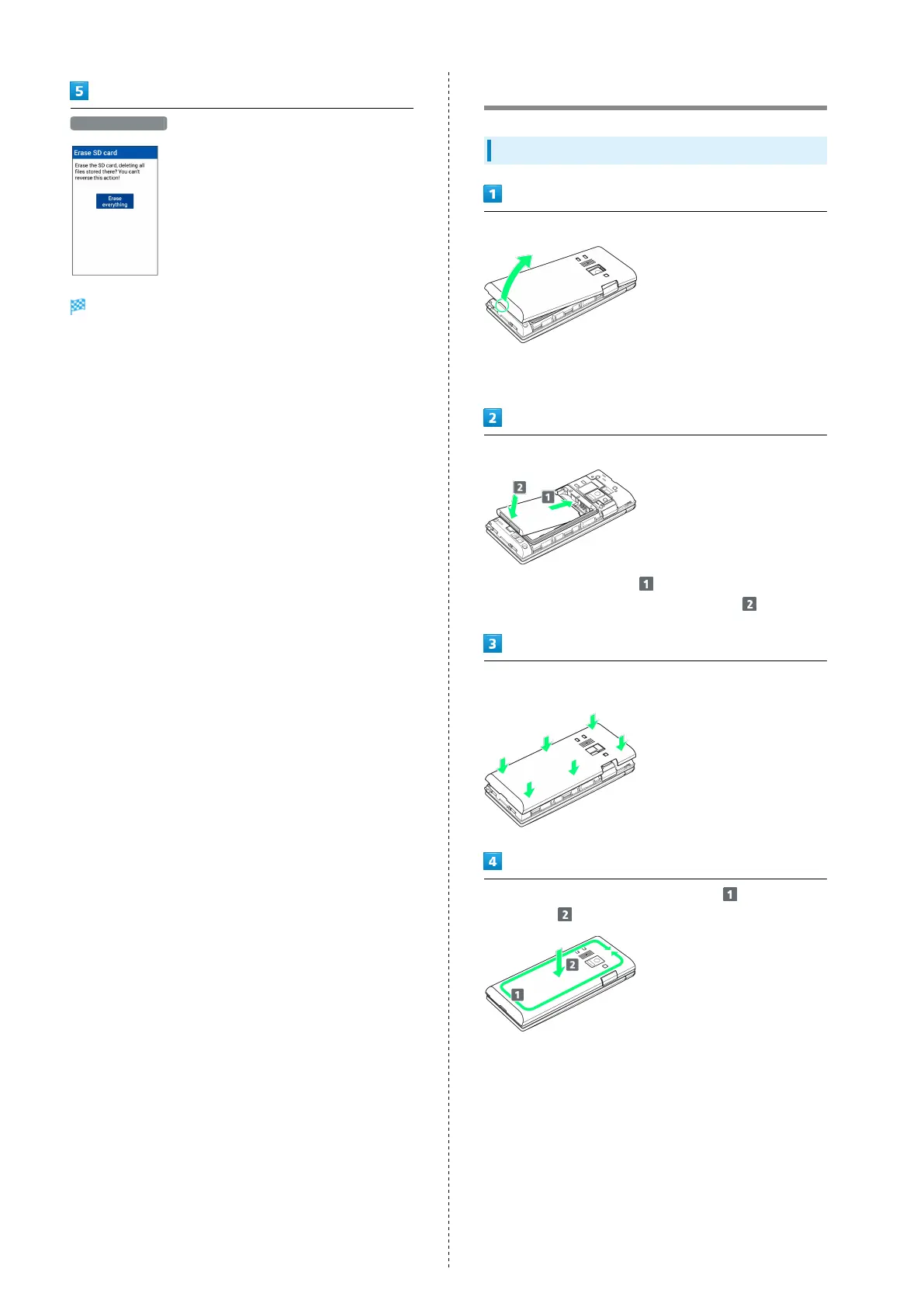
Remove Back Cover
・Gently lift Back Cover by notch in direction shown with
finger.
Insert Battery
・
Slide Battery in direction onto metal terminals in
handset, and press into handset in direction .
Fit Back Cover on handset, and press Back Cover in directions
shown
Work way around Back Cover in directions holding down
in direction to install completely



 To Next Page