34
Setting Auto Manner Mode
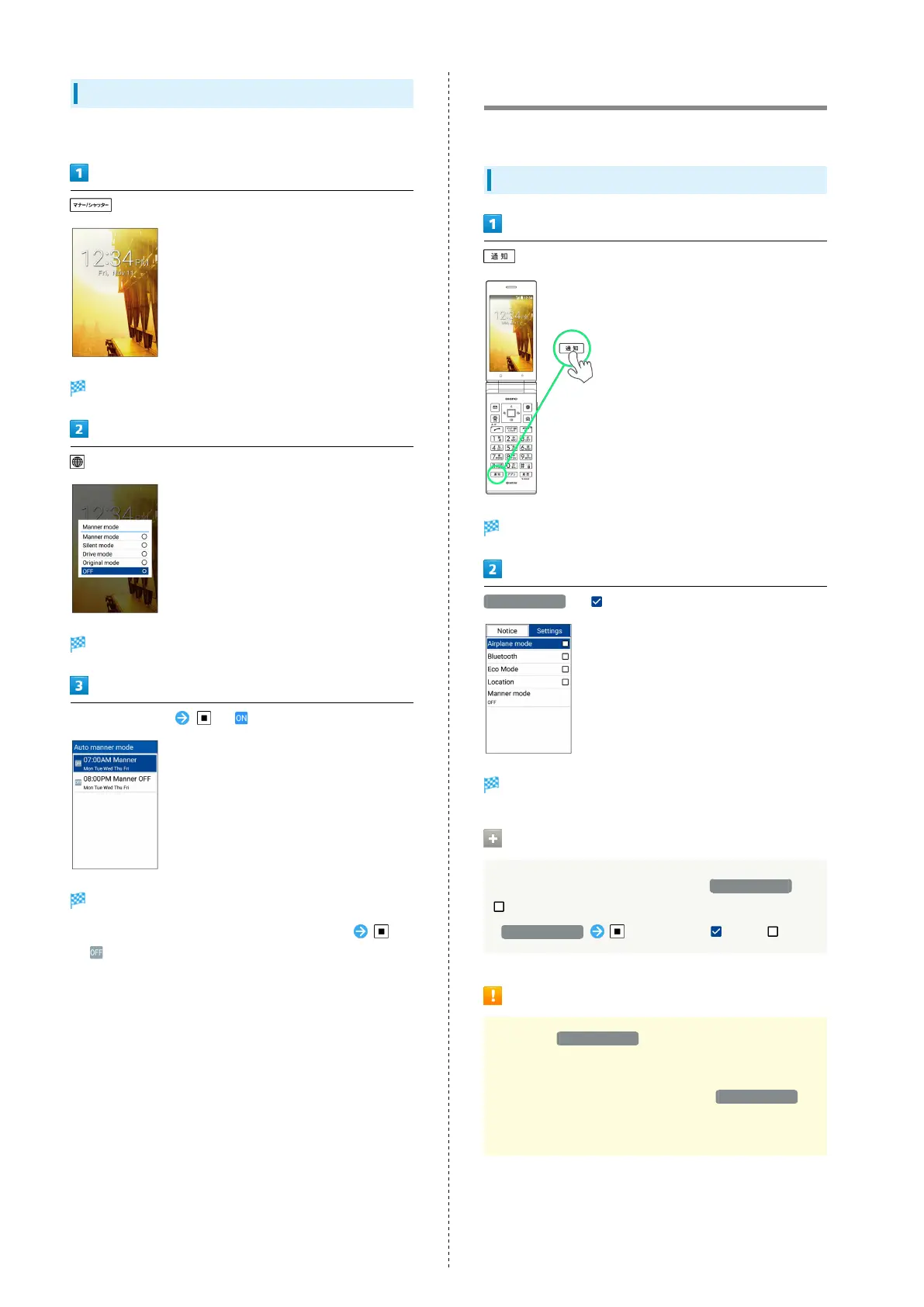
Set Manner mode to change automatically at a set time.
Screen for selecting a Manner mode appears.
(AutoMode)
Auto manner mode screen opens.
Select time to set ( )
Settings are enabled.
・
To disable Auto manner mode, select the set time
( ).
Using Airplane Mode
Leaving power on, suspend signal-transmitting functions.
Activating Airplane Mode
(Long Press)
Settings Window opens.
Airplane mode ( )
Airplane mode activates.
Canceling Airplane Mode
In Airplane mode, in Settings Window, Airplane mode (
)
・
Airplane mode to toggle on ( )/off ( ).
Airplane Mode Caution
Activating Airplane mode disables Bluetooth
®
,
interrupting corresponding transmissions.
Bluetooth
®
connections can be used even in Airplane mode
by enabling Bluetooth
®
after activating Airplane mode ;
make sure that such connection/transmission is allowed in
your current location before use.



 To Next Page