84
Restricting Data Communication for
Individual Applications
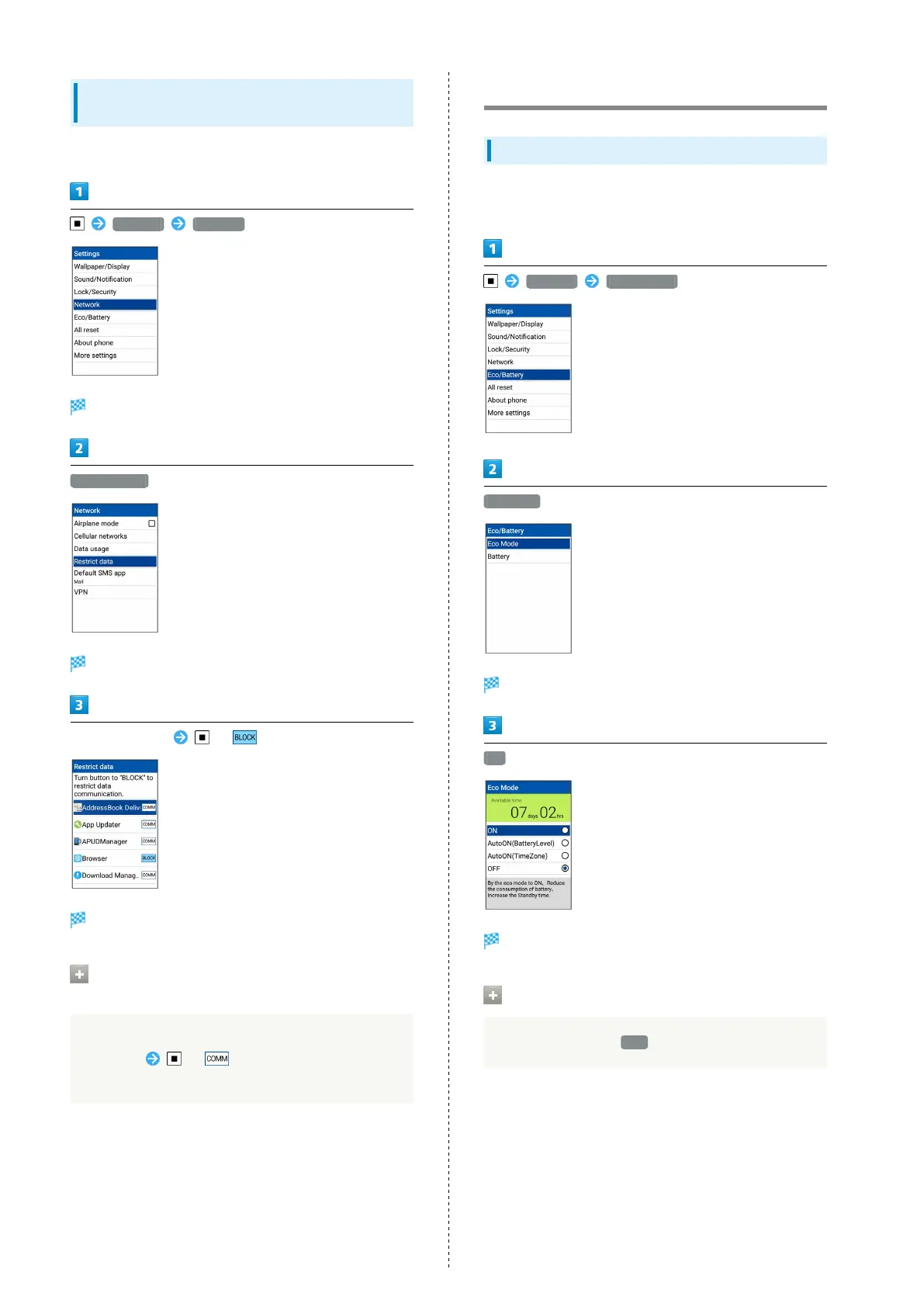
Limit the data communication possible per application.
Settings Network
Network window opens.
Restrict data
Data transmission restriction window opens.
Select application ( )
Data communication is restricted for the application.
Releasing Restrictions on Data
Transmission
In data transmission restriction window, select
application ( )
・If confirmation appears, follow onscreen prompts.
Eco Mode/Battery Settings
Using Eco Mode Settings
Change Display settings automatically depending on battery
level and time of day, to use handset more ecologically.
Settings Eco/Battery
Eco Mode
Eco Mode settings open.
ON
Setting is complete.
Canceling Eco Mode Settings
In Eco Mode settings, OFF



 To Next Page