39
Operations in Common
DIGNO
®
ケータイ
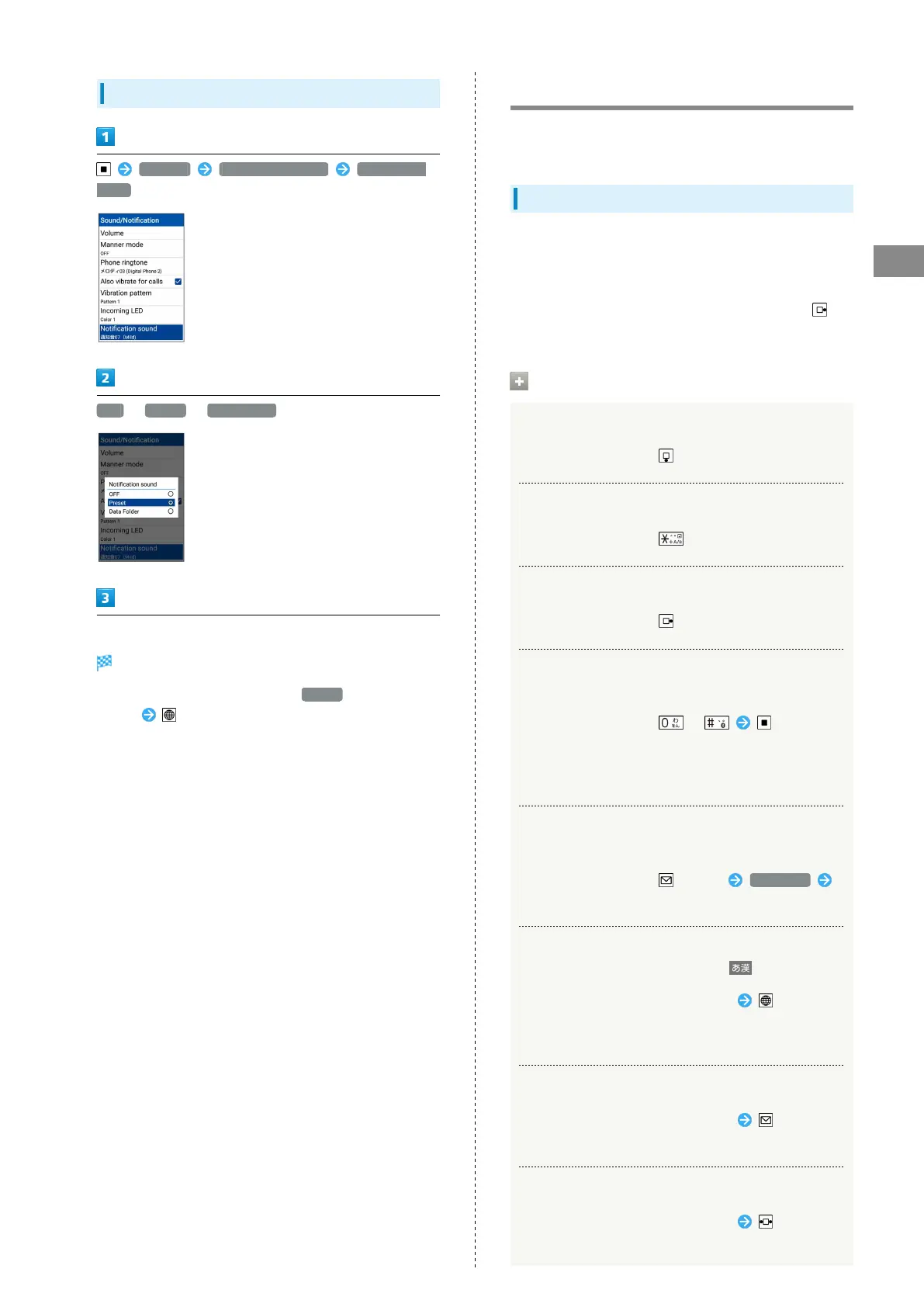
Making Settings for New Mail
Settings Sound/Notification Notification
sound
OFF / Preset / Data Folder
Follow onscreen prompts
Setting is complete.
・
If setting notification sound from Preset , select
sound (Confirm) to check notification sound.
Text Entry
Use keys to enter text. Text entry descriptions are for
(default input method).
Text Entry Basics
Use Dial Keys to enter characters. Multiple characters are
assigned to each key. Press a key to toggle character options
for that key.
・
To enter characters assigned to the same key, Press
first.
Text Entry/Conversion Operations
Entering a Space at End of Line
In a text entry window,
Line-Breaking within Line
In a text entry window,
Entering a Space at End of Line
In a text entry window,
Entering a Space in Middle of Already-
Confirmed Text
In a text entry window, / until space
appears
・Spaces can be entered with character types other than
numbers.
Adding Quoted Information in Currently
Entered Line
In a text entry window, (Menu) Quotation
Select quote item
Entering Katakana, Alphabet, and Numbers
while in Hiragana-Kanji Mode ( )
In a text entry window, enter hiragana (A.1.ア)
・Katakana, alphabet, and numbers appear in conversion
candidates.
Changing Conversion Modes
In a text entry window, enter hiragana (Normal/
Predict)
Adjusting Range of Text to Convert
In a text entry window, enter hiragana to adjust
conversion range



 To Next Page