72
Handling Data (Data Folder)
Handset files are managed in Data Folder. Files created
with Apps or received with mail or from the Internet are
automatically saved to the appropriate folder.
Data Folder
The following folder types appear in Data Folder.
Folder type Files contained
Photos Photos captured with handset Camera.
Pictures Still image files other than "Photos."
My Pictograms View My Pictograms.
Videos View videos captured with Camera.
Movies
Video files other than "Videos."
For details on video playback, see "Playing
Videos."
Music
View music and sound files.
For details on music playback, see "Playing
Music."
Documents Text and other document files.
PIM
View backup files for Phone Book,
Calendar, etc.
File manager Activate File manager.
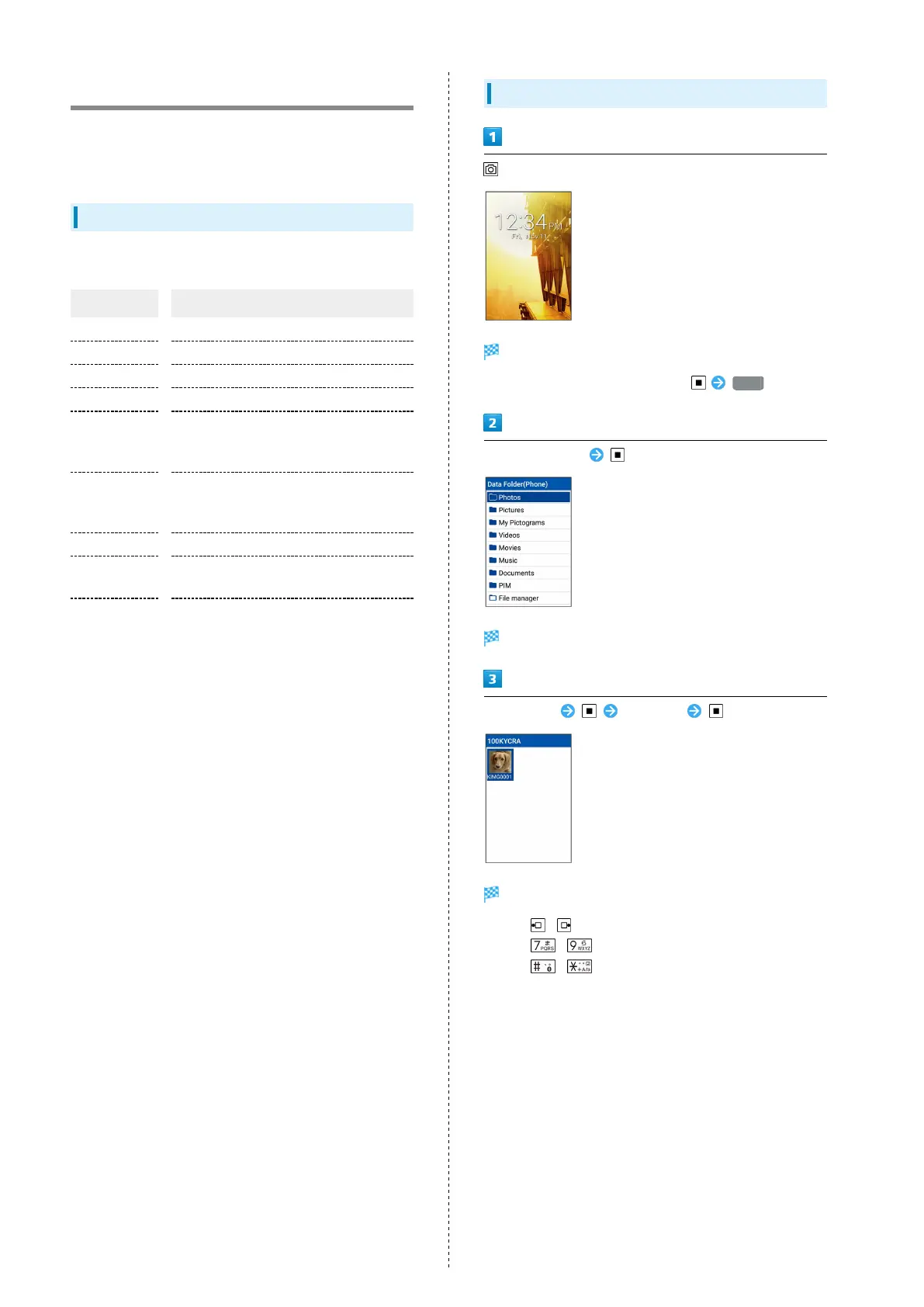
Checking Files
(Long Press)
Data Folder opens.
・
Alternatively, to open Data Folder, Data .
Select folder type
Folder list opens.
Select folder Select file
File opens (plays back).
・
Press / to open next image/previous image.
・
Press / to turn image to the left/right 90°.
・
Press / while image is opened to zoom in/zoom
out.
・If confirmation appears, follow onscreen instructions.



 To Next Page