90
Operating Other Devices
Chapter 10
Controlling a Tuner or Amplifier
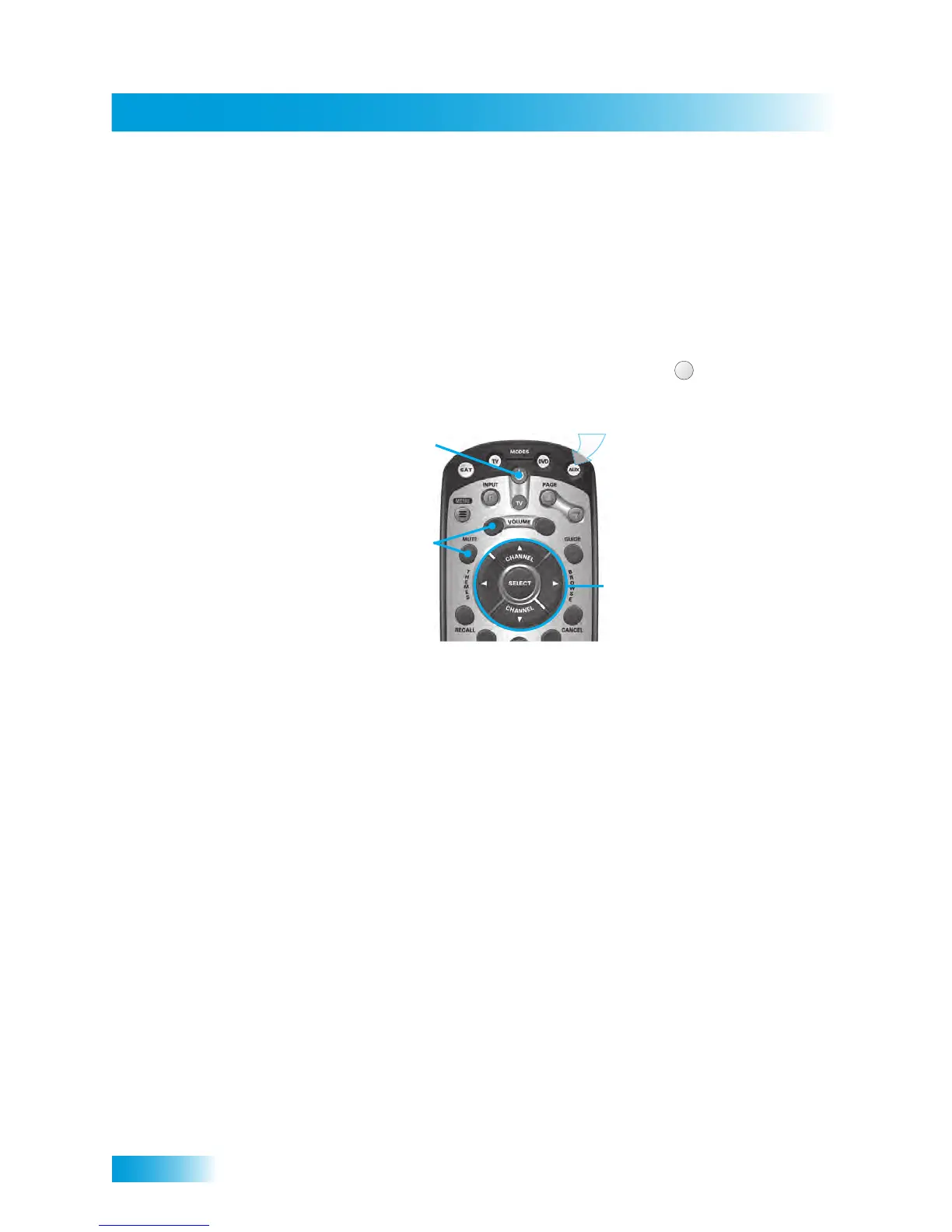
Use the following remote control buttons to control a tuner or amplifier. When the remote
control is set up, press the AUX device mode button to set the remote to AUX mode. The
AUX mode button will stay lit for two seconds to show you’ve set the remote to AUX mode.
Make sure to keep the remote in AUX mode to use the following buttons.
Switching Between TV and Tuner/Amplifier Volume
Adjustment
When the remote control is set up to operate your TV, the VOLUME and MUTE buttons
will adjust your TV volume by default. If you prefer the volume and mute functions of the
remote control to adjust the volume of a remote-controllable audio tuner/preamp or
amplifier device instead of the TV, this capability can be set up using AUX mode of the
remote control.
AUX Mode
Power
olume & Mute Buttons
Turns the
tuner/amplifier
on and off
Control tuner/amplifier
volume
To use the features described in this section, make sure
you are in AUX mode by pressing the AUX Mode button.
AUX
Press this
button for
AUX Mode
Select/Arrows
Button
Channel up/down
with the Arrow buttons.
Change tuner/amplifier
inputs with the Select
button



 To Next Page