15
Menu navigation
After activating (BOTH KEYS LONG), Surface mode appears. Press BOTH KEYS to switch to the Main
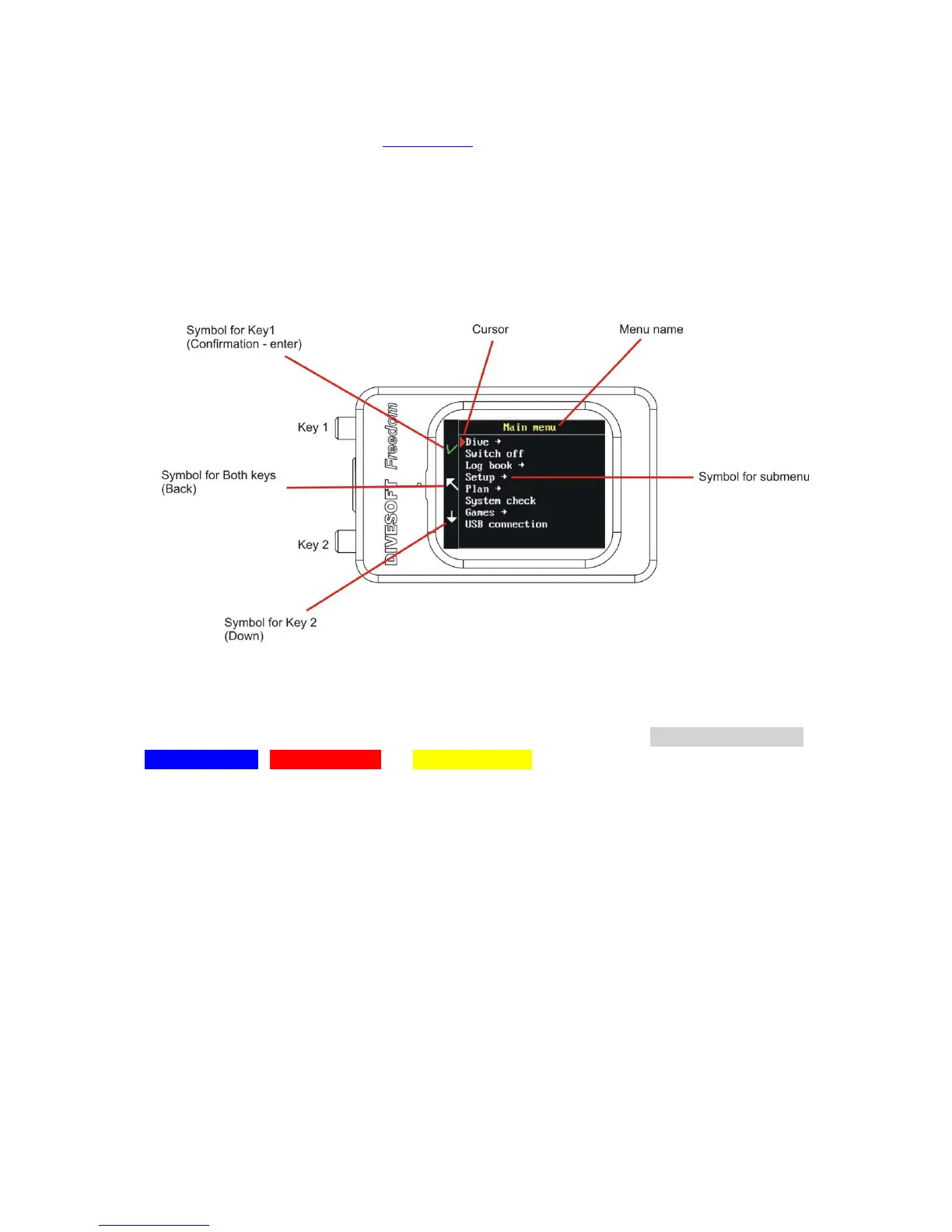
For basic menu control Key symbols are placed in the left column on the display. See the illustration
below.
KEY 1 – Confirmation/Enter
BOTH KEYS – Back
KEY 2 – Down
If the menu item has another submenu, the arrow symbol is present.
Sophisticated menus were developed for orientation in the functions and settings. Each mode has its
own color of menu frame for better differentiation and easy orientation: Surface menu shadow,
Open circuit blue, Gauge mode red and Free mode yellow.



 To Next Page