24
Ascent rate
Main menu > Setup > Decompression > Ascent rate
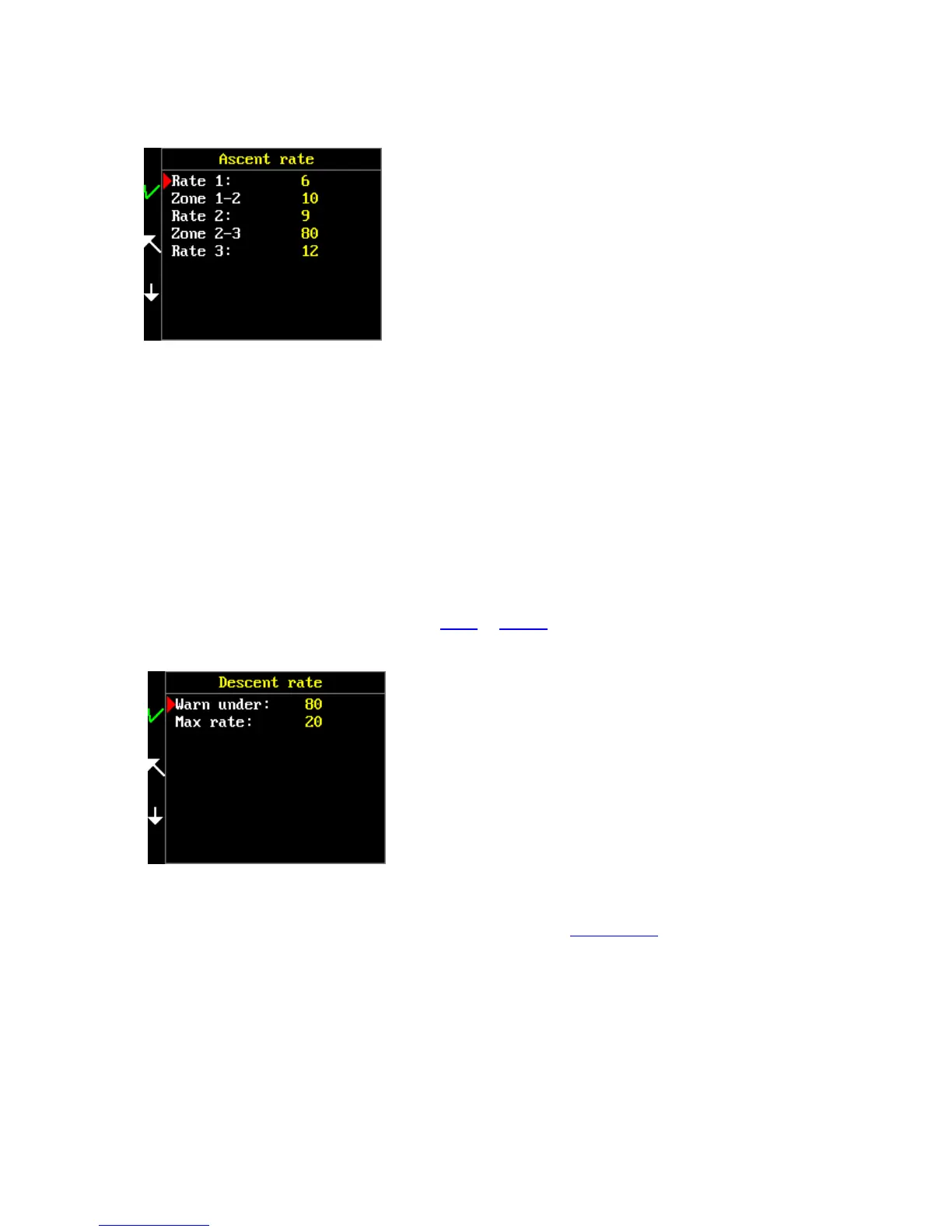
Some divers could take advantage of the possibility of a more aggressive ascent rate at greater
depths. Other divers would like to be safer by using a very slow ascent speed in the upper part of the
dive or between deco stops. It is your choice which strategy you will use. The only limitation is that at
depths to 30m the speed cannot be higher than 9 m per minute.
Select the ascent rate for the first zone (between rate 1 and 2) and then select the range of this zone
in meters or feet. Continue with the same principle for another rates and zones.
Descent rate
Main menu > Setup > Decompression > Descent rate
When you diving deep with trimix, a slow descent is very important in order to avoid HPNS. Select
the desired zone and set the descent rate by tilting or clicking (depending on the setting) to enter the
values from 1 to 40 meters per minute.
Select the descent rate activation depth.
If you want to use the ascent rate warning, make sure that the global alarms and ascent rate alarm
are set to ON.
Mixtures
Main menu > Setup > Mixtures
In this menu, set the gas mixtures that you will use. You can use nine different mixtures with any
fraction of oxygen, nitrogen and helium.



 To Next Page