34
During the dive it is possible to switch between
screens with KEY 1.
The Open circuit menu remains available during the whole dive.
During the ascent, maintain the ascent rate. In the case of exceeding the ascent rate, two red arrows
are displayed in the right-side column and the alarm vibrates if it is set.
Screensaver
The screensaver is very useful for preserving battery capacity. We recommend using it for every dive.
If the screensaver is set, your display will shut off periodically. You have three easy options for
returning to normal function if you need to read the display:
• Push any button.
• Tap on the cover glass.
• Shine light on the display with your lamp.
Instructions on how to set the screensaver interval are available here.
Safety stop
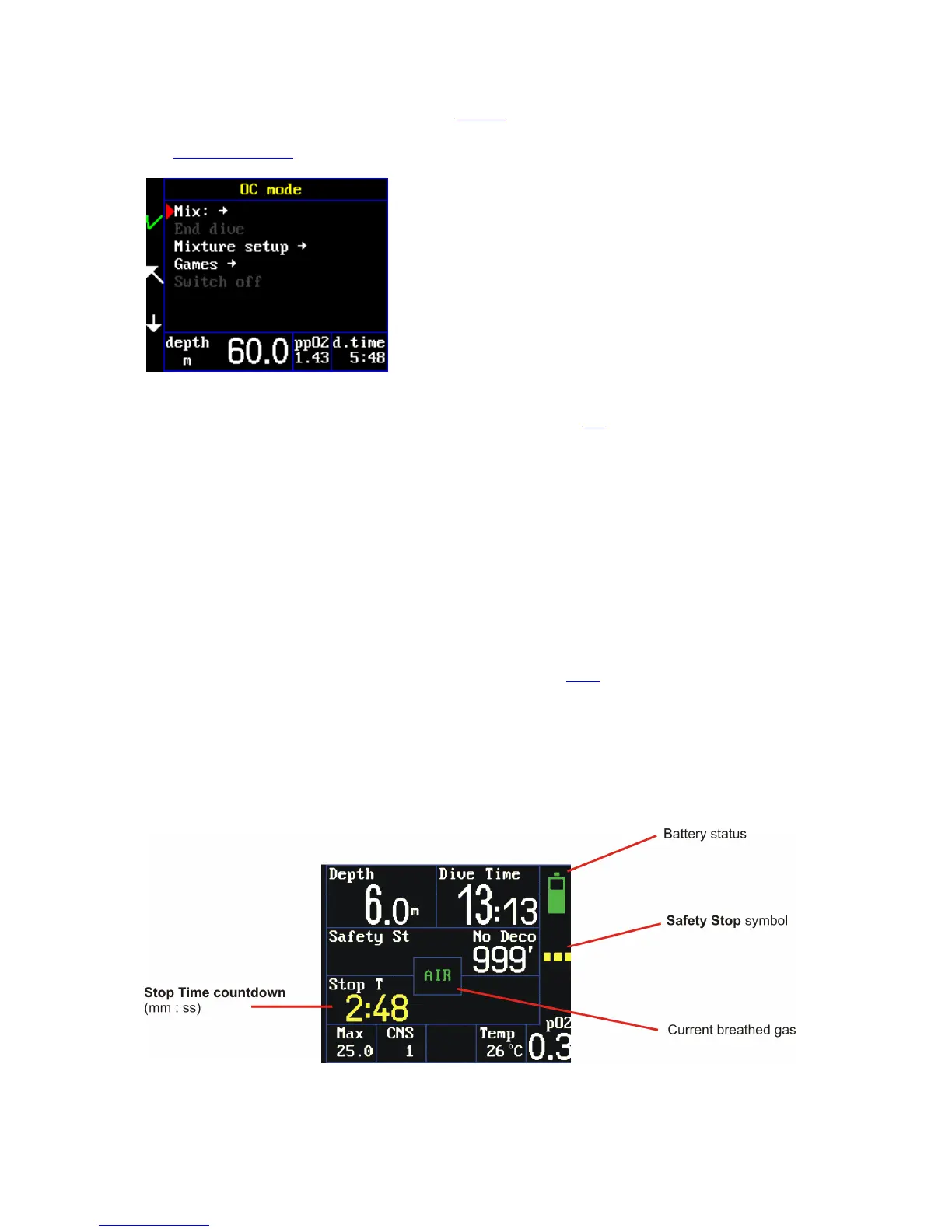
Every dive deeper than 10 meters requires a safety stop. The safety stop takes place from six to three
meters. After exceeding six meters the decompression-status graphic symbol changes to a yellow
dashed line and the safety stop time starts a three-minute countdown in the lower left box in the
detailed screen, in bottom middle box in the synoptic screen and in the bottom box in the big screen.



 To Next Page