43
Free mode
Free mode serves for the special needs of free divers. Free mode is indicated by a yellow frame and is
divided into two sub-modes: diving and surface. Free diving is characterized by a lot of comparatively
short dives with comparatively short surface times. Therefore, the sum of dives in one training
session or competition is included in one specific log with detailed statistics.
Warning: Free diving immediately after scuba diving is not safe and could cause decompression
sickness, especially DCS Type II. Microbubbles caught in pulmonary shunts could be squeezed and
transported to arterial blood, where they could cause injury or death. Scuba diving after free diving
is possible.
Activating Free mode
Go to Surface mode main menu> Free mode
Go to the Surface mode main menu> Free mode
If you have Free mode set as your priority mode, it starts automatically after you enter the water and
dive below 1.5 m. The starting depth is set at 1.5 m by default, but it can be changed in the Free
mode settings (Surface mode main menu> Setup> Free setup> Free mode start depth or Free mode>
Setup> Free mode start depth) in the range from 1 m to 2 m.
Start dive – the dive time starts at the moment when the diver’s wrist with a fitted FREEDOM
computer exceeds the Free mode start depth.
End dive – the dive time is interrupted at the moment when the diver’s arm reaches a depth that is
shallower than the Free mode end depth.
Diving part
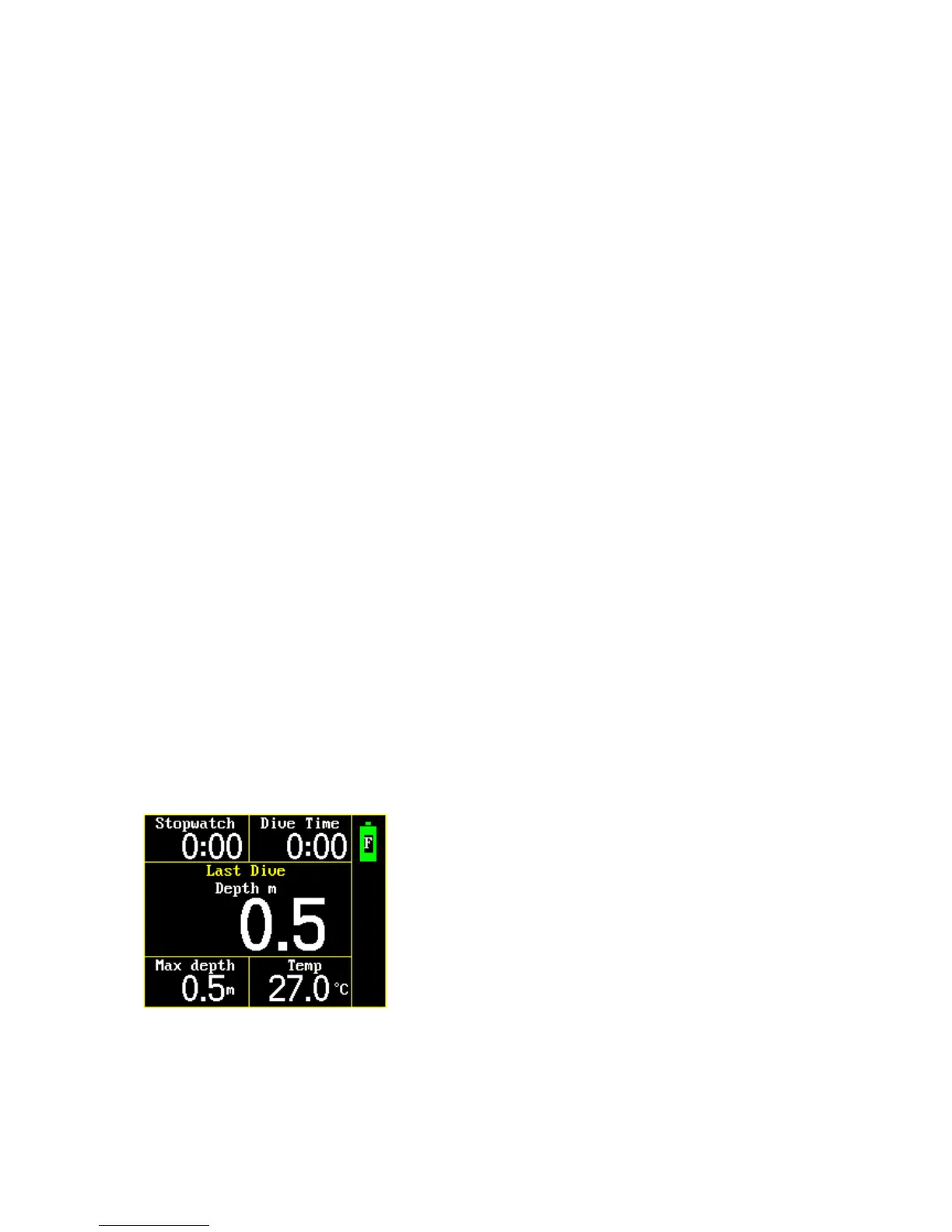
In the diving part of Free mode, the following functions are displayed: stopwatch, current depth, dive
time in seconds, maximum depth, temperature, battery status.
Depth – shows the current depth in meters or feet (depends on the settings) with an accuracy of
one-tenth meter/foot.
Dive time – measures the dive time from plunge to ascent termination. The time-activating depth
depends on the setting.
Maximal depth – shows maximum depth.



 To Next Page