48
the no-decompression time for the set depth, ascent time and total dive time are displayed. If you
are not satisfied with the settings, you can go back by pressing BOTH KEYS and reset the input values.
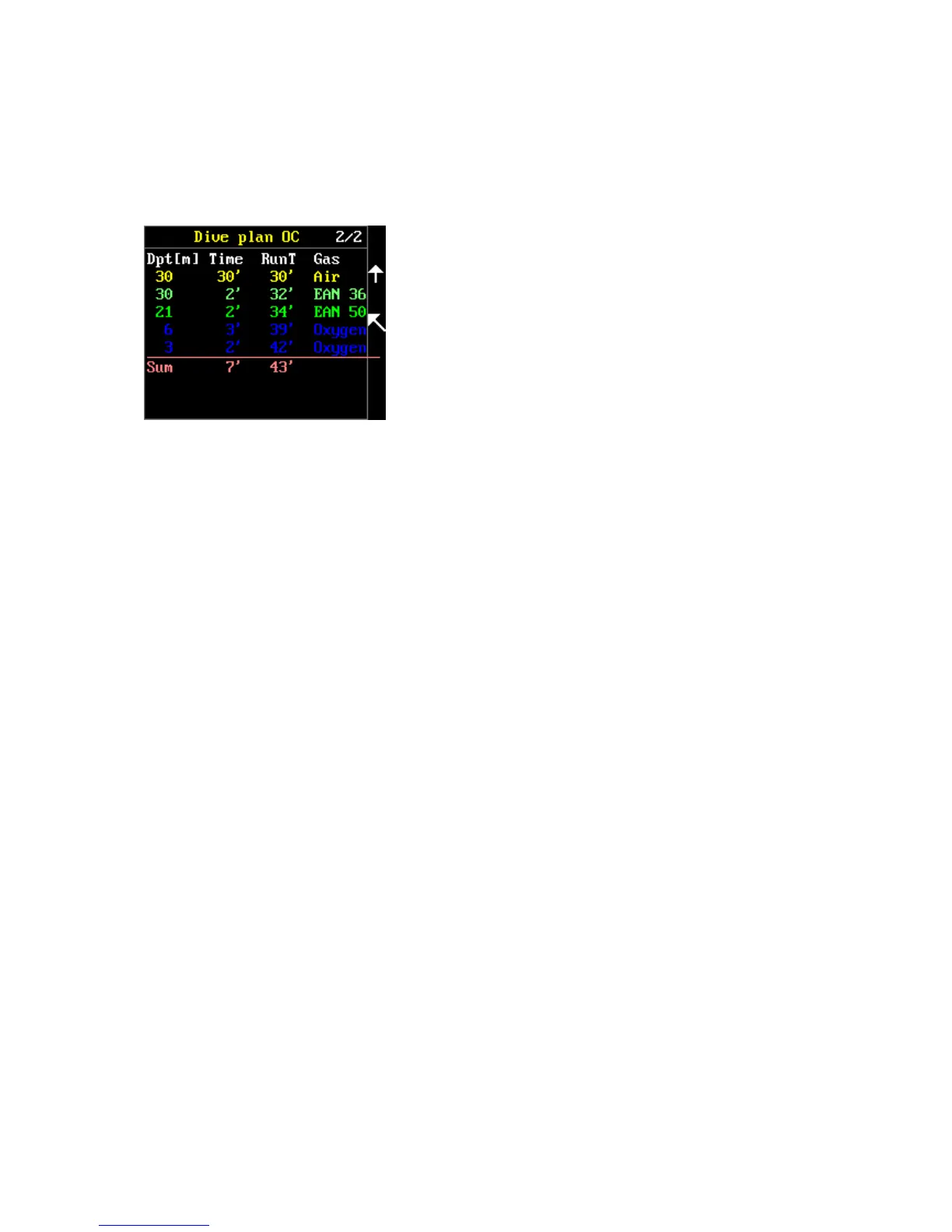
By pressing KEY 2, you will display the detailed decompression plan. Individual lines determined by
the depth are color-coded according to the utilized mixture (see the previous paragraph). The
following data are always displayed in a line: depth, time at that depth, Runtime (total time at the
given moment), utilized gas. The last pink line under the
previous pink line is the summary. The sum under the time at
depth expresses the total ascent time and the sum under the
runtime expresses the total time of the entire dive. Whether
depths are arranged from the top down or vice versa depends
on the settings (setup > preferences > plan) where “normal”
(bottom time and the first stop are below) or “reverse”
(bottom time and the first stop are above) can be set. Please
set the display of the plan in the manner that is more natural
for you to read. Only eight lines can be displayed on the Freedom computer’s screen. In the event
that a planned dive requires more decompression stops, these are displayed on the following page.
You can browse through the pages in the plan using the KEY 1 up and KEY 2 down keys.
The “Start simulation” command launches a demo dive according to the parameters than you have
set. During the demo dive, the Freedom can be controlled in the same manner as during an actual
dive. However, for these purposes the “Demo dive” item, which offers the possibility of immediately
terminating the demo dive (End demo dive) or starting ascent at the current point in the demo dive
(Start ascent), has been added to the menu (BOTH KEYS). The demo dive is recorded in the Logbook,
though such dive does not in any way influence the decompression model and calculation of
decompression during the subsequent actual dive.
You also have the possibility to store the entered values as your default values. This means that if you
thus store such values, the stored values will be displayed first upon the next opening of the planner.
Log book
Main menu > Log book
The FREEDOM has an internal memory for logging your dives. The internal memory can save 80 to
240 hours of diving profiles. The quantity of saved dives depends on their duration and the amount
of saved information. The FREEDOM detects the changes in your diving profile every second! If there
are not any or events in your profile, the FREEDOM saves only the initial information and the state
before the change. The FREEDOM thus saves internal memory capacity for more logs.
First, the list of your logged dives is opened. Each dive is described with the date, dive time and
maximum depth. If there are several dives during a given day, dives are marked with letters from “a”
to “p”.



 To Next Page