47
Plan
Decompression planner
The DIVESOFT Freedom computer contains a comprehensive decompression planner for planning
advanced and technical dives. For the purpose of simple control, which is limited to two buttons and
tilting, direct setting of the dive plan is limited to the surface interval, depth, time and bottom mix.
All other settings, such as the unit system, setting of gradient factors, depth of the last stop, ascent
speed and the number and composition of mixes, are taken from the current global setting of the
Freedom computer.
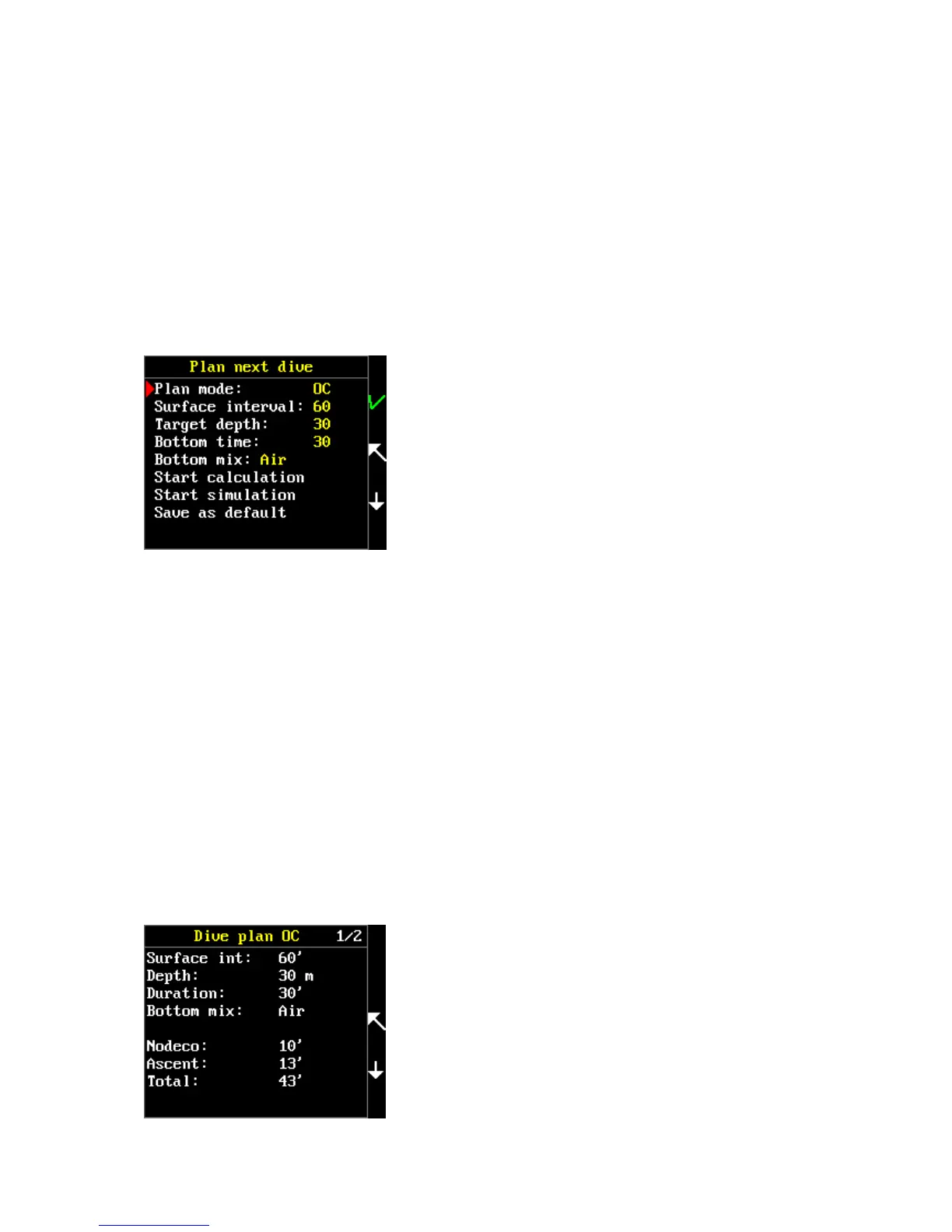
Go to the Main menu and select the “Plan” item.
In the “Plan mode” item, set whether the dive will be conducted with an open circuit (OC) or closed
circuit (CCR).
In the “Surface interval” item, use tilting or tapping to set the time interval between the current time
and the time of starting the planned dive. The Freedom takes into account the diver’s tissue
saturation with inert gases from previous dives.
In the “Target depth” item, set your planned maximum depth. Units are set according to your global
setting: metric = meters, imperial = feet.
In the “Bottom time” item, set the total time of stay at the bottom until the moment of beginning
the ascent. The descent time at the assumed speed of 30m/min. is also figured into the bottom time.
The “Bottom mix” item determines which of your preset mixtures will be used for the stay at the
bottom. Other gases will be used as travel and decompression mixtures. Only preset gases are
displayed in the list of gases in the main menu > setup > mixtures. Gases are used in the planner so
that all of the gases are used during ascent at the moment when the ppO2 of the given mixture
reaches 1.6 bars. The depth for gas switch is rounded to 3m
or, as the case may be, 10ft. Every mixture is differently color-
coded in the plan. Air is depicted as white, oxygen blue, nitrox
mixtures green and trimix mixtures brown. The shade of green
and brown differs in relation to the oxygen content of the
given mixture.
The “Start calculation” command starts the calculation of your
plan. Upon pressing KEY 1, a recapitulation of the set values,



 To Next Page