Page 55
EPROM REPLACEMENT
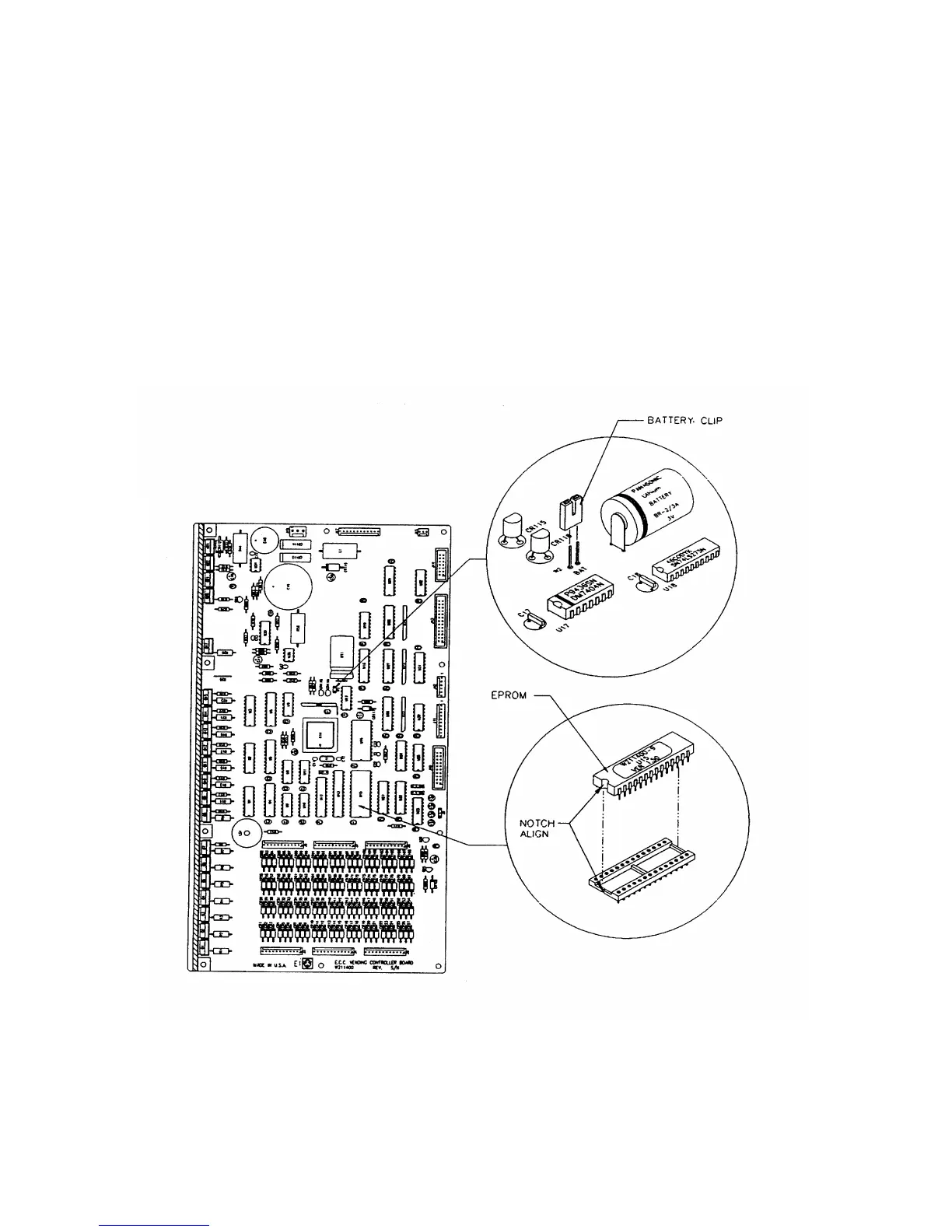
Software changes/upgrades are accomplished by changing the EPROM on the Control Board.
Turn the Main Power Switch on the AC Distribution Box to OFF and proceed as follows:
• Remove the cover from the Control Board.
• Remove the Battery clip to allow the Board's memory to drain.
(Leave the clip off for a minimum of 10 minutes)
• Replace the EPROM.
(The EPROM's legs bend easily. Remove and replace very carefully)
• Replace the Battery clip and cover.
• Turn the Main Power Switch ON.
• Go in the "Setup Mode" and push "F" for Master Reset.
• Go in the "Test Mode" and push "0" to clear errors.
FIGURE 3 – EPROM REPLACEMENT







 To Next Page