6 XT30/XT50 User Guide Introduction
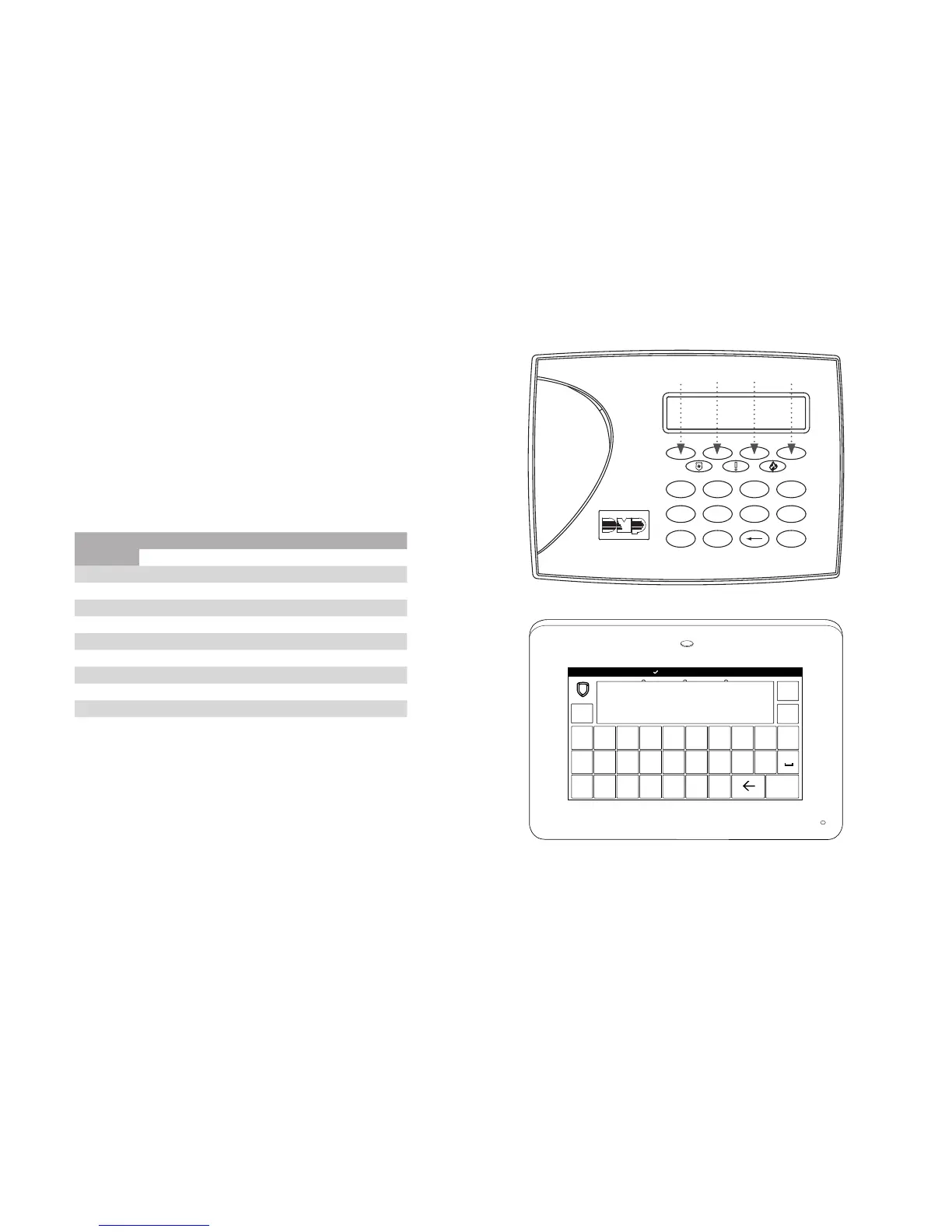
Number Pad
1. Choose a character from the table.
2. Identify the Number the character correlates with and
press that number on the number pad.
3. Identify the Select Key or Area for that character and
press that select key or area on the keypad. To access
the lowercase letter, press that select key or area again.
4. When the desired character displays on the keypad,
return to Step 1 to enter another character or press CMD
if nished.
NUMBER
SELECT KEY OR AREA
1 2 3 4
1 A B C ( [ {
2 D E F ) ] }
3 G H I ! ^ ~
4 J K L ? “ |
5 M N O / \ `
6 P
Q
R & $
7 S T U @ %
8 V W X , =
9 Y Z space, : _ ;
0 -, + ., ‘ *, < # >
Standard Keyboard
• Press ABC to access uppercase letters.
• Press abc to access lowercase letters.
• Press !@# to access symbols.
• Press 123 to access the number pad.
Number Pad and Select Keys
1 2 3 4
5 6 7 8
9 0 CMD
A
C
B
D
F
E
G
I
H
J
L
K
V
X
W
S
U
T
P
R
Q
M
O
N
Y
Z
E
N
T
E
R
B
A
C
K
Key
1
Key
2
Key
3
Key
4
Standard Keyboard and Select Areas
1 2 3 4
5 6 7 8
9 0
CMD
ABC DEF GHI JKL
MNO PQR STU VWX
YZ
ABC
!@#
123
q w e r t y u i
o p
a s d f g h j k l
z
x c v b n m CMD
Area
1
Area
2
Area
3
Area
4













 To Next Page