Technical manual | X-am
®
2800 / X-am
®
5800 41
Maintenance
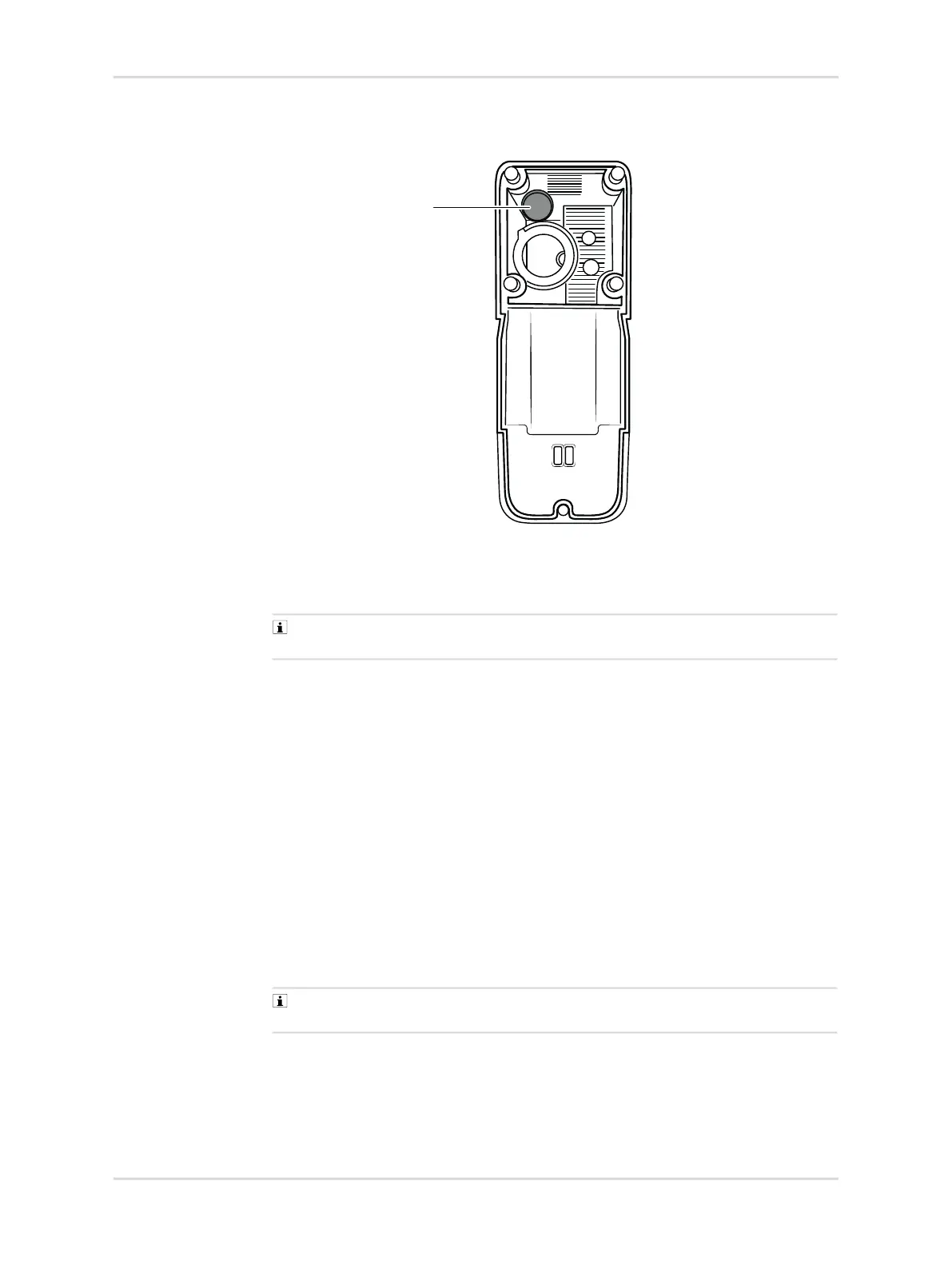
1. Carefully remove the old RFID transponder (1) from the housing.
2. Remove the foil from the adhesive tape of the new transponder.
3. Insert the new RFID transponder (1) into the left upper corner of the lower part of
the housing and press into place.
The adhesive tape is very strong and cannot be removed again without
becoming damaged once it has been pressed into place.
4. Read out the RFID transponder identifier and save it to the device using the
Dräger CC-Vision PC software.
6.13.3 Horn resonator
Prerequisites:
– The gas detector is open.
1. Carefully lift the defective horn resonator from the printed circuit board using a
tweezers; the adhesive ring may prove difficult to take off.
2. Carefully remove the adhesive ring and adhesive residue from the printed circuit
board using a blunt plastic object.
3. The spare part comes equipped with an adhesive ring. Get the adhesive ring
ready, affix it to the resonator if required.
4. Place the resonator with adhesive ring on the printed circuit board, guide the
pins of the resonator into the guide holes and press firmly on the resonator.
Guides at 1 o’clock and 7 o’clock on the resonator help to accurately position
the resonator on the PCB.
5. Close the gas detector.
56093
1



 To Next Page
 Loading...