EasyManua.ls Logo

Dräger Oxylog 2000 - Using Assist;Control Mode

Dräger Oxylog 2000
41 pages
Print Icon
To Next Page IconTo Next Page
To Previous Page IconTo Previous Page
Loading...
For
internal
use
only.
Copyright
reserved.
Drager
Medizintechnik
3.7
Test
017:
Displaying
and
Calibrating
the
Autozero
Offset
In
the
IPPV
mode,
the
Oxylog
2000
ventilates
the
patient
with
the
frequency
(Freq.),
the
tidal
volume
(V
T
),
and
the
inspiratory
time
(T|:T
E
)
values.
The
alarm
messages
are
not
active.
The
current
offset
(act.
Offs)
of
the
flow-measurement
pressure
sensor
(Autozero)
is
displayed
continually
in
the
lower
section
of
the
display.
The
filtered
offset
(fil.
Offs)
is
indicated
in
the
top
line
of
the
display.
The
filtered
offset
compensates
for
the
occurring
fluctuations
and
has
a
greater
stability.
A
new
Autozero
value
is
calculated
at
one
to
two
minute
intervals.
Adjust
the
mode
switch
to
IPPV.
Select
the
Extended
Service
Mode
(ESM).
Press
the
Reset
key
or
the
Info
key
to
select
Test
017.
Press
the
Info
key
and
the
Reset
key
simultaneously
to
activate
Test
017.
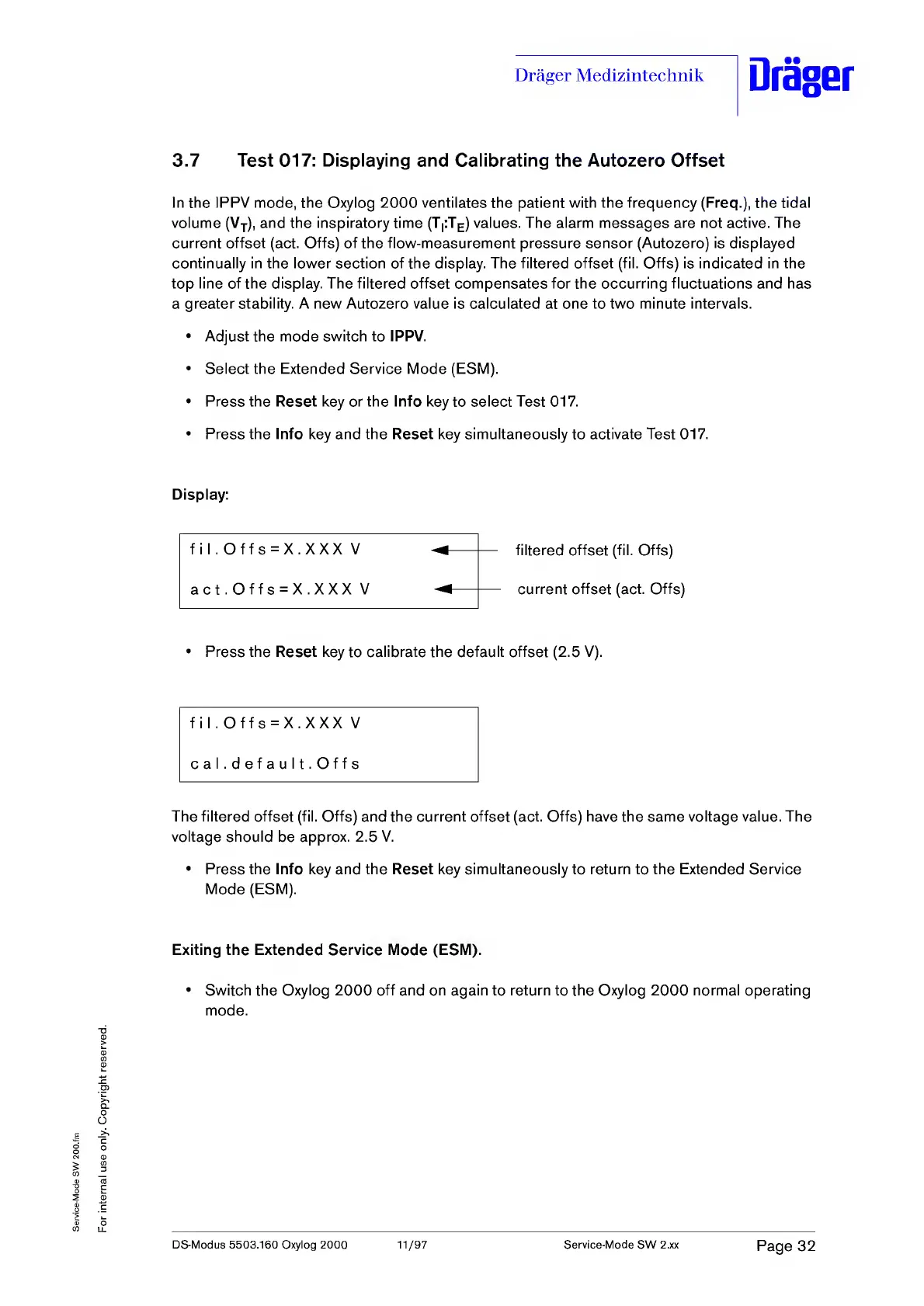
Display:
fil.Offs
=
X.XXX
V
filtered
offset
(fil.
Offs)
current
offset
(act.
Offs)
act.Offs
=
X.XXX
V
Press
the
Reset
key
to
calibrate
the
default
offset
(2.5
V).
fil
.
Offs
=
X.XXX
V
cal.default.Offs
The
filtered
offset
(fil.
Offs)
and
the
current
offset
(act.
Offs)
have
the
same
voltage
value.
The
voltage
should
be
approx.
2.5
V.
Press
the
Info
key
and
the
Reset
key
simultaneously
to
return
to
the
Extended
Service
Mode
(ESM).
Exiting
the
Extended
Service
Mode
(ESM).
Switch
the
Oxylog
2000
off
and
on
again
to
return
to
the
Oxylog
2000
normal
operating
mode.
DS-Modus
5503.160
Oxylog
2000
11/97
Service-Mode
SW
2.xx
Page
32

Table of Contents

Other manuals for Dräger Oxylog 2000

Related product manuals