3-1
CHAPTER 3
View Real Time Data
Overview
Introduction
PX5 allows users to view power quality phenomena as it happens, when it happens.
The instrument is able to capture and process data in real time, and allows users to view
it in Scope mode, Meter mode, Harmonics, and Phasor display.
Access to real
time data
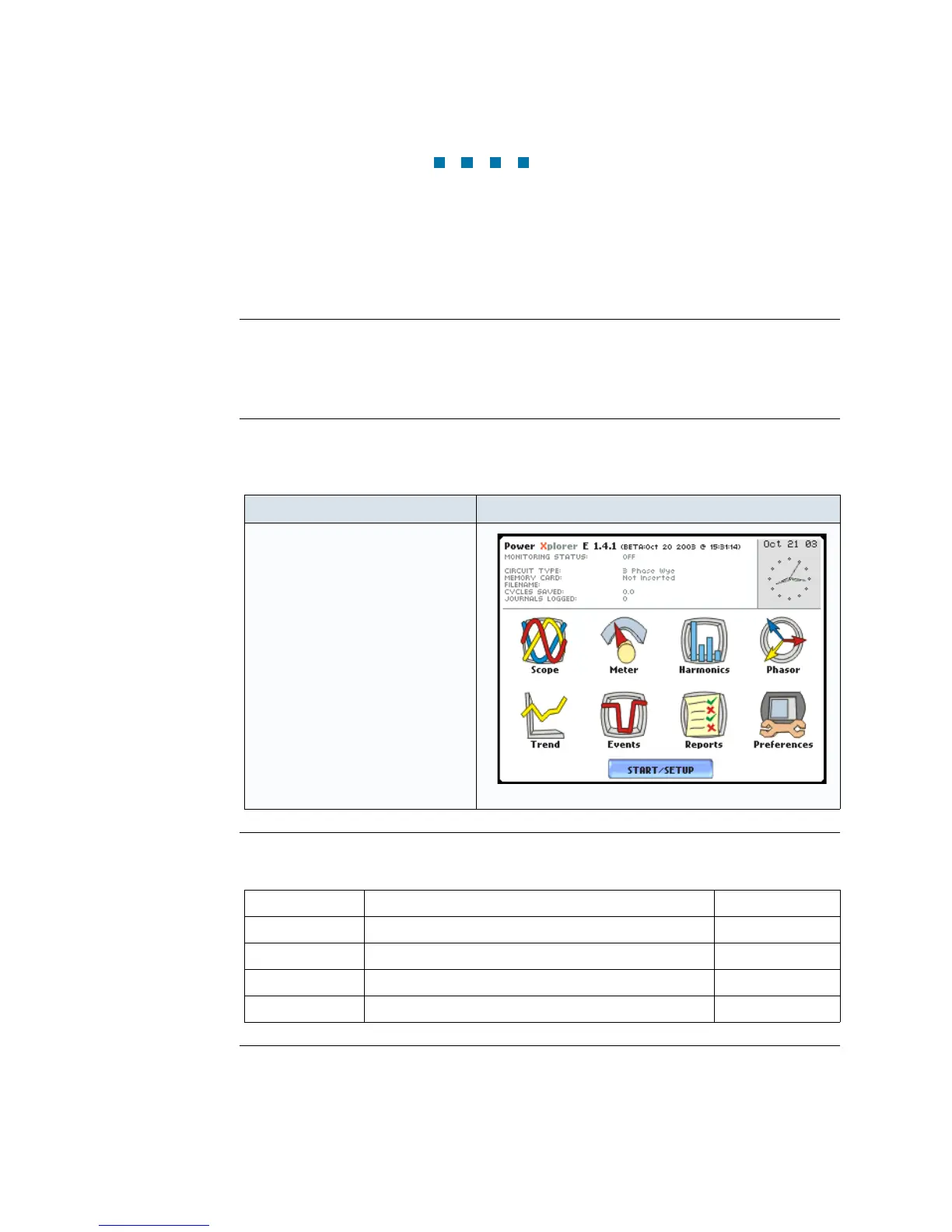
Icons for Scope mode, Meter mode, Harmonics and Phasor display are available in the
Home screen. Follow these steps to display the Home screen.
In this chapter
This chapter is divided into four sections.
Action... Result...
STEP 1: Press the PX5 On/Off
power button to turn the unit on.
The Home screen will be
displayed.
MARK001
Section Title See Page
A Scope Mode 3-2
B Meter Mode 3-5
C Harmonics 3-15
D Voltage and Current Phasor 3-20
www.GlobalTestSupply.com
Find Quality Products Online at: sales@GlobalTestSupply.com


 To Next Page
 Loading...