4-5
CH 4/ Instrument Settings
Select Language
Select Language
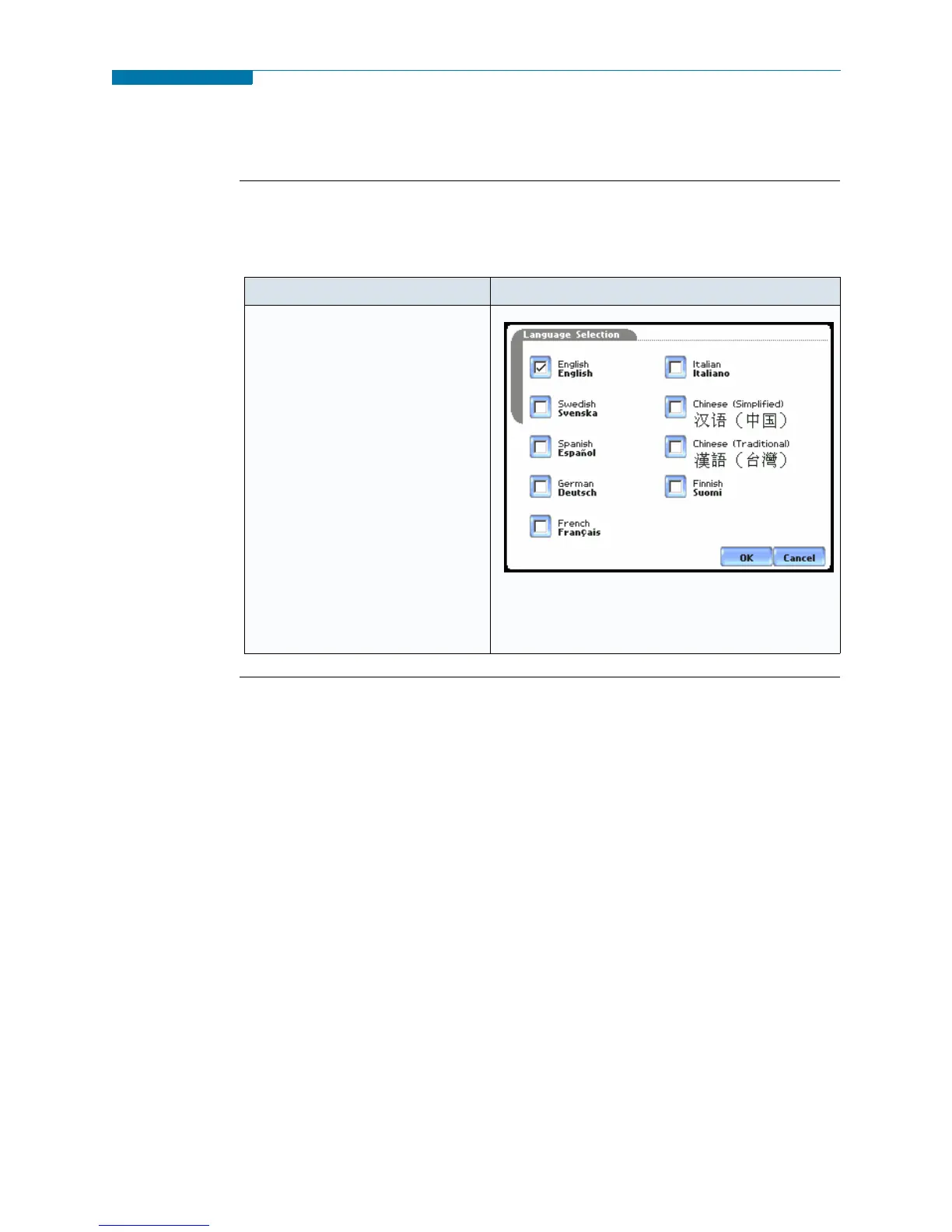
PX5 menu screens appear in the English language by default. Users have the option to
set screen display to any of the following languages: English, Swedish, Spanish,
German, French, Italian, Simplified Chinese, Traditional Chinese, or Finnish.
Action... Result...
STEP 1: From the Instrument
Settings Setup Menu screen, press
Language.
• Check to select the desired
language in which you want
display screens to appear.
•Press OK to accept new
language selection. The screen
will return to Instrument
Settings menu. All screens will
automatically change to the
selected language.
•Press Cancel to retain present
language.
MARK155
www.GlobalTestSupply.com
Find Quality Products Online at: sales@GlobalTestSupply.com


 To Next Page
 Loading...