5-15
CH 5/ Start Menu
Frequency,
voltage and
current settings
(continued)
Action... Result...
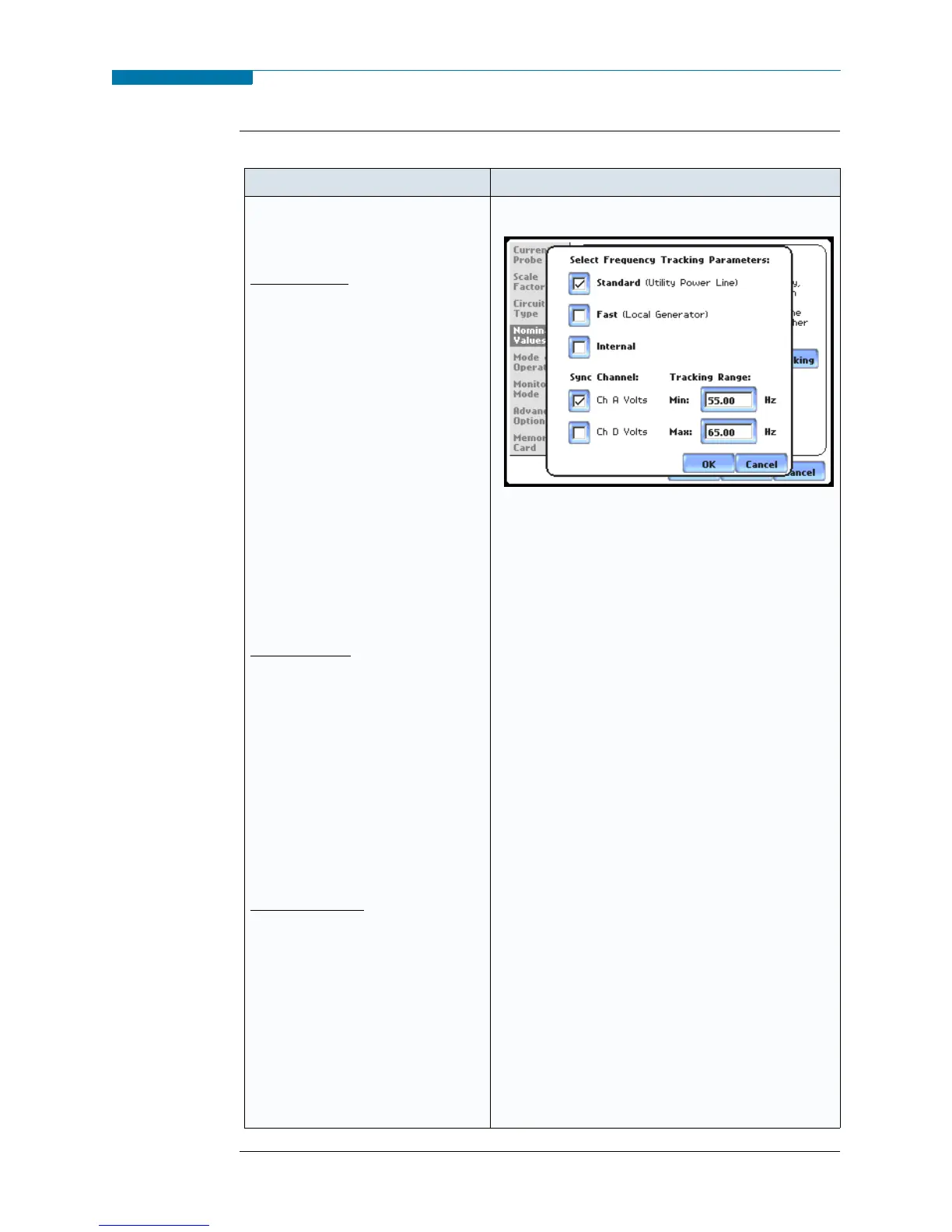
STEP 3: Tracking allows users to
set parameters to monitor changes
in frequency.
Voltage Class:
Check to select the power system
that define the voltage range of
distribution of the monitored
system.
• Standard voltage range is 16-
440 Hz.
• Fast voltage range is 16-65 Hz.
• Internal uses the nominal
frequency when making
measurements where no
reference signal is available.
NOTE: Always enter a nominal
frequency that matches your
line frequency. This ensures
that if the PX5 loses external
sync, it will have a
corresponding internal sync.
Sync Channel:
Check to specify the external sync
mode to show which channel the
signal is connected to. See page 5-
16 for more details on frequency
synchronization.
• Ch A Volts: When set to Ch A,
PX5 attempts to sync to an
incoming voltage signal.
• Ch D Volts: When set to Ch D,
PX5 only attempts to sync to
voltage Ch D.
Tracking Range:
The Min and Max refer to the
range of frequencies that the
phase locked loop will “hunt” if
sync is lost. See page 5-16 for
more details on frequency
tracking.
•Press OK to accept new
frequency tracking settings.
•Press Cancel to quit and return
to Nominal Values screen.
MARK110c
www.GlobalTestSupply.com
Find Quality Products Online at: sales@GlobalTestSupply.com


 To Next Page
 Loading...